
- ✔ Verified by VirusTotal
- ✔ 100% Original Product & Virus-Free
- ✔ Lifetime Free Updates on Single Purchase
- ✔ Unlimited Website Usage
- ✔ Prices in USD (Tax Included)
🔥 Limited-Time Deal — Ends Soon!
Paid Memberships Pro Donations Addon 2.2
$58.00 Original price was: $58.00.$2.99Current price is: $2.99.
Instant Access
7 Day Money Back Guarantee
Online Support 24/7
Secure Payment
Description
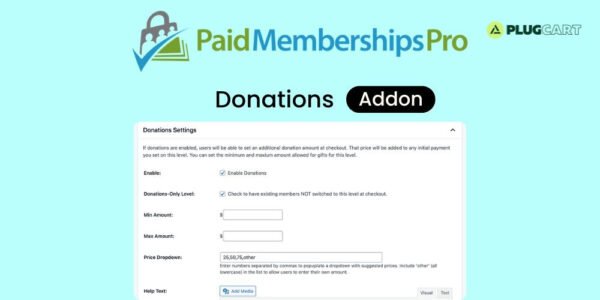
💖 Paid Memberships Pro Donations Addon
Empower your members to give more! The Paid Memberships Pro Donations Addon allows customers to add an extra donation amount during checkout, supporting causes, upgrades, or your organization’s mission effortlessly.
⚙️ How It Works
When a user purchases a membership, they’ll see an option to “Make a Gift” at checkout.
🧾 The donation amount they enter is added to the initial payment.
🔁 The addon does not modify recurring billing, trials, or expiration dates, ensuring existing payment settings remain intact.
💡 For advanced setups, developers can extend functionality through custom code adjustments.
🌟 Key Benefits
✅ Encourage generosity and community support
✅ Seamlessly integrates into your checkout page
✅ No impact on recurring payment settings
✅ Lightweight and easy to configure
✅ Perfect for nonprofits, clubs, or community-driven sites
🏁 Conclusion
🎯 The Paid Memberships Pro Donations Addon makes it easy to accept optional donations during membership checkout. Whether you’re raising funds for a cause or offering members the chance to contribute more, this addon ensures a smooth, secure, and user-friendly experience — all without complicating your billing process.
Be the first to review “Paid Memberships Pro Donations Addon 2.2” Cancel reply
How to Install
Follow these quick steps to install from a .zip file or directly from your WP dashboard.
-
1
Go to Plugins → Add New
In your WordPress dashboard, open Plugins and click Add New.
-
2
Click Upload Plugin
Press Upload Plugin → Choose File and select the downloaded
plugin-name.zip. -
3
Install & Activate
Click Install Now, then Activate. You’re done!
-
4
(Optional) Enter License / Use Shortcode
Open Plugins → Your Plugin → Settings to enter your license. Add the box on the product page with:
[plugin_info_box]
Alternative: Install from WordPress directory
Go to Plugins → Add New, search the plugin name, click Install then Activate.
Manual (FTP) method
Unzip locally → upload the folder to /wp-content/plugins/ using FTP → activate from Plugins.
-
1
Go to Appearance → Themes
Click Add New → Upload Theme.
-
2
Upload the .zip file
Select
theme-name.zip, click Install Now, then Activate. -
3
Install Required Plugins
If prompted, click Begin installing plugins and activate them.
-
4
(Optional) Import Starter Content
Use the theme’s Demo Import (if provided) to load sample pages and settings.
Manual (FTP) theme install
Unzip the theme → upload to /wp-content/themes/ → activate from Appearance → Themes.




Reviews
There are no reviews yet.