
- ✔ Verified by VirusTotal
- ✔ 100% Original Product & Virus-Free
- ✔ Lifetime Free Updates on Single Purchase
- ✔ Unlimited Website Usage
- ✔ Prices in USD (Tax Included)
🔥 Limited-Time Deal — Ends Soon!
Paid Memberships Pro State Dropdowns Addon 0.5.2
$58.00 Original price was: $58.00.$2.99Current price is: $2.99.
Instant Access
7 Day Money Back Guarantee
Online Support 24/7
Secure Payment
Description
🌍 Country and State Dropdown – PMPro Add-On
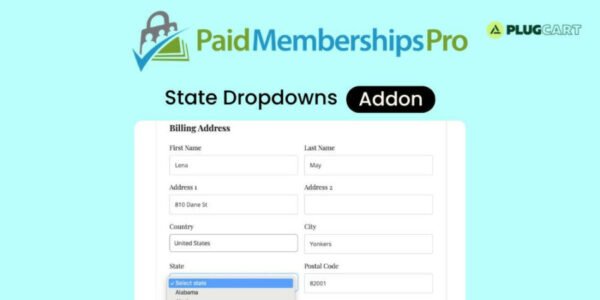
The Country and State Dropdown Add-On enhances your Paid Memberships Pro checkout by adding dynamic Country and State selection fields in the Billing Address section.
When activated, users can select their country, and the state dropdown will automatically adjust to display relevant options. This improves checkout accuracy, reduces errors, and streamlines the registration process for your members.
✨ Key Features
🏷️ Dynamic Billing Fields
Adds Country and State dropdowns to the checkout form
Automatically adjusts states based on selected country
Simplifies billing address entry for users
🔒 Seamless PMPro Integration
Works with Paid Memberships Pro core features
Compatible with member registration, subscriptions, and access control
Fully integrates with WordPress blocks and checkout layout
💳 Payment Gateway Support
Compatible with popular gateways including:
Stripe
PayPal Express
Paystack
CCBill
Ensures accurate billing info for all payment methods
🧩 Add-On Compatibility
Works alongside other PMPro add-ons and integrations
Supports Free, Standard, Plus, and All Add-Ons
✅ What We Offer
Easy-to-use dynamic country & state fields
Smooth user experience during checkout
Accurate billing addresses for payments and records
Full compatibility with Paid Memberships Pro features
🎯 Conclusion
The Country and State Dropdown Add-On streamlines your membership site’s checkout process, improving accuracy and user experience. Make billing simple, intuitive, and error-free for every member.
Be the first to review “Paid Memberships Pro State Dropdowns Addon 0.5.2” Cancel reply
How to Install
Follow these quick steps to install from a .zip file or directly from your WP dashboard.
-
1
Go to Plugins → Add New
In your WordPress dashboard, open Plugins and click Add New.
-
2
Click Upload Plugin
Press Upload Plugin → Choose File and select the downloaded
plugin-name.zip. -
3
Install & Activate
Click Install Now, then Activate. You’re done!
-
4
(Optional) Enter License / Use Shortcode
Open Plugins → Your Plugin → Settings to enter your license. Add the box on the product page with:
[plugin_info_box]
Alternative: Install from WordPress directory
Go to Plugins → Add New, search the plugin name, click Install then Activate.
Manual (FTP) method
Unzip locally → upload the folder to /wp-content/plugins/ using FTP → activate from Plugins.
-
1
Go to Appearance → Themes
Click Add New → Upload Theme.
-
2
Upload the .zip file
Select
theme-name.zip, click Install Now, then Activate. -
3
Install Required Plugins
If prompted, click Begin installing plugins and activate them.
-
4
(Optional) Import Starter Content
Use the theme’s Demo Import (if provided) to load sample pages and settings.
Manual (FTP) theme install
Unzip the theme → upload to /wp-content/themes/ → activate from Appearance → Themes.




Reviews
There are no reviews yet.