
- ✔ Verified by VirusTotal
- ✔ 100% Original Product & Virus-Free
- ✔ Lifetime Free Updates on Single Purchase
- ✔ Unlimited Website Usage
- ✔ Prices in USD (Tax Included)
🔥 Limited-Time Deal — Ends Soon!
Partdo Theme – Auto Parts and Tools Shop WooCommerce Theme 1.4.1
$29.00 Original price was: $29.00.$2.99Current price is: $2.99.
Instant Access
7 Day Money Back Guarantee
Online Support 24/7
Secure Payment
Description
🚗 Partdo Theme – Auto Parts & Tools Store WordPress Theme
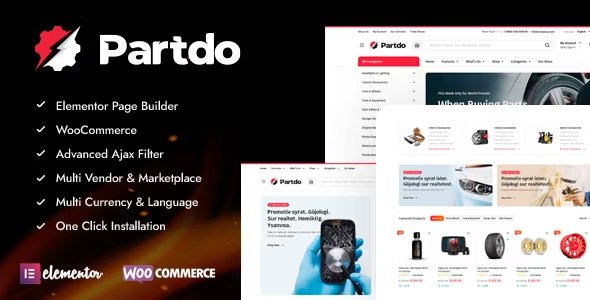
Partdo Theme (GPL) is a professional and feature-packed Auto Parts Store and Tools Shop WooCommerce Theme for building stunning, high-performance eCommerce websites.
This is a GPL-distributed version — clean, secure, and legally redistributed under the GPL license (no official support).
🧰 Build Your Dream Auto Parts Store
Whether you’re setting up an auto parts store, bike shop, tools marketplace, or electronics shop, Partdo gives you everything you need to get your store up and running within hours. With its Elementor Page Builder integration, even beginners can design and launch beautiful stores without touching a single line of code.
⚙️ Partdo Theme GPL Features
🧱 Powerful Builder & Compatibility
Elementor Page Builder – Design with drag & drop ease
WooCommerce Ready – Sell auto parts, tools, and accessories effortlessly
Dokan & WC Marketplace Ready – Build a multi-vendor marketplace
RTL (Arabic) Support – Full right-to-left language compatibility
WPML & Polylang Support – Multilingual store setup made easy
🛒 Advanced eCommerce Functionality
AJAX Product Search & Filters – Smooth and instant results
Advanced Attribute Search Filter – Help customers find exact parts fast
Quick View & Product Video (YouTube/Vimeo)
360° Product View – Showcase your products from every angle
Wishlist, Compare, and Recently Viewed Products
Sticky Add to Cart (Mobile) & Buy Now Button for faster conversions
Free Shipping Bar & Stock Progress Bar
📦 Enhanced Shopping Experience
Load More & Infinite Scroll Pagination (AJAX)
Order on WhatsApp integration
AJAX Add/Remove from Cart for Variable & Grouped Products
Min/Max Quantity & Order Amount Controls
Catalog Mode – Hide prices for quote-based selling
GDPR Cookie Consent & Maintenance Mode
Popup Newsletter & Ajax Login/Register Forms
🧩 Performance & Customization
One-Click Demo Import – Set up your store instantly
Google Fonts & Sticky Product Titles
Customizable Colors, Layouts, and Product Filters
Metabox Support for advanced customization
Loco Translate & .POT Files for localization
🌍 Perfect for Any Auto or Tools Store
Partdo is designed for:
Auto Parts Shops
Car Accessories Stores
Tire and Wheel Shops
Motorcycle or Bike Parts Shops
Tools & Equipment Stores
Multi-Vendor Marketplaces
🏁 Conclusion
Partdo Theme (GPL) is your all-in-one automotive and tools store solution, combining modern design, speed, and powerful WooCommerce integration. With its multi-vendor support, AJAX-powered features, and Elementor builder, you can create a professional auto parts store or marketplace in no time — even without coding skills.
Be the first to review “Partdo Theme – Auto Parts and Tools Shop WooCommerce Theme 1.4.1” Cancel reply
How to Install
Follow these quick steps to install from a .zip file or directly from your WP dashboard.
-
1
Go to Plugins → Add New
In your WordPress dashboard, open Plugins and click Add New.
-
2
Click Upload Plugin
Press Upload Plugin → Choose File and select the downloaded
plugin-name.zip. -
3
Install & Activate
Click Install Now, then Activate. You’re done!
-
4
(Optional) Enter License / Use Shortcode
Open Plugins → Your Plugin → Settings to enter your license. Add the box on the product page with:
[plugin_info_box]
Alternative: Install from WordPress directory
Go to Plugins → Add New, search the plugin name, click Install then Activate.
Manual (FTP) method
Unzip locally → upload the folder to /wp-content/plugins/ using FTP → activate from Plugins.
-
1
Go to Appearance → Themes
Click Add New → Upload Theme.
-
2
Upload the .zip file
Select
theme-name.zip, click Install Now, then Activate. -
3
Install Required Plugins
If prompted, click Begin installing plugins and activate them.
-
4
(Optional) Import Starter Content
Use the theme’s Demo Import (if provided) to load sample pages and settings.
Manual (FTP) theme install
Unzip the theme → upload to /wp-content/themes/ → activate from Appearance → Themes.




Reviews
There are no reviews yet.