
- ✔ Verified by VirusTotal
- ✔ 100% Original Product & Virus-Free
- ✔ Lifetime Free Updates on Single Purchase
- ✔ Unlimited Website Usage
- ✔ Prices in USD (Tax Included)
🔥 Limited-Time Deal — Ends Soon!
Permalink Manager Pro 2.5.1.4
$49.00 Original price was: $49.00.$2.99Current price is: $2.99.
Instant Access
7 Day Money Back Guarantee
Online Support 24/7
Secure Payment
Description
🔗 WordPress Permalink Manager – Game-Changing URL Editor
This is a GPL-distributed version of WordPress Permalink Manager. It is clean, secure, and legally redistributed under the GPL license, with no official support included.
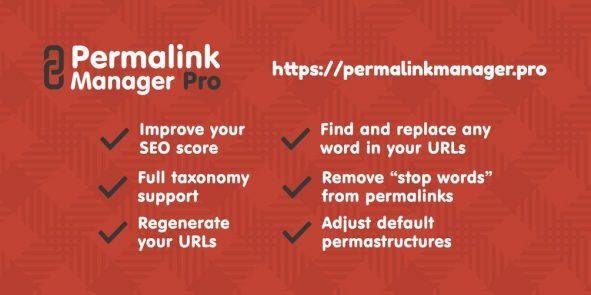
Permalink Manager is a powerful WordPress plugin that gives you full control over your URLs. Built with SEO optimization in mind, it allows you to edit permalinks for posts, pages, categories, tags, WooCommerce products, and custom post types — all in a simple, intuitive interface.
🌟 What We Offer
Effortlessly edit and customize WordPress URLs for all content types.
Seamless integration with WooCommerce, WPML, Polylang, Yoast SEO, RankMath, SEOPress, ACF, and more.
Bulk editing capabilities to save time on large projects.
Enhance SEO performance by optimizing URL structure for search engines.
🧩 Key Features
✨ Complete Permalink Control
Edit permalinks for posts, pages, categories, tags, and custom taxonomies.
Adjust URL structure using the ‘Permastructure’ editor for ultimate flexibility.
Add keywords, remove stop-words, and reorder URL components for SEO.
⚡ WooCommerce & Custom Post Type Support
Full support for WooCommerce product URLs.
Works seamlessly with custom post types and custom taxonomies.
🛠️ Bulk URL Editing
Edit multiple URLs at once to save time.
Perfect for large sites or complex projects.
🌐 Plugin Compatibility
Fully compatible with major plugins including:
SEO Plugins: Yoast SEO, RankMath, SEOPress
Multilingual Plugins: WPML, Polylang
Custom Content Tools: ACF, Toolset, Pods
🔄 Flexible Editing Options
Edit individual permalinks or apply site-wide changes.
Streamlined interface designed for ease-of-use.
Overcomes the limitations of native WordPress URL settings.
🚀 Why Use Permalink Manager
✅ Maximize SEO performance by optimizing URLs.
✅ Fully customizable for every post, page, or taxonomy.
✅ Save time with bulk editing for large sites.
✅ Works seamlessly with WooCommerce and custom content types.
✅ Ideal for agencies, developers, and SEO professionals.
🏁 Conclusion
WordPress Permalink Manager is a game-changing URL editor that transforms how you manage permalinks. From individual posts to entire taxonomies and WooCommerce products, it gives you complete control over your URL structure, helping you boost SEO, improve readability, and streamline workflow.
Stop struggling with WordPress’ limited native options — optimize your permalinks and elevate your site performance today
Be the first to review “Permalink Manager Pro 2.5.1.4” Cancel reply
How to Install
Follow these quick steps to install from a .zip file or directly from your WP dashboard.
-
1
Go to Plugins → Add New
In your WordPress dashboard, open Plugins and click Add New.
-
2
Click Upload Plugin
Press Upload Plugin → Choose File and select the downloaded
plugin-name.zip. -
3
Install & Activate
Click Install Now, then Activate. You’re done!
-
4
(Optional) Enter License / Use Shortcode
Open Plugins → Your Plugin → Settings to enter your license. Add the box on the product page with:
[plugin_info_box]
Alternative: Install from WordPress directory
Go to Plugins → Add New, search the plugin name, click Install then Activate.
Manual (FTP) method
Unzip locally → upload the folder to /wp-content/plugins/ using FTP → activate from Plugins.
-
1
Go to Appearance → Themes
Click Add New → Upload Theme.
-
2
Upload the .zip file
Select
theme-name.zip, click Install Now, then Activate. -
3
Install Required Plugins
If prompted, click Begin installing plugins and activate them.
-
4
(Optional) Import Starter Content
Use the theme’s Demo Import (if provided) to load sample pages and settings.
Manual (FTP) theme install
Unzip the theme → upload to /wp-content/themes/ → activate from Appearance → Themes.




Reviews
There are no reviews yet.