
- ✔ Verified by VirusTotal
- ✔ 100% Original Product & Virus-Free
- ✔ Lifetime Free Updates on Single Purchase
- ✔ Unlimited Website Usage
- ✔ Prices in USD (Tax Included)
🔥 Limited-Time Deal — Ends Soon!
Picante Theme | Restaurant WordPress 3.0.0
$59.00 Original price was: $59.00.$2.99Current price is: $2.99.
Instant Access
7 Day Money Back Guarantee
Online Support 24/7
Secure Payment
Description
Picante Theme
Picante – Restaurant WordPress Theme
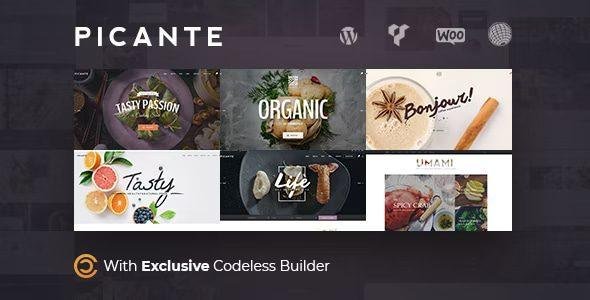
Picante is a modern Restaurant WordPress theme with design for Cafe & Restaurant Pizza and any food-related business website, also, Personal Chef. It comes with features like restaurant menu built-in, online order, pizza delivery, etc. Built with the exclusive Codeless Builder, a front-end editor that can make your job easier to build your culinary website. Also, you can find included WPBakery Visual Composer backend editor. Picante supports a responsive layout so it looks great on all devices. It has a predefined design (demos) for Restaurant, Coffee, Organic Food, Blog, Personal Chef. It also includes Online reservations and WooCommerce to make money with your website.
Picante Main Features
Cool Product Menus
Theme was tailored for restaurant, coffee, and culinary blogs. So we have styled an element to showcase in an easy way possible what your coffee or restaurant offers.
Online Reservation
Picante has an integrated solution for letting your clients reserve their tables online. We have styled and integrated the Open Table into the theme. Open Table is the most popular online system for reserving tables online.
Picante Theme Sell Food Online
Theme is perfectly integrated with WooCommerce to let you sell online your business products online. The shop is perfectly styled and user-friendly.
Picante Theme GPL – Restaurant WordPress Features:
- Live Page Builder and Live Composer
- Modern Shop Restaurant Design
- Pizza
- Personal Chef
- 8 Premade Unique Templates completed
- Reservation Functionality integrated with Open Table
- Recipe Block
- Restaurant Menu Element shows your restaurant menus online easily.
- Showcase your Instagram photos with ease.
- Online Food Reservation with WooCommerce
- WooCommerce
- Totally Compatible with all major plugins:
- WPBakery Visual Composer
- Slider Revolution
- LayerSlider
- WPML – Ready to translate
- Woocommerce
- Contact Form 7
- Apple Live Photo
- lightbox
- Envato Toolkit – for automatic updates
- Mailchimp
- W3 Total Cache
- Variation Color Swatches for Woocommerce
- Woocommerce Currency Switcher
- YITH WooCommerce Ajax Navigation
- YITH WooCommerce Social Login
- YITH WooCommerce Wishlist
- Picante Theme Highest Performance Grade – Top Speed Theme – Your gorgeous Restaurant Website is the fastest too!
- On Request Thumbnail Generation
- GPU Accelerated Animations
- Optimised Code, Load only necessary Files
- 6 Pre-made headers, multiple header styles
- 5 Pre-made footers, multiple footer styles
- Header Builder
- Header Wizard – One-Click header change
- Live header customization
- Virtually Unlimited Headers
- One-Click Template Install – Dummy data importer
- Double Menus Navigation for page
- Custom menu for each page
- The Powerful Codeless Visual Builder
- Live Changes – Build and Edit everything as Live as it gets
- 200 Content Blocks – One-click block insert
- Inline Text Edit
- Drag and Drop functionality
- Draggable Spaces (margin and padding)
- Live Customizations of all options!
- Beautiful Portfolio Styles and Pages
- Single Portfolio Posts/Pages
- Picante Theme A standalone Blog Theme – Complete Product in itself!
- Fully Responsive & Retina – Responsive to the Core, Awesome to the Business
- Bootstrap Framework
- Adaptive Images
- Add External Media Type
- Top-Notch Support!
- Product WooCommerce Live Search
- Quick Search
- Quick View Product WooCommerce
- Hotspot Design Element
- Subscribe Mailchimp Elements
- Picante Theme Multilingual
- Megamenu Fullwidth and Boxed
- Sidebar Custom Width
- Content Container Custom Width
- Custom accent color for each page
- Color Swatches or other variation swatches
- Live Theme Options
- Predefined Header & Footers
- Login SignUp / Social Login
- Live Customize Fonts & Colors
- Design that sells
- Unlimited Shop Layout
- Wish List Feature – Wishlist
- into Container and Fullwidth Grid System
- Nested Columns
- Equal Height / Vertical Align / Horizontal Align makes easy!
- GPU Accelerated CSS3 Animations
- Custom Background Colors for Rows / Sections / Columns / Entire Page
- Accelerated Parallax
- Currency Switcher
- Coffee & Restaurant Shop WooCommerce
- Custom modern Checkout and Thank You Page Style
- Left Navigation Page Style
- Portfolio and Blog Layout Types:
- Grid (2,3,4,5) Columns
- Carousel Slider
- Isotope Masonry
- Fluid
- Metro Style
- Blog News Magazine Layouts
- One Page Menu
- Hamburger Menu
- Pixel Perfect
- Clean, Modern design
- Extensive Typography options
- SEO Optimized
- Social Share in Header, Page, Footer
- Smooth scroll
- Sticky Menu
- 1000 Material Design Icons
- Intelligent Light / Dark Color Styles
- Recommended Posts System
- Child Theme Support
- Unlimited Sidebars – Left, Right, Dual – Modern Sidebar unique style
- HTML & CSS editors
- Logo Image or Logo with Font
- Compatible with RTL
- Ajax Search
- Ajax Filters in the sidebar or in-page filters
- Unlimited Shop Pages:
- Grid Shop Pages
- List Shop Pages
- Sidebar Filters Shop Page
- Sorting Widget Shop page
- Different Shop Item Styles
- Top Navigation Cart WooCommerce
- Side Navigation Cart WooCommerce
- In-Page Product Filters
Be the first to review “Picante Theme | Restaurant WordPress 3.0.0” Cancel reply
How to Install
Follow these quick steps to install from a .zip file or directly from your WP dashboard.
-
1
Go to Plugins → Add New
In your WordPress dashboard, open Plugins and click Add New.
-
2
Click Upload Plugin
Press Upload Plugin → Choose File and select the downloaded
plugin-name.zip. -
3
Install & Activate
Click Install Now, then Activate. You’re done!
-
4
(Optional) Enter License / Use Shortcode
Open Plugins → Your Plugin → Settings to enter your license. Add the box on the product page with:
[plugin_info_box]
Alternative: Install from WordPress directory
Go to Plugins → Add New, search the plugin name, click Install then Activate.
Manual (FTP) method
Unzip locally → upload the folder to /wp-content/plugins/ using FTP → activate from Plugins.
-
1
Go to Appearance → Themes
Click Add New → Upload Theme.
-
2
Upload the .zip file
Select
theme-name.zip, click Install Now, then Activate. -
3
Install Required Plugins
If prompted, click Begin installing plugins and activate them.
-
4
(Optional) Import Starter Content
Use the theme’s Demo Import (if provided) to load sample pages and settings.
Manual (FTP) theme install
Unzip the theme → upload to /wp-content/themes/ → activate from Appearance → Themes.




Reviews
There are no reviews yet.