
- ✔ Verified by VirusTotal
- ✔ 100% Original Product & Virus-Free
- ✔ Lifetime Free Updates on Single Purchase
- ✔ Unlimited Website Usage
- ✔ Prices in USD (Tax Included)
🔥 Limited-Time Deal — Ends Soon!
PrivateContent – Multilevel Content Plugin 9.4.4
$35.00 Original price was: $35.00.$2.99Current price is: $2.99.
Instant Access
7 Day Money Back Guarantee
Online Support 24/7
Secure Payment
Description
PrivateContent Plugin – Latest GPL Version
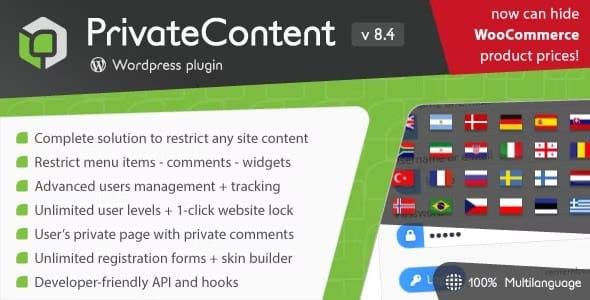
PrivateContent is a powerful yet easy-to-use WordPress membership plugin that transforms your website into a true multilevel membership platform. Clean, secure, and legally redistributed under the GPL license, this version comes without official support but retains full premium features.
It includes complete user management, flexible registration forms, advanced content restriction tools, and seamless integrations—allowing you to build a fully functional membership system without coding. Plus, it is fully GDPR compliant, ensuring your site meets modern privacy standards.
Key Features of PrivateContent Plugin
Users Membership Management
Unlimited user levels and assignments per user
Admin manual user insertion and management
Unlimited, flexible registration forms
Easy sorting and advanced search options
User statuses: active / disabled / pending approval
Google Analytics integration for user activity tracking
Export and import systems for user data
Bulk WordPress users import with one click
Lightbox engine to display forms or content on any element click
Login and logout forms with custom redirects
User self-deletion option
Private user areas with reserved content and comments
WordPress users sync and roles emulator
Frontend user registration and management with WP sync
Content Restriction System
Restrict pages, posts, custom post types, categories, and taxonomies
Replace content with warning boxes, excerpts, or hide completely
Advanced restrictions wizard for easy setup
Persistent modal lightbox to force user interaction
Custom URL-based restrictions with regex support
Restrict menu items, widgets, and comments forms
Full 1-click website lock with optional visible menu
Shortcodes for private content with login/register options
Form Framework
Flexible custom fields structure
Multi-page registration forms with sections
HTML5 client-side validation
Anti-spam protection (honeypot or invisible reCAPTCHA)
Custom redirects and categories via shortcode
Password strength control
Two layouts: one-column or fluid
Three preset styles + custom skin builder
Icons, placeholders, border styles, and alignment options for fields/buttons
Why Choose PrivateContent GPL Version?
With PrivateContent GPL Plugin, you get a feature-rich membership and content restriction solution for WordPress without paying high license fees. It’s clean, secure, and distributed under the GPL license, so you can use it on unlimited sites.
Whether you need to create a private membership area, manage multi-level users, or build a fully restricted content platform, PrivateContent offers everything you need.
✅ Perfect for WordPress site owners, membership platforms, online communities, and content creators who want full control over users, content, and membership levels—without coding skills!
Be the first to review “PrivateContent – Multilevel Content Plugin 9.4.4” Cancel reply
How to Install
Follow these quick steps to install from a .zip file or directly from your WP dashboard.
-
1
Go to Plugins → Add New
In your WordPress dashboard, open Plugins and click Add New.
-
2
Click Upload Plugin
Press Upload Plugin → Choose File and select the downloaded
plugin-name.zip. -
3
Install & Activate
Click Install Now, then Activate. You’re done!
-
4
(Optional) Enter License / Use Shortcode
Open Plugins → Your Plugin → Settings to enter your license. Add the box on the product page with:
[plugin_info_box]
Alternative: Install from WordPress directory
Go to Plugins → Add New, search the plugin name, click Install then Activate.
Manual (FTP) method
Unzip locally → upload the folder to /wp-content/plugins/ using FTP → activate from Plugins.
-
1
Go to Appearance → Themes
Click Add New → Upload Theme.
-
2
Upload the .zip file
Select
theme-name.zip, click Install Now, then Activate. -
3
Install Required Plugins
If prompted, click Begin installing plugins and activate them.
-
4
(Optional) Import Starter Content
Use the theme’s Demo Import (if provided) to load sample pages and settings.
Manual (FTP) theme install
Unzip the theme → upload to /wp-content/themes/ → activate from Appearance → Themes.




Reviews
There are no reviews yet.