
- ✔ Verified by VirusTotal
- ✔ 100% Original Product & Virus-Free
- ✔ Lifetime Free Updates on Single Purchase
- ✔ Unlimited Website Usage
- ✔ Prices in USD (Tax Included)
🔥 Limited-Time Deal — Ends Soon!
Product Filters for WooCommerce 14.38
$60.00 Original price was: $60.00.$2.99Current price is: $2.99.
Instant Access
7 Day Money Back Guarantee
Online Support 24/7
Secure Payment
Description
🛒 Product Filters for WooCommerce – Quick & Efficient Product Search
In today’s fast-paced e-commerce world, efficient product search is essential. Customers expect to find what they’re looking for quickly—otherwise, they leave. Product Filters for WooCommerce makes product discovery fast and easy, keeping potential buyers engaged and improving your conversion rates.
⚡ Why Product Filters Are Essential
Studies show that 75% of users leave a site if they cannot find a product within 15 seconds. Avoid losing potential sales by implementing powerful product filtering:
Improve navigation and search speed
Help users find relevant products effortlessly
Increase customer satisfaction and retention
🖱️ Quick Filtering with AJAX Technology
Product Filters uses AJAX technology for smooth, real-time filtering:
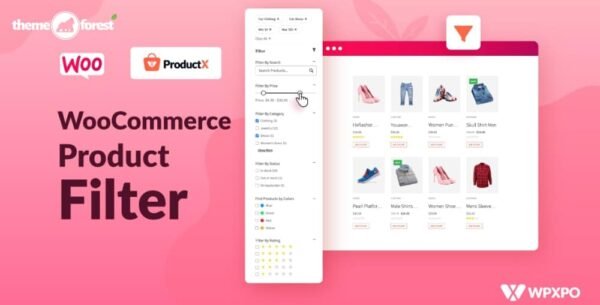
Filter products by categories, attributes, tags, taxonomies, price, and stock status
Pagination and sorting happen without page reloads
Fast, seamless, and responsive experience for users
🎨 Multiple Filter Elements
Offer flexible and user-friendly filter options:
Price slider for precise budgeting
Checkbox lists, radio lists, and dropdowns
Color lists, box lists, text lists, and more
Adaptive filters and product counts for better usability
🧩 Widgets and Shortcodes
Product Filters integrates easily with WordPress and WooCommerce:
Widgets: Products Filter and Notes for Product Filters
Full shortcode support, including integration with product shortcodes
Customize placement on any page or sidebar for optimal visibility
📱 Adaptive & Responsive
Ensure your store looks great on any device:
Adaptive filter options for mobile, tablet, and desktop
Adaptive product thumbnails for consistent display
Maintain a smooth shopping experience across all devices
🏆 Features at a Glance
✅ Quick product filtering with AJAX
✅ Filter by categories, attributes, tags, taxonomies, price, stock
✅ Multiple filter elements: sliders, checkboxes, dropdowns, colors, text, and more
✅ Pagination & sorting without page reload
✅ Widgets and shortcodes for easy placement
✅ Adaptive filters and responsive product thumbnails
Enhance your WooCommerce store with Product Filters and make it easy for customers to find the products they want. Fast, intuitive filtering increases engagement, reduces bounce rates, and boosts sales! 🛒✨
Be the first to review “Product Filters for WooCommerce 14.38” Cancel reply
How to Install
Follow these quick steps to install from a .zip file or directly from your WP dashboard.
-
1
Go to Plugins → Add New
In your WordPress dashboard, open Plugins and click Add New.
-
2
Click Upload Plugin
Press Upload Plugin → Choose File and select the downloaded
plugin-name.zip. -
3
Install & Activate
Click Install Now, then Activate. You’re done!
-
4
(Optional) Enter License / Use Shortcode
Open Plugins → Your Plugin → Settings to enter your license. Add the box on the product page with:
[plugin_info_box]
Alternative: Install from WordPress directory
Go to Plugins → Add New, search the plugin name, click Install then Activate.
Manual (FTP) method
Unzip locally → upload the folder to /wp-content/plugins/ using FTP → activate from Plugins.
-
1
Go to Appearance → Themes
Click Add New → Upload Theme.
-
2
Upload the .zip file
Select
theme-name.zip, click Install Now, then Activate. -
3
Install Required Plugins
If prompted, click Begin installing plugins and activate them.
-
4
(Optional) Import Starter Content
Use the theme’s Demo Import (if provided) to load sample pages and settings.
Manual (FTP) theme install
Unzip the theme → upload to /wp-content/themes/ → activate from Appearance → Themes.




Reviews
There are no reviews yet.