
- ✔ Verified by VirusTotal
- ✔ 100% Original Product & Virus-Free
- ✔ Lifetime Free Updates on Single Purchase
- ✔ Unlimited Website Usage
- ✔ Prices in USD (Tax Included)
🔥 Limited-Time Deal — Ends Soon!
QSM Advanced Timer Addon 2.3.0
$71.00 Original price was: $71.00.$2.99Current price is: $2.99.
Instant Access
7 Day Money Back Guarantee
Online Support 24/7
Secure Payment
Description
⏱️ QSM Advanced Timer Addon – GPL Version
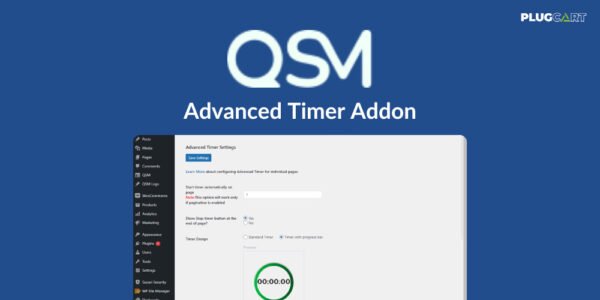
QSM Advanced Timer Addon enhances your quizzes by adding advanced timer functionalities. Perfect for creating engaging, time-bound quizzes, this plugin allows users to track their progress, stay motivated, and complete quizzes efficiently.
Automatically start timers, show stop buttons, and set custom time limits for each question. Make your quizzes more interactive and user-friendly.
✨ Key Features
⏳ Automatic Timer Control
Start the timer on a specific page (default starts on first page)
Show stop timer button at the end of a page
Set time limits for each question individually
🎨 Multiple Timer Styles
Two different timer designs to choose from
Better UI display when the timer ends
Future updates to add more styles
⚠️ Timer Warnings
Display a warning when the timer reaches 90%
Keeps users aware of remaining time
Encourages faster quiz completion
📊 Track User Progress
Monitor how long each participant takes per question
Helps improve engagement and quiz management
Makes timed quizzes fair and competitive
✅ What We Offer
Easy setup for timer-based quizzes
Advanced functions for time tracking and warnings
Customizable timer styles and UI
Efficient tracking of each participant’s time
🎯 Conclusion
QSM Advanced Timer Addon is the perfect tool for creating engaging, timed quizzes. Motivate users, track progress, and ensure quizzes are completed efficiently, all with a few simple settings.
Be the first to review “QSM Advanced Timer Addon 2.3.0” Cancel reply
How to Install
Follow these quick steps to install from a .zip file or directly from your WP dashboard.
- 1
Go to Plugins → Add New
In your WordPress dashboard, open Plugins and click Add New.
- 2
Click Upload Plugin
Press Upload Plugin → Choose File and select the downloaded
plugin-name.zip. - 3
Install & Activate
Click Install Now, then Activate. You’re done!
- 4
(Optional) Enter License / Use Shortcode
Open Plugins → Your Plugin → Settings to enter your license. Add the box on the product page with:
[plugin_info_box]
Alternative: Install from WordPress directory
Go to Plugins → Add New, search the plugin name, click Install then Activate.
Manual (FTP) method
Unzip locally → upload the folder to /wp-content/plugins/ using FTP → activate from Plugins.
- 1
Go to Appearance → Themes
Click Add New → Upload Theme.
- 2
Upload the .zip file
Select
theme-name.zip, click Install Now, then Activate. - 3
Install Required Plugins
If prompted, click Begin installing plugins and activate them.
- 4
(Optional) Import Starter Content
Use the theme’s Demo Import (if provided) to load sample pages and settings.
Manual (FTP) theme install
Unzip the theme → upload to /wp-content/themes/ → activate from Appearance → Themes.




Reviews
There are no reviews yet.