
- ✔ Verified by VirusTotal
- ✔ 100% Original Product & Virus-Free
- ✔ Lifetime Free Updates on Single Purchase
- ✔ Unlimited Website Usage
- ✔ Prices in USD (Tax Included)
🔥 Limited-Time Deal — Ends Soon!
QuickCab: WooCommerce Taxi Booking Plugin 1.3.5
$49.00 Original price was: $49.00.$2.99Current price is: $2.99.
Instant Access
7 Day Money Back Guarantee
Online Support 24/7
Secure Payment
Description
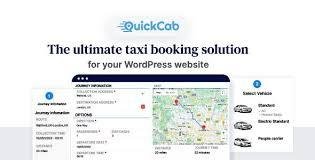
🚖 QuickCab – WooCommerce Taxi Booking Plugin for WordPress
QuickCab is a powerful WordPress plugin designed for businesses that provide transportation services. It enables customers to estimate prices, book rides, and make payments seamlessly. Professionally designed, QuickCab ensures a high-quality user experience for both customers and admins.
With QuickCab, you can set up multiple pricing conditions and accommodate complex scenarios based on distance, time, number of passengers, luggage, and even geofenced locations. Compatible with WooCommerce, QuickCab provides flexible payment options including Card, Cash, PayPal, and more.
🚗 Key Features
Vehicles
Fully customizable pricing structures:
Base price
Price per minute (with distance-based variations)
Price per passenger
Price per suitcase
Price per hour (hourly rental with variable pricing)
Set passenger and suitcase capacities
Limit vehicle availability to prevent overbooking
Upload vehicle images for the booking form
Add all associated vehicle features
Support for unlimited vehicles
Geofence Pricing Conditions
Draw custom areas on the map for special pricing
Charge fixed or additional amounts for journeys between geofenced areas
Support for “Anywhere” pick-up or drop-off locations
Apply or ignore surge pricing conditions per journey
Assign pricing conditions to specific vehicles or all vehicles
Set pricing for one-way or round-trip journeys
Support for unlimited geofence pricing conditions
Admin & Management
All strings are fully translatable
Calendar view for quick overview of bookings with hover details
Seamless WooCommerce integration for payments and order management
Informative order pages with detailed journey information
✅ Benefits
Flexible pricing: Handle distance, time, passenger, luggage, and surge charges effortlessly
Unlimited customization: Vehicles, geofences, and pricing conditions
WooCommerce powered: Multiple payment methods and smooth order management
User-friendly: Both admins and customers enjoy a clean, intuitive interface
Be the first to review “QuickCab: WooCommerce Taxi Booking Plugin 1.3.5” Cancel reply
How to Install
Follow these quick steps to install from a .zip file or directly from your WP dashboard.
-
1
Go to Plugins → Add New
In your WordPress dashboard, open Plugins and click Add New.
-
2
Click Upload Plugin
Press Upload Plugin → Choose File and select the downloaded
plugin-name.zip. -
3
Install & Activate
Click Install Now, then Activate. You’re done!
-
4
(Optional) Enter License / Use Shortcode
Open Plugins → Your Plugin → Settings to enter your license. Add the box on the product page with:
[plugin_info_box]
Alternative: Install from WordPress directory
Go to Plugins → Add New, search the plugin name, click Install then Activate.
Manual (FTP) method
Unzip locally → upload the folder to /wp-content/plugins/ using FTP → activate from Plugins.
-
1
Go to Appearance → Themes
Click Add New → Upload Theme.
-
2
Upload the .zip file
Select
theme-name.zip, click Install Now, then Activate. -
3
Install Required Plugins
If prompted, click Begin installing plugins and activate them.
-
4
(Optional) Import Starter Content
Use the theme’s Demo Import (if provided) to load sample pages and settings.
Manual (FTP) theme install
Unzip the theme → upload to /wp-content/themes/ → activate from Appearance → Themes.




Reviews
There are no reviews yet.