
- ✔ Verified by VirusTotal
- ✔ 100% Original Product & Virus-Free
- ✔ Lifetime Free Updates on Single Purchase
- ✔ Unlimited Website Usage
- ✔ Prices in USD (Tax Included)
🔥 Limited-Time Deal — Ends Soon!
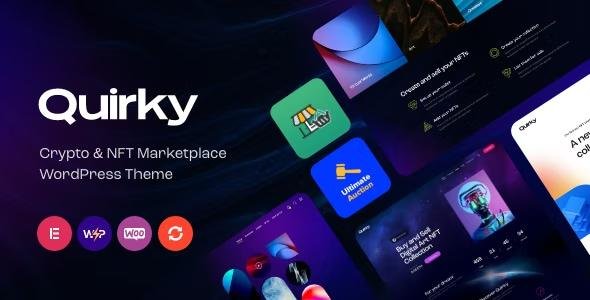
Quirky Theme – NFT, Token & Blockchain WCFM Marketplace WordPress Theme 1.23.0
$69.00 Original price was: $69.00.$2.99Current price is: $2.99.
Instant Access
7 Day Money Back Guarantee
Online Support 24/7
Secure Payment
Description
🪙 Quirky Theme – NFT, Crypto & ICO WordPress Theme
This is a GPL-distributed version of Quirky Theme. It is clean, secure, and legally redistributed under the GPL license, with no official support included.
Quirky Theme is a modern and powerful WordPress theme for cryptocurrency, ICOs, NFTs, and blockchain projects. Perfect for crypto companies, ICO agencies, NFT marketplaces, or crypto coaches, it helps you build a professional and visually striking website.
🌟 What We Offer
Vibrant, unique design to stand out in the crypto world.
5 premade homepage layouts for fast setup.
Full WooCommerce store integration for selling NFTs or crypto products.
Accept cryptocurrency payments using the Elegro Crypto Payment plugin.
Easy page customization with Elementor and WCFM Frontend Manager.
🧩 Key Features
🎨 Design & Layout
Professional, modern, and flexible design.
Boxed and full-width layouts for versatile presentations.
Responsive and mobile-friendly, retina-ready images.
Flexible colors and typography for branding.
⚡ Homepage & Blog Options
5 premade homepages with Elementor support.
Multiple blog styles with layout flexibility.
20+ post animations, related posts, post views, likes, and share buttons.
Customizable blog feed from post types or categories.
🛒 Crypto & WooCommerce Integration
Premade WooCommerce store ready for products or NFT sales.
Elegro Crypto Payment plugin included for crypto transactions.
Advanced marketplace functionality for trading or showcasing tokens.
🔧 Customization & Page Builder
Built with Elementor page builder – edit any page easily.
Customize header and footer layouts in Elementor.
Interactive Ajax search, user menu, and main menu support.
Powerful theme framework with setting inheritance and override system.
🌐 Additional Functionalities
One-click demo import for fast setup.
Cross-browser compatible: Firefox, Safari, Chrome.
Built with HTML5 and CSS3 for performance and reliability.
Tested and compatible with WordPress 4.5+.
🚀 Why Choose Quirky Theme
✅ Perfect for NFT, crypto, ICO, and blockchain websites.
✅ Full WooCommerce and crypto payment integration.
✅ Elementor-ready for easy drag-and-drop customization.
✅ Modern, responsive, and retina-ready design.
✅ Quick setup with one-click demo installation.
🏁 Conclusion
Quirky Theme is a bold, modern, and versatile WordPress theme for all crypto enthusiasts and businesses. With Elementor support, WooCommerce integration, crypto payments, and vibrant layouts, it allows you to create a professional, responsive, and highly functional crypto website effortlessly.
Be the first to review “Quirky Theme – NFT, Token & Blockchain WCFM Marketplace WordPress Theme 1.23.0” Cancel reply
How to Install
Follow these quick steps to install from a .zip file or directly from your WP dashboard.
-
1
Go to Plugins → Add New
In your WordPress dashboard, open Plugins and click Add New.
-
2
Click Upload Plugin
Press Upload Plugin → Choose File and select the downloaded
plugin-name.zip. -
3
Install & Activate
Click Install Now, then Activate. You’re done!
-
4
(Optional) Enter License / Use Shortcode
Open Plugins → Your Plugin → Settings to enter your license. Add the box on the product page with:
[plugin_info_box]
Alternative: Install from WordPress directory
Go to Plugins → Add New, search the plugin name, click Install then Activate.
Manual (FTP) method
Unzip locally → upload the folder to /wp-content/plugins/ using FTP → activate from Plugins.
-
1
Go to Appearance → Themes
Click Add New → Upload Theme.
-
2
Upload the .zip file
Select
theme-name.zip, click Install Now, then Activate. -
3
Install Required Plugins
If prompted, click Begin installing plugins and activate them.
-
4
(Optional) Import Starter Content
Use the theme’s Demo Import (if provided) to load sample pages and settings.
Manual (FTP) theme install
Unzip the theme → upload to /wp-content/themes/ → activate from Appearance → Themes.




Reviews
There are no reviews yet.