
- ✔ Verified by VirusTotal
- ✔ 100% Original Product & Virus-Free
- ✔ Lifetime Free Updates on Single Purchase
- ✔ Unlimited Website Usage
- ✔ Prices in USD (Tax Included)
🔥 Limited-Time Deal — Ends Soon!
Quper Theme | Construction and Architecture WordPress Theme 1.23
$59.00 Original price was: $59.00.$2.99Current price is: $2.99.
Instant Access
7 Day Money Back Guarantee
Online Support 24/7
Secure Payment
Description
Quper Theme – Construction and Architecture Theme
Quper is an Ultra Responsive and Retina Ready WordPress Theme suitable for all types of Construction, Engineering, Industrial, Renovation, Architecture, Factory and any Handyman service websites. The theme is full of customization options and settings, you can change almost everything. We added a lot of design layouts and patterns to make theme ultra-flexible and powerful.
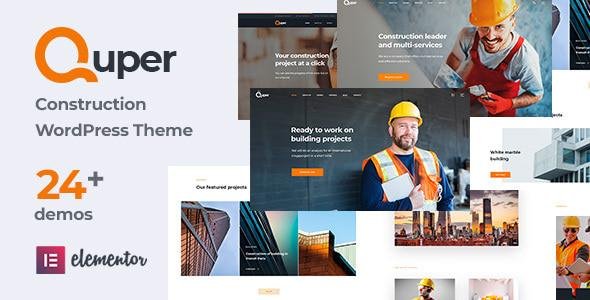
Quper comes with 24+ unique demos inside. Each demo has its unique layout, slider and elements, so you will be able to create any type of website very fast.
The theme also comes with Drag and Drop page builder and 70+ unique custom elements inside. One-Click Demo Installer allows you to install full demo data in seconds.
Quper Theme You can also find different layouts for blog, portfolio, gallery, shop, and inner different type pages. Start building websites in minutes with Quper WordPress Theme.
Quper Theme GPL Features:
✔️ 24+ Unique Demos Inside
We designed a lot of demos for you for any kind of website: Company, Handyman, Architecture, Factory, Industry, Interior Design and more. So you can use one of them and get things ready much easier. You can also start from scratch if you prefer.
✔️ Quper Theme Elementor Page Builder with Tons of Custom Elements
Creating pages is really easy with Front End Drag and Drop page builder – Elementor. This premium plugin comes with a theme for Free. We also created tons of Custom Elements, especially for this theme design and needs.
✔️ Quper Theme Revolution Slider Plugin Included ( FREE )
We can not imagine a modern website without Sliders. The theme comes with an ultra-powerful slider building plugin – Revolution Slider Plugin. The plugin comes with a theme for Free. The theme also includes 19 different kinds of sliders as a starting point for you.
✔️ One-Click Demo Installation
Demo installation is so easy with Quper – just one click and full demo will be imported, including all homepages and inner pages.
✔️ WooCommerce Integrated
The online store is a very important part of the modern web. And of course, the theme comes with full WooCommerce integration and custom shop design. Create your shop easily and fast and start earning money online with Quper. To see shop layouts check the theme demo.
✔️ Powerful Live Theme Option Panel
The theme includes a very intuitive and easy-to-use options panel. And the key feature of the Quper option panel is that it is created based on WordPress native customizer and it is working in real-time mode. So you can see live each change that you do in options panel and adjust it much more effective way.
✔️ Translation Ready and Polylang & WPML Multilingual Ready
All texts and elements in the theme are translation ready, so you can use the theme in any language that you need. The theme is also fully compatible with WPML multilingual plugin and Polylang multilingual plugin, so you can use the theme in multiple languages with the option to switch between languages.
✔️ One Page and Multiple Pages options
The theme comes with the option to have one-page layout and navigate from the header menu between sections on single page. Use theme in multiple pages mode or in one-page mode, all is possible.
✔️ Multiple Header Versions
Theme comes with multiple header versions, and each style have a lot of options for customization that header style. You can change almost everything in the header: colors ,fonts, backgrounds, icons, buttons and much more. Headers also have sticky menu, mega menu options inside.
✔️ Mailchimp Subscribe Form Integrated
Subscribe form is very important for modern websites, it allows you to collect email for subscribe newsletters. We integrates Mailchimp subscribe form into theme, so you can use this powerful integration inside your website easily.
✔️ Contact Form 7 Plugin Integration
Theme comes with Contact from 7 plugin full integration and it’s own styling form all kind of forms. You can create any kind of forms in minutes, starting from simple contact forms and finishing difficult forms with a lot of fields inside. Get in tocuh with your clients with Quper theme.
✔️ Social Media Integration
We can not imagine a modern website without social media integration. Quper has a different kind of elements and widgets that allow integrating social media. Examples of widgets are: Instagram photos widget, Recent tweets widget, Facebook like widget, Flicker photos widget, Social links element and others.
✔️ Powerful Custom Post Types
The theme comes with standard WordPress post types, also we included different custom post types like Gallery, Portfolio, Team Members, Testimonials, Partners and others. Each post type have its own options for customize and all is very intuitive and flexible.
Be the first to review “Quper Theme | Construction and Architecture WordPress Theme 1.23” Cancel reply
How to Install
Follow these quick steps to install from a .zip file or directly from your WP dashboard.
-
1
Go to Plugins → Add New
In your WordPress dashboard, open Plugins and click Add New.
-
2
Click Upload Plugin
Press Upload Plugin → Choose File and select the downloaded
plugin-name.zip. -
3
Install & Activate
Click Install Now, then Activate. You’re done!
-
4
(Optional) Enter License / Use Shortcode
Open Plugins → Your Plugin → Settings to enter your license. Add the box on the product page with:
[plugin_info_box]
Alternative: Install from WordPress directory
Go to Plugins → Add New, search the plugin name, click Install then Activate.
Manual (FTP) method
Unzip locally → upload the folder to /wp-content/plugins/ using FTP → activate from Plugins.
-
1
Go to Appearance → Themes
Click Add New → Upload Theme.
-
2
Upload the .zip file
Select
theme-name.zip, click Install Now, then Activate. -
3
Install Required Plugins
If prompted, click Begin installing plugins and activate them.
-
4
(Optional) Import Starter Content
Use the theme’s Demo Import (if provided) to load sample pages and settings.
Manual (FTP) theme install
Unzip the theme → upload to /wp-content/themes/ → activate from Appearance → Themes.




Reviews
There are no reviews yet.