
- ✔ Verified by VirusTotal
- ✔ 100% Original Product & Virus-Free
- ✔ Lifetime Free Updates on Single Purchase
- ✔ Unlimited Website Usage
- ✔ Prices in USD (Tax Included)
🔥 Limited-Time Deal — Ends Soon!
ReCaptcha for WooCommerce 2.65
$60.00 Original price was: $60.00.$2.99Current price is: $2.99.
Instant Access
7 Day Money Back Guarantee
Online Support 24/7
Secure Payment
Description
🔐 ReCaptcha for WooCommerce – Latest GPL Version
Protect your WooCommerce store 🛍️ and WordPress site 🖥️ from malicious bots and automated attacks with the This GPL-distributed version is clean, secure, and legally redistributed — giving you full protection without extra costs.
🚀 Why ReCaptcha for WooCommerce?
Security is one of the most important concerns for any website. Automated tools, spam bots, and fake registrations can slow down your store and impact sales. With Google you get:
✅ Protection from automated attacks
🛡️ Spam-free environment for your store
👩💻 Smooth experience for real customers
🔄 Support for both reCaptcha V2 & V3
🛠️ Key Features of
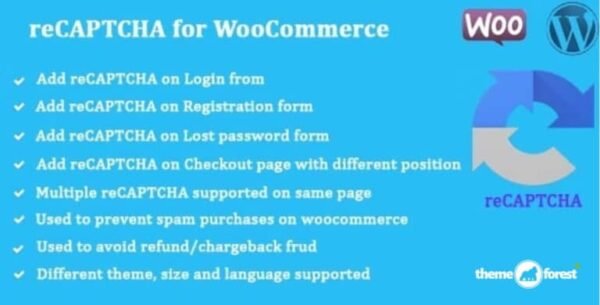
🔑 Login, Registration & Lost Password reCaptcha
🛒 Guest & Logged-in Checkout reCaptcha
💳 Add Payment Method reCaptcha
📦 WooCommerce “Pay for Order” reCaptcha
⭐ Product Review reCaptcha
📍 Track Order reCaptcha
💬 WordPress Comment Form reCaptcha
🔐 WP-Login, WP-Register & WP-Lost Password reCaptcha
🎨 Customization Options
🏷️ Custom reCaptcha labels
⚠️ Custom error messages
🌗 Dark/Light theme support
📏 Full/Compact modes
🌍 Language selection (auto-detect user language)
🚫 Disable reCaptcha for specific IPs or ranges
🔄 Reset captcha on postback errors
⏸️ Disable submit button until captcha is checked
🎯 Benefits of Using
🚫 Stop spam in forms & product reviews
🔒 Block unauthorized login attempts
👤 Prevent fake registrations & guest orders
⚡ Keep your store secure without friction
🤝 Easy for real customers, hard for bots
🛠️ Flexible on/off settings for required areas
🌟 Optimized for WooCommerce & WordPress
Built on WordPress & WooCommerce coding standards, this plugin ensures high compatibility and zero conflicts. Lightweight, effective, and user-friendly — it gives you peace of mind while your customers shop securely.
Be the first to review “ReCaptcha for WooCommerce 2.65” Cancel reply
How to Install
Follow these quick steps to install from a .zip file or directly from your WP dashboard.
-
1
Go to Plugins → Add New
In your WordPress dashboard, open Plugins and click Add New.
-
2
Click Upload Plugin
Press Upload Plugin → Choose File and select the downloaded
plugin-name.zip. -
3
Install & Activate
Click Install Now, then Activate. You’re done!
-
4
(Optional) Enter License / Use Shortcode
Open Plugins → Your Plugin → Settings to enter your license. Add the box on the product page with:
[plugin_info_box]
Alternative: Install from WordPress directory
Go to Plugins → Add New, search the plugin name, click Install then Activate.
Manual (FTP) method
Unzip locally → upload the folder to /wp-content/plugins/ using FTP → activate from Plugins.
-
1
Go to Appearance → Themes
Click Add New → Upload Theme.
-
2
Upload the .zip file
Select
theme-name.zip, click Install Now, then Activate. -
3
Install Required Plugins
If prompted, click Begin installing plugins and activate them.
-
4
(Optional) Import Starter Content
Use the theme’s Demo Import (if provided) to load sample pages and settings.
Manual (FTP) theme install
Unzip the theme → upload to /wp-content/themes/ → activate from Appearance → Themes.




Reviews
There are no reviews yet.