
- ✔ Verified by VirusTotal
- ✔ 100% Original Product & Virus-Free
- ✔ Lifetime Free Updates on Single Purchase
- ✔ Unlimited Website Usage
- ✔ Prices in USD (Tax Included)
🔥 Limited-Time Deal — Ends Soon!
Sales Countdown Timer for WooCommerce and WordPress – Checkout Countdown 1.1.7
$20.00 Original price was: $20.00.$2.99Current price is: $2.99.
Instant Access
7 Day Money Back Guarantee
Online Support 24/7
Secure Payment
Description
⏱ Sales Countdown Timer for WooCommerce & WordPress
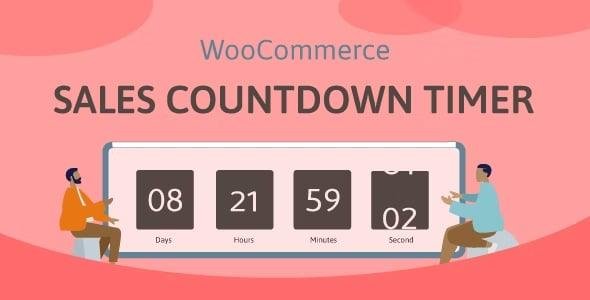
Sales Countdown Timer is a powerful plugin designed to boost sales and conversions by creating urgency in your WooCommerce store or any WordPress website. Display countdown timers for your sales campaigns, highlight remaining stock, and schedule promotions to encourage customers to buy. Timers can appear on single product pages, shop archives, category pages, or anywhere with shortcodes.
This plugin is ideal for eCommerce stores, promotional campaigns, and flash sales.
⚡ Sales Countdown Timer for WooCommerce & WordPress Key Features
WooCommerce Sales Countdown Timer
Select profiles per product: Assign unique countdown timers on each product.
Schedule sales: Countdown based on WooCommerce sale start/end times.
Precise timing: Set sale hours and minutes, not just days.
Custom positions: Display timer before/after price, sale badge, add-to-cart button, or product image on single product and archive pages.
Upcoming sale message: Display how much time is left until a scheduled sale begins.
Sale ends message: Use
{countdown_timer}shortcode to show remaining time.
Sale Progress Bar – Stock Quantity
Displays products sold, remaining, and goal progress visually.
Shortcodes included:
{quantity_left}– Products left{quantity_sold}– Products sold{percentage_left}– Percentage left{percentage_sold}– Percentage sold{goal}– Set goal for the sale
Customizable design: Adjust width, height, colors, and border-radius.
Position above or below countdown clock.
Shortcode Countdown Timer
Works without WooCommerce, for any page or post.
Choose custom countdown time and display anywhere.
Multiple standalone timer profiles with independent settings.
Checkout Countdown Timer
Set minimum cart total for special offers.
Reset timer for administrators for testing purposes.
Apply free shipping or discounts before timer expires.
Display on checkout or any selected pages.
Fully designable countdown appearance on checkout page.
Design Customization
Time display: Customize separators and format styles.
Timer clock: Configure text, background, border, padding, and border radius.
Countdown items: Customize date, hour, minute, second elements.
Time values: Font size, color, and background for each number/unit.
✅ Benefits
Boosts sales urgency and encourages immediate purchase.
Shows stock progress to create FOMO (Fear of Missing Out).
Flexible for both WooCommerce and non-WooCommerce websites.
Fully customizable design to match any theme.
Multiple countdown profiles for different products, pages, or campaigns.
Be the first to review “Sales Countdown Timer for WooCommerce and WordPress – Checkout Countdown 1.1.7” Cancel reply
How to Install
Follow these quick steps to install from a .zip file or directly from your WP dashboard.
-
1
Go to Plugins → Add New
In your WordPress dashboard, open Plugins and click Add New.
-
2
Click Upload Plugin
Press Upload Plugin → Choose File and select the downloaded
plugin-name.zip. -
3
Install & Activate
Click Install Now, then Activate. You’re done!
-
4
(Optional) Enter License / Use Shortcode
Open Plugins → Your Plugin → Settings to enter your license. Add the box on the product page with:
[plugin_info_box]
Alternative: Install from WordPress directory
Go to Plugins → Add New, search the plugin name, click Install then Activate.
Manual (FTP) method
Unzip locally → upload the folder to /wp-content/plugins/ using FTP → activate from Plugins.
-
1
Go to Appearance → Themes
Click Add New → Upload Theme.
-
2
Upload the .zip file
Select
theme-name.zip, click Install Now, then Activate. -
3
Install Required Plugins
If prompted, click Begin installing plugins and activate them.
-
4
(Optional) Import Starter Content
Use the theme’s Demo Import (if provided) to load sample pages and settings.
Manual (FTP) theme install
Unzip the theme → upload to /wp-content/themes/ → activate from Appearance → Themes.




Reviews
There are no reviews yet.