
- ✔ Verified by VirusTotal
- ✔ 100% Original Product & Virus-Free
- ✔ Lifetime Free Updates on Single Purchase
- ✔ Unlimited Website Usage
- ✔ Prices in USD (Tax Included)
🔥 Limited-Time Deal — Ends Soon!
SearchWP – Core Files WordPress search can’t find much 4.5.1
$20.00 Original price was: $20.00.$2.99Current price is: $2.99.
Instant Access
7 Day Money Back Guarantee
Online Support 24/7
Secure Payment
Description
🔍 SearchWP – Core Files Make Custom Fields Searchable in WordPress
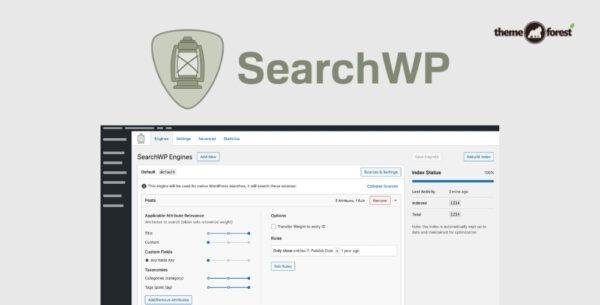
SearchWP – Core Files is a powerful WordPress search plugin that goes beyond the limitations of the default search function. It makes your custom fields, taxonomies, shortcodes, and even document content fully searchable, delivering more accurate and relevant results to your visitors while giving you valuable insights into their search behavior.
🌟 Key Features of SearchWP – Core Files
🧠 Search Custom Fields (Post Meta)
Unlike native WordPress search, SearchWP indexes all custom fields (including ACF fields), ensuring every piece of valuable data becomes searchable.
🗂️ Taxonomy & Shortcode Integration
Make your Categories, Tags, and custom taxonomies searchable. SearchWP also indexes Shortcode output, allowing users to find hidden or dynamic content easily.
📄 Document Indexing
Enable search through file contents like PDFs, DOCX, and TXT files, perfect for resource-heavy sites, educational portals, and document libraries.
🛍️ Ecommerce Compatibility
Search through WooCommerce product details, attributes, and variations to deliver accurate product search results that improve conversion rates.
📊 Search Metrics & Analytics
Gain insight into user behavior with the SearchWP Metrics Extension, showing what visitors are searching for, finding, and missing—helping you optimize your content strategy.
⚙️ Seamless Integration
No coding required! SearchWP automatically integrates with your existing search form and results template, enhancing search relevance without breaking your site’s design.
💼 What We Offer
100% GPL-licensed, clean, and secure version
Easy setup—works with your existing WordPress search
Fully compatible with popular plugins like ACF, WooCommerce, and more
Supports multiple post types and document formats
Improves both user experience and SEO relevance
🚀 Conclusion
The SearchWP – Core Files plugin revolutionizes WordPress search by making everything—from custom fields to taxonomies—fully searchable. It delivers relevant, accurate, and user-focused results that help visitors find what they need faster. With analytics-driven insights, you can continually refine your content and user experience. Say goodbye to missed results and limited searches—SearchWP gives WordPress the search power it deserves.
Be the first to review “SearchWP – Core Files WordPress search can’t find much 4.5.1” Cancel reply
How to Install
Follow these quick steps to install from a .zip file or directly from your WP dashboard.
-
1
Go to Plugins → Add New
In your WordPress dashboard, open Plugins and click Add New.
-
2
Click Upload Plugin
Press Upload Plugin → Choose File and select the downloaded
plugin-name.zip. -
3
Install & Activate
Click Install Now, then Activate. You’re done!
-
4
(Optional) Enter License / Use Shortcode
Open Plugins → Your Plugin → Settings to enter your license. Add the box on the product page with:
[plugin_info_box]
Alternative: Install from WordPress directory
Go to Plugins → Add New, search the plugin name, click Install then Activate.
Manual (FTP) method
Unzip locally → upload the folder to /wp-content/plugins/ using FTP → activate from Plugins.
-
1
Go to Appearance → Themes
Click Add New → Upload Theme.
-
2
Upload the .zip file
Select
theme-name.zip, click Install Now, then Activate. -
3
Install Required Plugins
If prompted, click Begin installing plugins and activate them.
-
4
(Optional) Import Starter Content
Use the theme’s Demo Import (if provided) to load sample pages and settings.
Manual (FTP) theme install
Unzip the theme → upload to /wp-content/themes/ → activate from Appearance → Themes.




Reviews
There are no reviews yet.