
- ✔ Verified by VirusTotal
- ✔ 100% Original Product & Virus-Free
- ✔ Lifetime Free Updates on Single Purchase
- ✔ Unlimited Website Usage
- ✔ Prices in USD (Tax Included)
🔥 Limited-Time Deal — Ends Soon!
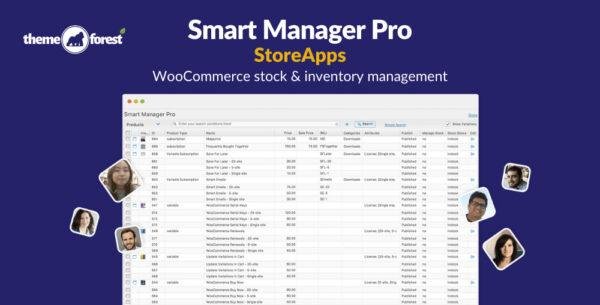
Smart Manager Pro – StoreApps WooCommerce stock & inventory management 8.72.0
$57.00 Original price was: $57.00.$2.99Current price is: $2.99.
Instant Access
7 Day Money Back Guarantee
Online Support 24/7
Secure Payment
Description
⚡ Smart Manager Pro – WooCommerce Stock & Inventory Management Plugin (GPL)
Smart Manager Pro is a powerful WooCommerce and WordPress management plugin that helps you save hours of manual work every day. It provides an Excel-like spreadsheet interface that lets you bulk edit, manage, and organize products, prices, stock, orders, coupons, and users effortlessly.
This GPL-distributed version is clean, secure, and legally shared under the GPL license — giving you complete control without restrictions.
🚀 Key Features of Smart Manager Pro
📊 Spreadsheet / Table Editor:
Edit and navigate data easily through an Excel-style interface — no complex menus or extra screens.💰 Price, Product & Stock Management:
Update stock, modify prices, enable backorders, delete or filter products, and manage WooCommerce variations in seconds.🛠️ Quick Inline & Bulk Edit:
Create, edit, or delete multiple records at once. Change several values across columns and save with a single click.🧾 Order Management & Coupons:
View and edit all orders on one screen. Update order statuses, manage discounts, and export order data to CSV.📂 Custom Admin Columns:
Show or hide columns, sort and filter data, and manage any WordPress post type — including data from third-party plugins.👥 Manage Posts, Pages & Users:
Use the same spreadsheet interface to edit posts, pages, users, or custom post types quickly and efficiently.
💼 What We Offer
We provide the latest GPL version of Smart Manager Pro — fully functional, regularly updated, and free from any malicious code. You get a clean, legal version of the plugin to manage your WooCommerce or WordPress site with ease and confidence.
✅ Conclusion
Smart Manager Pro is the ultimate productivity booster for WordPress and WooCommerce store owners. With its spreadsheet-like interface, you can edit thousands of records in seconds, streamline your workflow, and focus more on growth instead of repetitive admin tasks. Fast, efficient, and completely under your control — that’s Smart Manager Pro
Be the first to review “Smart Manager Pro – StoreApps WooCommerce stock & inventory management 8.72.0” Cancel reply
How to Install
Follow these quick steps to install from a .zip file or directly from your WP dashboard.
-
1
Go to Plugins → Add New
In your WordPress dashboard, open Plugins and click Add New.
-
2
Click Upload Plugin
Press Upload Plugin → Choose File and select the downloaded
plugin-name.zip. -
3
Install & Activate
Click Install Now, then Activate. You’re done!
-
4
(Optional) Enter License / Use Shortcode
Open Plugins → Your Plugin → Settings to enter your license. Add the box on the product page with:
[plugin_info_box]
Alternative: Install from WordPress directory
Go to Plugins → Add New, search the plugin name, click Install then Activate.
Manual (FTP) method
Unzip locally → upload the folder to /wp-content/plugins/ using FTP → activate from Plugins.
-
1
Go to Appearance → Themes
Click Add New → Upload Theme.
-
2
Upload the .zip file
Select
theme-name.zip, click Install Now, then Activate. -
3
Install Required Plugins
If prompted, click Begin installing plugins and activate them.
-
4
(Optional) Import Starter Content
Use the theme’s Demo Import (if provided) to load sample pages and settings.
Manual (FTP) theme install
Unzip the theme → upload to /wp-content/themes/ → activate from Appearance → Themes.




Reviews
There are no reviews yet.