
- ✔ Verified by VirusTotal
- ✔ 100% Original Product & Virus-Free
- ✔ Lifetime Free Updates on Single Purchase
- ✔ Unlimited Website Usage
- ✔ Prices in USD (Tax Included)
🔥 Limited-Time Deal — Ends Soon!
Smart Notification WordPress Plugin. Web & Mobile Push, FB Messenger, FB Notifications & Newsletter 10.3
$49.00 Original price was: $49.00.$2.99Current price is: $2.99.
Instant Access
7 Day Money Back Guarantee
Online Support 24/7
Secure Payment
Description
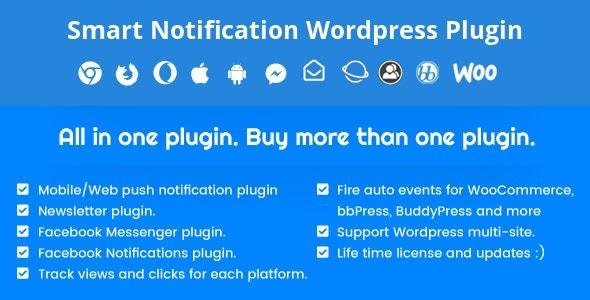
It is a complete notification system for all popular platforms Facebook Messenger, Facebook notifications, Newsletter, SMS, Viber, iOS, Android, Windows Phone 8, BlackBerry 10, Chrome, Safari, Edge, Opera, Samsung Browser, and Firefox.
Setup plugin service:
We provide a service to install the plugin, configure all web push notification platforms configurations and generate Safari certificates for $20 only.
Smart Notification Web & Mobile Push, FB Messenger, FB Notifications & Newsletter Key Features
- Support platforms IOS/Android/Windows 10/Windows Phone 8,8.1/BlackBerry 10/Chrome/Safari/Firefox/Opera/Samsung Browser
- Awesome Geo-fence capabilities and auto Geo-fence messages to send any device automatically when it is located in a selected area
- Support BuddyPress, wooCommerce, PeepSo, and bbPress auto events and a powerful tool to detect and create any custom event for WordPress
- Send messages to user groups
- Integrate with Ultimate Membership Pro
- Support localization so you can now download.PO file to translate it into your language
- Send push notification messages in a server cron-job or fancy instant sending
- Send desktop push notification messages for Chrome/Safari/Firefox
- 3 different ways to request the push permissions from the visitors popup box, icon or native-opt-in window
- Delay time for showing the request of push permissions method
- Popup box and icon different screen positions
- Option to show the request of push permissions for logged and admin users only or special parts of your site
- Pay to read to force visitors subscribing in your push notification service to continue reading your contents
- Visual statistics for every campaign
- Visual statistics for all campaigns and all system progress
- Detect and track GPS location for your visitors
- Send scheduled push notification messages with repeater times
- Support WordPress widget to make your visitors subscribing to your desktop push with channels options
- Meta box to mute the push notification message or choose delivers to certain channels
- The plugin can send push notifications when some optional events happened:
- – Notify all users when the administrator published a new post and option to send the notification to users which subscribed in channels equivalent to the post category
– Notify author when administrator approved and published his post
– Notify author when administrator approved his comment
– Notify the author when a new comment is added to his post
– Notify user when another one comments on his comment
– Notify all users subscribed in a post when got new updates - Mobile payload builder in the event manager
- Edit push notification event messages before sent using the WordPress Filters
- RTL style supported
- Feedback service to IOS/Android to find and deactivate the invalid devices (i.e. Devices that uninstall your app)
- Give you a detailed report after sending operation is done
- Powerful panel to manage your registered devices token
- Powerful dashboard to send messages
- Archive for sent messages
- Smart tool to remove the duplicate tokens data
Be the first to review “Smart Notification WordPress Plugin. Web & Mobile Push, FB Messenger, FB Notifications & Newsletter 10.3” Cancel reply
How to Install
Follow these quick steps to install from a .zip file or directly from your WP dashboard.
-
1
Go to Plugins → Add New
In your WordPress dashboard, open Plugins and click Add New.
-
2
Click Upload Plugin
Press Upload Plugin → Choose File and select the downloaded
plugin-name.zip. -
3
Install & Activate
Click Install Now, then Activate. You’re done!
-
4
(Optional) Enter License / Use Shortcode
Open Plugins → Your Plugin → Settings to enter your license. Add the box on the product page with:
[plugin_info_box]
Alternative: Install from WordPress directory
Go to Plugins → Add New, search the plugin name, click Install then Activate.
Manual (FTP) method
Unzip locally → upload the folder to /wp-content/plugins/ using FTP → activate from Plugins.
-
1
Go to Appearance → Themes
Click Add New → Upload Theme.
-
2
Upload the .zip file
Select
theme-name.zip, click Install Now, then Activate. -
3
Install Required Plugins
If prompted, click Begin installing plugins and activate them.
-
4
(Optional) Import Starter Content
Use the theme’s Demo Import (if provided) to load sample pages and settings.
Manual (FTP) theme install
Unzip the theme → upload to /wp-content/themes/ → activate from Appearance → Themes.



Reviews
There are no reviews yet.