
- ✔ Verified by VirusTotal
- ✔ 100% Original Product & Virus-Free
- ✔ Lifetime Free Updates on Single Purchase
- ✔ Unlimited Website Usage
- ✔ Prices in USD (Tax Included)
🔥 Limited-Time Deal — Ends Soon!
Super Backup & Clone – Migrate for WordPress 2.4
$35.00 Original price was: $35.00.$2.99Current price is: $2.99.
Instant Access
7 Day Money Back Guarantee
Online Support 24/7
Secure Payment
Description
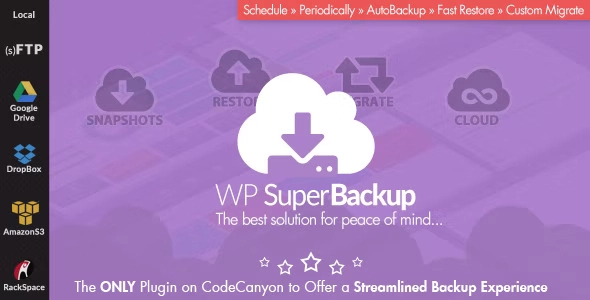
💾 WP SuperBackup – Super Backup & Clone for WordPress
WP SuperBackup is a powerful and intuitive backup plugin for WordPress that ensures your website’s data is always safe, recoverable, and easy to migrate. Avoid losing your hard work due to misconfigurations, server errors, or unexpected issues—backup, restore, and migrate your site effortlessly.
This GPL product is the exact same plugin as sold by the original developer.
🌟 Key Features
Intuitive Dashboard
Quickly overview all existing backup instances.
Track backup progress and logs easily.
Snapshots & Restore
Create multiple backup snapshots of your site.
One-click restore: Select any snapshot and restore your site instantly.
Keep snapshot logs to track all backup tasks and status updates.
Instance Migration
Import backups stored on local drives or other servers.
Migrate only the files you need to avoid breaking the WordPress installation.
Full control over the migration process for safe and smooth transfers.
Cloud Sync & Backup
Sync files between staging and production servers automatically.
Upload backups to cloud storage for extra security: Google Drive, Dropbox, Amazon S3, OneDrive, RackSpace, Copy.com, or any (s)FTP accounts.
Schedule backups to run automatically.
Self-Diagnosis & System Check
Check server settings live before starting backups.
Identify potential issues proactively to ensure backup success.
Easy Setup & Management
Configure email notifications, quotas, and backup directories with ease.
Clean up old backups automatically to save server space.
Professional Support
In-dashboard documentation for quick guidance.
Direct link to support system for any help or inquiries.
WP SuperBackup gives you peace of mind, letting you focus on building and maintaining your WordPress site without worrying about data loss or migration hassles.
Be the first to review “Super Backup & Clone – Migrate for WordPress 2.4” Cancel reply
How to Install
Follow these quick steps to install from a .zip file or directly from your WP dashboard.
-
1
Go to Plugins → Add New
In your WordPress dashboard, open Plugins and click Add New.
-
2
Click Upload Plugin
Press Upload Plugin → Choose File and select the downloaded
plugin-name.zip. -
3
Install & Activate
Click Install Now, then Activate. You’re done!
-
4
(Optional) Enter License / Use Shortcode
Open Plugins → Your Plugin → Settings to enter your license. Add the box on the product page with:
[plugin_info_box]
Alternative: Install from WordPress directory
Go to Plugins → Add New, search the plugin name, click Install then Activate.
Manual (FTP) method
Unzip locally → upload the folder to /wp-content/plugins/ using FTP → activate from Plugins.
-
1
Go to Appearance → Themes
Click Add New → Upload Theme.
-
2
Upload the .zip file
Select
theme-name.zip, click Install Now, then Activate. -
3
Install Required Plugins
If prompted, click Begin installing plugins and activate them.
-
4
(Optional) Import Starter Content
Use the theme’s Demo Import (if provided) to load sample pages and settings.
Manual (FTP) theme install
Unzip the theme → upload to /wp-content/themes/ → activate from Appearance → Themes.




Reviews
There are no reviews yet.