
🗺️ Powerful and Responsive Store Locator for WordPress
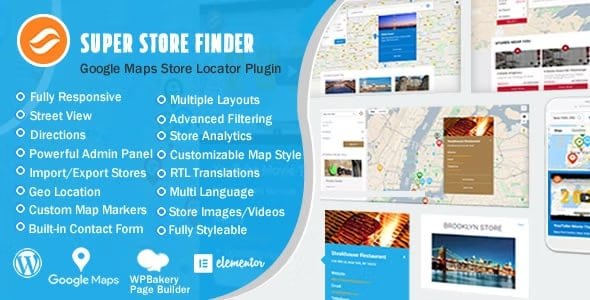
Super Store Finder for WordPress is a fully-featured, mobile-friendly store locator plugin that helps customers find your stores quickly and easily. Integrated with the latest Google Maps API, it provides an elegant, customizable, and intuitive experience for both store owners and users.
Designed with flexibility in mind, this plugin supports unlimited store locations, multilingual websites, and detailed analytics — making it the ultimate solution for businesses, distributors, and retailers with multiple locations.
⚙️ Key Features
🧭 Easy Setup & Customization
Simple installation and configuration with user-friendly admin tools.
Multiple store locator layouts and a responsive flat design that works seamlessly on desktops and mobile devices.
Customize styles, colors, labels, regions, and map settings to match your brand.
Supports full-width Google Maps and custom map markers.
📍 Powerful Store Management
Add and manage unlimited store locations with details like address, phone, email, and images.
Drag and drop map markers or enter latitude/longitude manually.
Categorize stores with tags, filters, and regions for easy navigation.
Import/export stores easily using CSV files.
📊 Advanced Features
Analytics Tracking: Monitor store views, searches, clicks, and generate insightful reports.
Street View & Fullscreen Maps: Enhance the browsing experience with detailed map visuals.
Built-in Contact Forms: Allow users to contact individual stores directly.
GDPR Compliant: Includes privacy-friendly settings for data protection.
SEO Friendly: Optimized for better search visibility.
Add-on ready for extended functionality like dealer locators and distributor maps.
🚀 What We Offer
This Super Store Finder for WordPress (GPL version) is clean, secure, and legally redistributed under the GPL license. It delivers a professional-grade store locator solution with complete customization, mobile optimization, and powerful analytics — without the need for official support.
✅ Conclusion
Enhance your website’s usability with Super Store Finder for WordPress — a modern, customizable, and responsive store locator plugin. From managing multiple locations to tracking analytics and offering users an intuitive map experience, it’s the all-in-one solution to help your customers find you faster and easier.




Reviews
There are no reviews yet.