
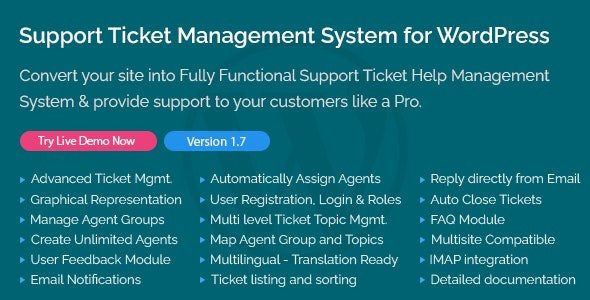
💎 Support Ticket Management System for WordPress 1.9 (GPL Version)
Turn your WordPress site into a full-featured customer support platform.
The Support Ticket Management System for WordPress 1.9 plugin allows you to receive, organize, and respond to customer inquiries efficiently—right from your WordPress dashboard.
This release is GPL-distributed: clean, secure, and legally redistributed under the GPL license. No official support is included, giving you total freedom to modify and deploy it across unlimited websites.
🚀 Key Features
📨 Streamlined Ticket Management
Customers can submit support requests through a simple front-end form.
Admins and support staff can assign, prioritize, and track tickets with ease.
👥 Role-Based Access Control
Define roles for agents, managers, and customers to control who can view or respond to tickets.
Keep conversations private and secure.
🔔 Email Notifications & Updates
Automatic email alerts for new tickets, replies, or status changes.
Keep customers informed without constant manual follow-ups.
🛠️ Customization & Flexibility
Create unlimited ticket categories and statuses.
Add custom fields to capture exactly the information you need.
Works with most WordPress themes and popular page builders.
🌟 Benefits for Your Business
✅ Better Customer Service: Centralize support conversations and reduce email clutter.
⚡ Faster Response Times: Track and resolve issues in a structured dashboard.
📊 Improved Reporting: Gain insights into response times, ticket volume, and team performance.
🧩 Seamless Integration: Combine with eCommerce or membership plugins for an all-in-one support solution.
💡 Perfect For
🛍️ WooCommerce stores needing a built-in helpdesk.
💼 SaaS businesses and service providers.
🎯 Membership or eLearning platforms requiring organized support.
🔥 Download Support Ticket Management System for WordPress 1.9 GPL Version
Deliver professional customer support directly inside WordPress without expensive third-party services. 🎟️
👉 Get the latest GPL version now to streamline your ticketing workflow, improve communication, and provide a world-class support experience for your users.




Reviews
There are no reviews yet.