
- ✔ Verified by VirusTotal
- ✔ 100% Original Product & Virus-Free
- ✔ Lifetime Free Updates on Single Purchase
- ✔ Unlimited Website Usage
- ✔ Prices in USD (Tax Included)
🔥 Limited-Time Deal — Ends Soon!
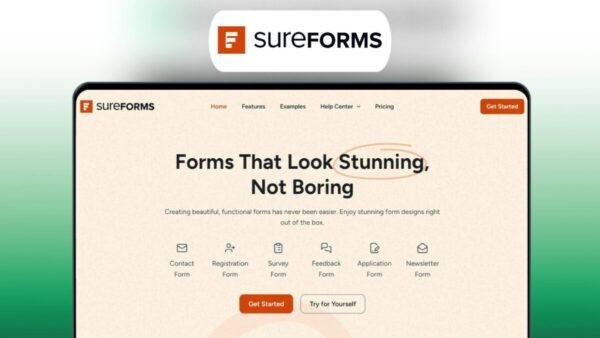
SureForms Pro | Forms That Look Stunning, Not Boring 1.13.1
$64.00 Original price was: $64.00.$2.99Current price is: $2.99.
Instant Access
7 Day Money Back Guarantee
Online Support 24/7
Secure Payment
Description
⚡ SureForms Pro
The SureForms Pro (GPL version) plugin revolutionizes form creation in WordPress by combining AI-powered design, intuitive controls, and stunning, conversion-focused layouts.
Unlike traditional form builders that feel complex and outdated, SureForms Pro allows anyone — from beginners to professionals — to create beautiful, responsive forms in minutes, without any design or coding skills.
This GPL-distributed version is clean, secure, and legally redistributed under the GPL license. It includes all the premium features to help you build high-converting contact forms, lead capture pages, and interactive landing forms effortlessly.
Whether you’re collecting leads, running surveys, or boosting engagement, SureForms Pro delivers powerful flexibility with a delightful user experience.
🔑 Key Features
🤖 AI-Powered Form Creation:
Generate complete, optimized forms instantly using AI — or start from scratch for full control.🧱 Drag & Drop Builder:
Build and customize your forms visually with a simple, intuitive drag-and-drop interface — zero coding required.🎨 Brand Customization:
Match your form design to your website’s branding with full control over fonts, colors, and spacing.📱 100% Mobile-Friendly:
All forms are fully responsive and optimized to look stunning on any device.🚀 Form Landing Pages:
Turn your forms into standalone landing pages with shareable URLs for use in emails, social media, or ads.🔗 Easy Embedding:
Add your forms anywhere on your website — pages, posts, or widgets — with a simple shortcode or block.💡 Live Preview Editing:
Instantly preview your design changes before publishing for faster, more accurate editing.📈 Boost Conversions:
Beautiful layouts and shareable forms help increase signups, reduce friction, and grow your audience faster.
💥 Why Choose SureForms Pro
The SureForms Pro (GPL) plugin combines speed, design flexibility, and smart automation into one lightweight form-building solution.
Unlike bulky form plugins, SureForms Pro focuses on ease of use and modern UX, empowering marketers, businesses, and creators to launch professional forms that convert — without relying on designers or developers.
From AI-powered creation to drag-and-drop customization, SureForms Pro saves hours of work and ensures your forms look flawless on every device.
It’s perfect for contact forms, feedback pages, event signups, or full-page form campaigns that need to impress and perform.
🏁 Conclusion
The SureForms Pro Plugin (GPL version) redefines what a form builder should be — fast, beautiful, and effortless.
With its AI-assisted workflow, drag-and-drop simplicity, and stunning pre-built layouts, you can create professional, mobile-friendly, and shareable forms that drive real results.
Whether you’re a marketer, freelancer, or business owner, SureForms Pro helps you capture more leads and create a lasting impression — all in just a few clicks.
Be the first to review “SureForms Pro | Forms That Look Stunning, Not Boring 1.13.1” Cancel reply
How to Install
Follow these quick steps to install from a .zip file or directly from your WP dashboard.
-
1
Go to Plugins → Add New
In your WordPress dashboard, open Plugins and click Add New.
-
2
Click Upload Plugin
Press Upload Plugin → Choose File and select the downloaded
plugin-name.zip. -
3
Install & Activate
Click Install Now, then Activate. You’re done!
-
4
(Optional) Enter License / Use Shortcode
Open Plugins → Your Plugin → Settings to enter your license. Add the box on the product page with:
[plugin_info_box]
Alternative: Install from WordPress directory
Go to Plugins → Add New, search the plugin name, click Install then Activate.
Manual (FTP) method
Unzip locally → upload the folder to /wp-content/plugins/ using FTP → activate from Plugins.
-
1
Go to Appearance → Themes
Click Add New → Upload Theme.
-
2
Upload the .zip file
Select
theme-name.zip, click Install Now, then Activate. -
3
Install Required Plugins
If prompted, click Begin installing plugins and activate them.
-
4
(Optional) Import Starter Content
Use the theme’s Demo Import (if provided) to load sample pages and settings.
Manual (FTP) theme install
Unzip the theme → upload to /wp-content/themes/ → activate from Appearance → Themes.


Reviews
There are no reviews yet.