
- ✔ Verified by VirusTotal
- ✔ 100% Original Product & Virus-Free
- ✔ Lifetime Free Updates on Single Purchase
- ✔ Unlimited Website Usage
- ✔ Prices in USD (Tax Included)
🔥 Limited-Time Deal — Ends Soon!
SVG Divider for Elementor 1.0
$13.00 Original price was: $13.00.$2.99Current price is: $2.99.
Instant Access
7 Day Money Back Guarantee
Online Support 24/7
Secure Payment
Description
SVG Divider for Elementor – Latest GPL Version
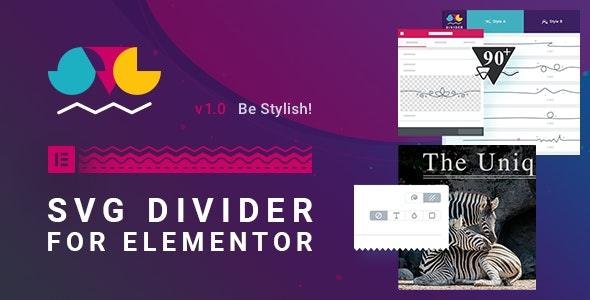
SVG Divider for Elementor adds stylish, scalable SVG dividers and decorative separators to your Elementor-built pages. Clean, secure, and legally redistributed under the GPL license, this version includes all visual features (no official support). Create beautiful section breaks, unique typography accents, and animated decorative lines — all with native Elementor controls and zero coding.
Why choose SVG Divider for Elementor?
SVG dividers give you crisp, resolution-independent artwork that scales perfectly on any device. This add-on brings 90+ handcrafted divider designs, animation options, and precise Elementor integration so you can split content, emphasize headings, or decorate sections with professional-grade visuals — fast. Because dividers are SVG vector shapes, they remain sharp on retina displays and keep page weight low.
Key Features
1. Rich Divider Library (Drawn & Classic Styles)
90 hand-crafted SVG divider designs — from minimalist lines to ornate, curly artworks.
Drawn style artworks (icon-like but richer).
Classic style options: single, double, and dashed lines (not simple CSS borders).
“Let’s Go” icon set included (300+ icons) for quick decorative combos.
2. Powerful Elementor Widget
Adds a native Elementor widget in the General section — works inside the standard Elementor workflow.
Full control over colors, typography, alignment, height, and responsive settings — same UX as Elementor core controls.
Design picker popup for fast divider selection.
Place dividers in any section, column or inside text blocks via the widget.
3. Scalable Vector Controls
Crop to middle of SVG to show only the center portion when needed.
Scale without quality loss — vector artwork remains crisp on every screen.
Flip on any axis to mirror designs quickly.
Optional decorative glitter layer for subtle shine effects.
4. Animations & Effects
Custom reveal animations for the divider lines (draw-in effects).
Optional infinitely-looped ant-march or twinkling glitter layers for eye-catching motion.
Timing controls to re-sync animation across multiple dividers.
5. Advanced Line Options (Classic)
True dashed/double line support with control over dash length, gap, and separation — not CSS border hacks.
Combine classic lines with icons or text for stylish section headers.
6. Perfect Elementor Compatibility
Requires Elementor 2.8+ — integrates with Elementor’s global colors, typography, responsive breakpoints, and shared advanced settings.
No standalone mode — built to be a seamless Elementor extension.
Benefits & Use Cases
Create memorable hero sections, elegant section separators, and decorative dividers for blog posts, landing pages, portfolios, and ecommerce pages.
Keep visuals lightweight and retina-ready — ideal for modern responsive designs.
Rapidly prototype different looks using the design picker and live Elementor preview.
Add subtle motion to pages without heavy JavaScript libraries — tasteful animations that enhance UX.
Compatibility & Requirements
Requires Elementor 2.8+ (no standalone use).
Works with any WordPress theme that supports Elementor.
Responsive-ready with dedicated controls per breakpoint.
Translation-ready and safe to use in RTL layouts (inherits Elementor settings).
Conclusion
SVG Divider for Elementor (GPL) is the fast, designer-friendly solution to add high-quality SVG dividers and animated separators to your Elementor pages. With an extensive library, vector scaling, animation controls, and full Elementor integration, you’ll create polished, professional layouts in minutes—no code required.
Be the first to review “SVG Divider for Elementor 1.0” Cancel reply
How to Install
Follow these quick steps to install from a .zip file or directly from your WP dashboard.
-
1
Go to Plugins → Add New
In your WordPress dashboard, open Plugins and click Add New.
-
2
Click Upload Plugin
Press Upload Plugin → Choose File and select the downloaded
plugin-name.zip. -
3
Install & Activate
Click Install Now, then Activate. You’re done!
-
4
(Optional) Enter License / Use Shortcode
Open Plugins → Your Plugin → Settings to enter your license. Add the box on the product page with:
[plugin_info_box]
Alternative: Install from WordPress directory
Go to Plugins → Add New, search the plugin name, click Install then Activate.
Manual (FTP) method
Unzip locally → upload the folder to /wp-content/plugins/ using FTP → activate from Plugins.
-
1
Go to Appearance → Themes
Click Add New → Upload Theme.
-
2
Upload the .zip file
Select
theme-name.zip, click Install Now, then Activate. -
3
Install Required Plugins
If prompted, click Begin installing plugins and activate them.
-
4
(Optional) Import Starter Content
Use the theme’s Demo Import (if provided) to load sample pages and settings.
Manual (FTP) theme install
Unzip the theme → upload to /wp-content/themes/ → activate from Appearance → Themes.




Reviews
There are no reviews yet.