
- ✔ Verified by VirusTotal
- ✔ 100% Original Product & Virus-Free
- ✔ Lifetime Free Updates on Single Purchase
- ✔ Unlimited Website Usage
- ✔ Prices in USD (Tax Included)
🔥 Limited-Time Deal — Ends Soon!
Tasty Recipes – WP Recipe Plugin for Food Blogs 3.16.2
$44.00 Original price was: $44.00.$2.99Current price is: $2.99.
Instant Access
7 Day Money Back Guarantee
Online Support 24/7
Secure Payment
Description
🍴 Tasty Recipes – The Recipe Plugin That Does It All
Give your readers everything they need
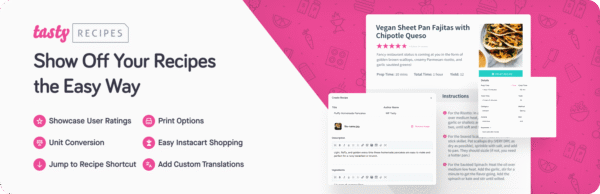
Make your recipes shine with Tasty Recipes – the WordPress recipe plugin that delivers a beautiful, seamless experience for your readers.
Recipe Scaling → Readers can easily adjust portion sizes.
Cook Mode → Hands-free mode keeps the screen on while cooking.
SEO-Friendly → Built with structured data so your recipes stand out in search results.
🚀 Why Choose Tasty Recipes?
Stop Wasting Time With Clunky Plugins
Adding recipes to your blog posts shouldn’t feel like a chore. If your current recipe plugin:
Takes too long to set up…
Makes you nervous about updates…
Slows you down instead of helping…
👉 Then it’s time to switch. Tasty Recipes makes it easy.
✨ Everything You Need (And Nothing You Don’t)
Up-to-Date Structured Data → Appear competitively in Google recipe searches.
Recipe Card Layouts → Clean, customizable, and on-brand designs that make your food look as good online as it does on the plate.
Simple Workflow Integration → Drop recipes into posts effortlessly, no tech headaches.
🌟 Benefits for Food Bloggers
✔ Attract new readers with recipes optimized for search.
✔ Delight your audience with easy-to-read, interactive recipe cards.
✔ Save time so you can focus on cooking, not coding.
✔ Build trust and professionalism with beautiful recipe layouts.
👉 With Tasty Recipes, you’re not just sharing recipes — you’re creating a polished, user-friendly experience that keeps readers coming back for seconds.
Be the first to review “Tasty Recipes – WP Recipe Plugin for Food Blogs 3.16.2” Cancel reply
How to Install
Follow these quick steps to install from a .zip file or directly from your WP dashboard.
-
1
Go to Plugins → Add New
In your WordPress dashboard, open Plugins and click Add New.
-
2
Click Upload Plugin
Press Upload Plugin → Choose File and select the downloaded
plugin-name.zip. -
3
Install & Activate
Click Install Now, then Activate. You’re done!
-
4
(Optional) Enter License / Use Shortcode
Open Plugins → Your Plugin → Settings to enter your license. Add the box on the product page with:
[plugin_info_box]
Alternative: Install from WordPress directory
Go to Plugins → Add New, search the plugin name, click Install then Activate.
Manual (FTP) method
Unzip locally → upload the folder to /wp-content/plugins/ using FTP → activate from Plugins.
-
1
Go to Appearance → Themes
Click Add New → Upload Theme.
-
2
Upload the .zip file
Select
theme-name.zip, click Install Now, then Activate. -
3
Install Required Plugins
If prompted, click Begin installing plugins and activate them.
-
4
(Optional) Import Starter Content
Use the theme’s Demo Import (if provided) to load sample pages and settings.
Manual (FTP) theme install
Unzip the theme → upload to /wp-content/themes/ → activate from Appearance → Themes.




Reviews
There are no reviews yet.