
- ✔ Verified by VirusTotal
- ✔ 100% Original Product & Virus-Free
- ✔ Lifetime Free Updates on Single Purchase
- ✔ Unlimited Website Usage
- ✔ Prices in USD (Tax Included)
🔥 Limited-Time Deal — Ends Soon!
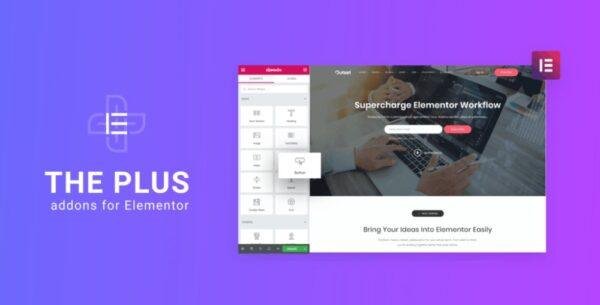
The Plus Addon for Elementor – Biggest Collection of Elementor Widgets 6.4.0
$99.00 Original price was: $99.00.$2.99Current price is: $2.99.
Instant Access
7 Day Money Back Guarantee
Online Support 24/7
Secure Payment
Description
⚡ The Plus Addon for Elementor(Latest Version)
The Plus Addon for Elementor is the ultimate all-in-one toolkit designed to supercharge the Elementor page builder. Created by PosimythThemes, this powerful plugin includes 120+ advanced widgets, 300+ UI blocks, and 18+ templates—crafted with precision, creativity, and unmatched performance.
This GPL-distributed version is 100% clean, secure, and legally redistributed under the GPL license. It offers all premium features without official support.
🧩 Why Choose The Plus Addon for Elementor?
Built for both beginners and professionals, The Plus Addons allows you to build complex, interactive, and visually stunning websites—without writing a single line of code. Whether you’re creating a business site, portfolio, or landing page, you’ll find every tool you need in one place.
🚀 Key Features
🎨 120+ Advanced Widgets & Addons
From info boxes, pricing tables, and buttons, to videos, stylist lists, and countdowns—The Plus Addons provides a vast range of widgets that enhance Elementor’s capabilities.
💪 High Performance & Optimized Code
Experience lightning-fast loading times. The plugin’s smart asset generation creates unique CSS and JS files per page, ensuring optimized speed and seamless performance—often loading in under 500ms.
⚙️ Developer-Friendly Architecture
Includes a layered file structure, easy CSS/JS customization, and compatibility with custom fields—ideal for developers who want deeper control.
🌍 Works with Any WordPress Theme
Fully compatible with top themes like Avada, The7, Betheme, Porto, Phlox Pro, and 30+ others. No conflicts, no limitations.
🌐 SEO, RTL, and Translation Ready
Reach a global audience effortlessly. The Plus Addons supports RTL, multilingual sites, and SEO-optimized code, helping your pages rank higher in search engines.
💡 Designed for Innovation and Creativity
Each widget and block has been meticulously designed for innovation, responsiveness, and modern design standards. Its drag-and-drop customization makes it easy for anyone to create stunning layouts without technical knowledge.
🔒 GPL License Information
This is a GPL-licensed, redistributed version of The Plus Addons for Elementor. It’s completely safe, secure, and free from malware. No official support is included, but all premium features work seamlessly.
✅ Conclusion
The Plus Addon for Elementor is one of the largest and most powerful Elementor addon collections ever made. With endless customization options, blazing-fast performance, and 100% responsiveness, it’s the perfect choice for designers, developers, and businesses that want to elevate their WordPress websites to the next level.
Be the first to review “The Plus Addon for Elementor – Biggest Collection of Elementor Widgets 6.4.0” Cancel reply
How to Install
Follow these quick steps to install from a .zip file or directly from your WP dashboard.
-
1
Go to Plugins → Add New
In your WordPress dashboard, open Plugins and click Add New.
-
2
Click Upload Plugin
Press Upload Plugin → Choose File and select the downloaded
plugin-name.zip. -
3
Install & Activate
Click Install Now, then Activate. You’re done!
-
4
(Optional) Enter License / Use Shortcode
Open Plugins → Your Plugin → Settings to enter your license. Add the box on the product page with:
[plugin_info_box]
Alternative: Install from WordPress directory
Go to Plugins → Add New, search the plugin name, click Install then Activate.
Manual (FTP) method
Unzip locally → upload the folder to /wp-content/plugins/ using FTP → activate from Plugins.
-
1
Go to Appearance → Themes
Click Add New → Upload Theme.
-
2
Upload the .zip file
Select
theme-name.zip, click Install Now, then Activate. -
3
Install Required Plugins
If prompted, click Begin installing plugins and activate them.
-
4
(Optional) Import Starter Content
Use the theme’s Demo Import (if provided) to load sample pages and settings.
Manual (FTP) theme install
Unzip the theme → upload to /wp-content/themes/ → activate from Appearance → Themes.




Reviews
There are no reviews yet.