
- ✔ Verified by VirusTotal
- ✔ 100% Original Product & Virus-Free
- ✔ Lifetime Free Updates on Single Purchase
- ✔ Unlimited Website Usage
- ✔ Prices in USD (Tax Included)
🔥 Limited-Time Deal — Ends Soon!
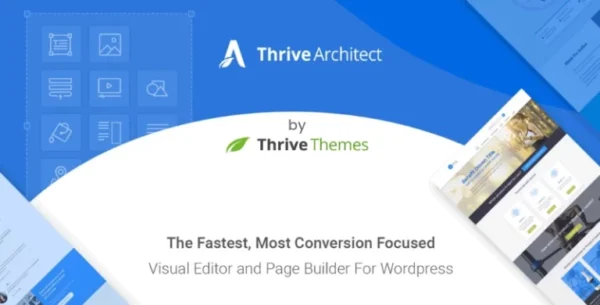
Thrive Architect Page Builder by Thrive Themes 10.7.4
$67.00 Original price was: $67.00.$2.99Current price is: $2.99.
Instant Access
7 Day Money Back Guarantee
Online Support 24/7
Secure Payment
Description
Thrive Architect
Thrive Architect is a powerful drag & drop visual editor for WordPress, designed with marketers, entrepreneurs, and business owners in mind. This is a GPL-distributed version – clean, secure, and legally redistributed under the GPL license. No official support is included.
With Thrive Architect, you can create high-converting landing pages, sales funnels, blog posts, and business websites without writing a single line of code. Built for speed and performance, it delivers a true click-to-edit experience, so every change you make appears instantly.
⚡ Why Choose Thrive Architect?
Instant Drag & Drop Editing – Build pages at the speed of thought with click-to-edit functionality.
267+ Conversion-Focused Templates – Professionally designed landing pages, opt-in forms, webinar funnels, and sales pages.
Pre-Built Conversion Elements – Includes customizable buttons, testimonials, countdown timers, lead generation forms, and more.
Perfect for Entrepreneurs – Built specifically for business websites, sales funnels, and marketing campaigns.
Complete Customization – Control layouts, typography, colors, spacing, and add custom CSS if needed.
All-in-One Solution – Replace dozens of plugins with one powerful page builder.
🚀 What Can You Build with Thrive Architect?
High-Converting Homepages that impress visitors and grow your business.
Professional Sales Pages designed to boost conversions and revenue.
Optimized Landing Pages for list building, webinars, and product launches.
Engaging Blog Posts with styled lists, highlight boxes, images, quotes, and click-to-tweet elements.
Webinar & Event Pages to collect leads and increase sign-ups.
Product Launch Pages to showcase and sell your offers effectively.
🎯 Built for Business & Growth
Unlike other page builders, Thrive Architect was developed with a laser focus on conversions. Every element, template, and feature is crafted to help entrepreneurs turn ideas into action, capture leads, and grow their businesses. Whether you’re running a blog, an eCommerce store, or a digital product business, Thrive Architect gives you the tools to succeed
Be the first to review “Thrive Architect Page Builder by Thrive Themes 10.7.4” Cancel reply
How to Install
Follow these quick steps to install from a .zip file or directly from your WP dashboard.
-
1
Go to Plugins → Add New
In your WordPress dashboard, open Plugins and click Add New.
-
2
Click Upload Plugin
Press Upload Plugin → Choose File and select the downloaded
plugin-name.zip. -
3
Install & Activate
Click Install Now, then Activate. You’re done!
-
4
(Optional) Enter License / Use Shortcode
Open Plugins → Your Plugin → Settings to enter your license. Add the box on the product page with:
[plugin_info_box]
Alternative: Install from WordPress directory
Go to Plugins → Add New, search the plugin name, click Install then Activate.
Manual (FTP) method
Unzip locally → upload the folder to /wp-content/plugins/ using FTP → activate from Plugins.
-
1
Go to Appearance → Themes
Click Add New → Upload Theme.
-
2
Upload the .zip file
Select
theme-name.zip, click Install Now, then Activate. -
3
Install Required Plugins
If prompted, click Begin installing plugins and activate them.
-
4
(Optional) Import Starter Content
Use the theme’s Demo Import (if provided) to load sample pages and settings.
Manual (FTP) theme install
Unzip the theme → upload to /wp-content/themes/ → activate from Appearance → Themes.



Reviews
There are no reviews yet.