
- ✔ Verified by VirusTotal
- ✔ 100% Original Product & Virus-Free
- ✔ Lifetime Free Updates on Single Purchase
- ✔ Unlimited Website Usage
- ✔ Prices in USD (Tax Included)
🔥 Limited-Time Deal — Ends Soon!
Thrive Comments 10.8.1
$47.00 Original price was: $47.00.$2.99Current price is: $2.99.
Instant Access
7 Day Money Back Guarantee
Online Support 24/7
Secure Payment
Description
💬 Thrive Comments – Advanced WordPress Comment System
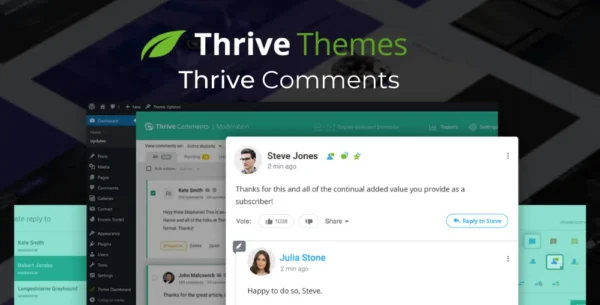
Thrive Comments is a powerful WordPress plugin that transforms the standard commenting system into a social, interactive, and conversion-driven platform. Engage your audience, boost interactions, and turn comments into actionable results with features inspired by social media and community forums.
⚡ Key Features
Engagement Boosters – Users can like comments, earn badges, and see featured comments.
Upvotes & Downvotes – Prioritize the best feedback and encourage community voting.
Post-Comment Actions – Redirect commenters, show related posts, or display opt-in prompts.
Social Sharing Integration – Let visitors share their comments and posts on Facebook, Twitter, and other platforms without logging in.
Seamless User Experience – Frictionless commenting to encourage repeat engagement.
Insights & Reporting – Track top commenters, popular phrases, and actionable audience data.
Community Building – Turn your comment section into an interactive community that grows your site.
Conversion Opportunities – Integrates with Thrive Leads to capture emails or trigger other lead-generation actions post-comment.
🎯 What We Offer
Thrive Comments enhances your WordPress site by encouraging visitors to interact meaningfully with your content. Beyond simple comments, it allows you to engage users, gather insights, boost social shares, and convert commenters into leads. Whether for blogs, business sites, or eLearning platforms, Thrive Comments transforms passive readers into active, loyal participants.
✅ Conclusion
With Thrive Comments, WordPress comments become a powerful tool for engagement, traffic, and conversions. Utilize badges, upvotes, social sharing, post-comment actions, and insightful reporting to build a vibrant, interactive community and grow your website effortlessly.
Be the first to review “Thrive Comments 10.8.1” Cancel reply
How to Install
Follow these quick steps to install from a .zip file or directly from your WP dashboard.
-
1
Go to Plugins → Add New
In your WordPress dashboard, open Plugins and click Add New.
-
2
Click Upload Plugin
Press Upload Plugin → Choose File and select the downloaded
plugin-name.zip. -
3
Install & Activate
Click Install Now, then Activate. You’re done!
-
4
(Optional) Enter License / Use Shortcode
Open Plugins → Your Plugin → Settings to enter your license. Add the box on the product page with:
[plugin_info_box]
Alternative: Install from WordPress directory
Go to Plugins → Add New, search the plugin name, click Install then Activate.
Manual (FTP) method
Unzip locally → upload the folder to /wp-content/plugins/ using FTP → activate from Plugins.
-
1
Go to Appearance → Themes
Click Add New → Upload Theme.
-
2
Upload the .zip file
Select
theme-name.zip, click Install Now, then Activate. -
3
Install Required Plugins
If prompted, click Begin installing plugins and activate them.
-
4
(Optional) Import Starter Content
Use the theme’s Demo Import (if provided) to load sample pages and settings.
Manual (FTP) theme install
Unzip the theme → upload to /wp-content/themes/ → activate from Appearance → Themes.




Reviews
There are no reviews yet.