
- ✔ Verified by VirusTotal
- ✔ 100% Original Product & Virus-Free
- ✔ Lifetime Free Updates on Single Purchase
- ✔ Unlimited Website Usage
- ✔ Prices in USD (Tax Included)
🔥 Limited-Time Deal — Ends Soon!
Tiered Pricing Table for WooCommerce 8.3.0
$57.00 Original price was: $57.00.$2.99Current price is: $2.99.
Instant Access
7 Day Money Back Guarantee
Online Support 24/7
Secure Payment
Description
📝 Tiered Pricing Table for WooCommerce 8.3.0
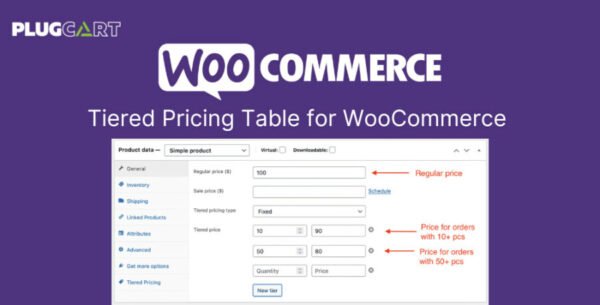
Tiered Pricing Table for WooCommerce is a powerful plugin designed to help store owners create dynamic pricing structures based on product quantities and user roles. It’s an essential tool for wholesalers, bulk sellers, and businesses offering progressive discounts or role-based pricing in their online stores.
With this plugin, you can easily display a detailed pricing table on product pages, showing how the price per item changes as customers increase the quantity — motivating them to buy more and save more.
⚙️ Tiered Pricing Table for WooCommerce GPL Features
💵 Flat or Percentage Discounts – Set fixed prices or percentage-based discounts for quantity ranges.
👥 Role-Based Pricing – Offer special prices to specific user roles (e.g., wholesalers, VIP customers).
🧮 Automatic Price Updates – Price adjusts dynamically as customers change product quantity.
📊 Pricing Table Display – Show a clear pricing breakdown directly on product pages.
🧱 Customizable Table Design – Control placement and appearance of the pricing table and summary block.
🎨 Theme Compatibility – Automatically adopts your theme’s styling for seamless integration.
🔄 Supports Variable Products – Set individual pricing tables for each product variation.
🧰 Flexible Display Options – Choose to show a total summary block or replace the standard product price.
📦 Full WooCommerce Integration – Works with WooCommerce import/export tools and WP All Import.
🌍 Global Pricing Rules – Pricing logic applies across the entire store (posts, catalog, widgets, etc.).
💡 Why Use Tiered Pricing Table?
By clearly showing volume-based discounts, you encourage bulk purchases and enhance customer trust. The plugin simplifies managing complex pricing rules, saving time and helping you optimize sales without the need for custom coding.
It’s perfect for online stores that sell products in bulk or cater to different customer segments with varying pricing needs.
🔚 Conclusion
Tiered Pricing Table for WooCommerce 8.3.0 (GPL) is an indispensable plugin for any WooCommerce store that wants to implement dynamic, quantity-based, or role-based pricing. With its intuitive setup, flexible customization options, and automatic integration with your theme, this plugin makes managing tiered discounts effortless and professional.
Be the first to review “Tiered Pricing Table for WooCommerce 8.3.0” Cancel reply
How to Install
Follow these quick steps to install from a .zip file or directly from your WP dashboard.
-
1
Go to Plugins → Add New
In your WordPress dashboard, open Plugins and click Add New.
-
2
Click Upload Plugin
Press Upload Plugin → Choose File and select the downloaded
plugin-name.zip. -
3
Install & Activate
Click Install Now, then Activate. You’re done!
-
4
(Optional) Enter License / Use Shortcode
Open Plugins → Your Plugin → Settings to enter your license. Add the box on the product page with:
[plugin_info_box]
Alternative: Install from WordPress directory
Go to Plugins → Add New, search the plugin name, click Install then Activate.
Manual (FTP) method
Unzip locally → upload the folder to /wp-content/plugins/ using FTP → activate from Plugins.
-
1
Go to Appearance → Themes
Click Add New → Upload Theme.
-
2
Upload the .zip file
Select
theme-name.zip, click Install Now, then Activate. -
3
Install Required Plugins
If prompted, click Begin installing plugins and activate them.
-
4
(Optional) Import Starter Content
Use the theme’s Demo Import (if provided) to load sample pages and settings.
Manual (FTP) theme install
Unzip the theme → upload to /wp-content/themes/ → activate from Appearance → Themes.




Reviews
There are no reviews yet.