
- ✔ Verified by VirusTotal
- ✔ 100% Original Product & Virus-Free
- ✔ Lifetime Free Updates on Single Purchase
- ✔ Unlimited Website Usage
- ✔ Prices in USD (Tax Included)
🔥 Limited-Time Deal — Ends Soon!
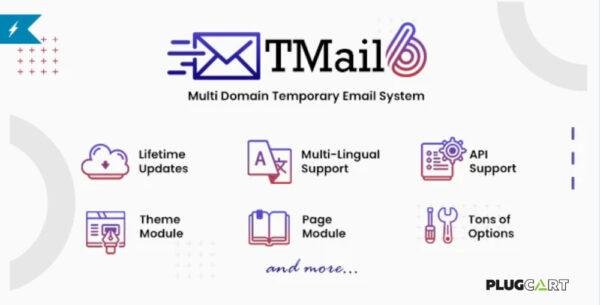
TMail – Multi Domain Temporary Email System 7.7
$38.00 Original price was: $38.00.$2.99Current price is: $2.99.
Instant Access
7 Day Money Back Guarantee
Online Support 24/7
Secure Payment
Description
TMail – Multi Domain Temporary Email System 7.7
TMail 7.7 is a powerful and feature-rich temporary email system that allows you to create and manage disposable email addresses with ease. Perfect for developers, testers, and privacy-focused users, TMail enables anyone to generate temporary inboxes on multiple domains to receive emails instantly—without revealing their personal email address.
This script is fully optimized, lightweight, and designed for high performance, making it ideal for SaaS projects, startups, and websites offering free or paid temporary email services.
Key Features of TMail 7.7
1. Multi-Domain Support
Add and manage unlimited domains for creating disposable email addresses.
Users can select their preferred domain for better flexibility and branding.
2. Advanced Email Management
Instantly receive and read emails online.
Full support for attachments, HTML content, and plain text emails.
Search, filter, and manage emails within the inbox.
3. Privacy & Security
All emails are automatically deleted after a set period, ensuring data protection.
Protects user identity by keeping personal emails safe from spam or leaks.
GDPR-compliant setup for privacy-conscious projects.
4. Admin Dashboard
Powerful and easy-to-use admin panel to manage domains, users, and system settings.
Monitor email traffic, storage, and usage statistics.
Customizable settings for email retention time, ads, and monetization.
5. Monetization Options
Integrate advertisements or premium features for paid memberships.
Create business models around offering temporary emails as a service.
6. Modern & Responsive Design
Clean and user-friendly UI for seamless email usage.
Fully responsive, working perfectly across desktop, tablet, and mobile devices.
Supports dark mode for modern web standards.
7. Technical Highlights
Built with Laravel Framework for security and scalability.
Optimized for high performance and lightweight hosting.
Easy installation with detailed documentation.
Benefits of Using TMail 7.7
Protects users from spam, phishing, and unwanted emails.
Enhances privacy when signing up for websites or testing applications.
Ideal for SaaS businesses, startups, or webmasters wanting to launch a temporary email service.
Fully customizable to fit your brand and monetization strategy.
Conclusion
The TMail – Multi Domain Temporary Email System 7.7 is a complete solution for anyone looking to offer disposable email services. With multi-domain support, advanced security, and monetization options, it’s perfect for building a scalable temporary email platform that users can trust.
Be the first to review “TMail – Multi Domain Temporary Email System 7.7” Cancel reply
How to Install
Follow these quick steps to install from a .zip file or directly from your WP dashboard.
-
1
Go to Plugins → Add New
In your WordPress dashboard, open Plugins and click Add New.
-
2
Click Upload Plugin
Press Upload Plugin → Choose File and select the downloaded
plugin-name.zip. -
3
Install & Activate
Click Install Now, then Activate. You’re done!
-
4
(Optional) Enter License / Use Shortcode
Open Plugins → Your Plugin → Settings to enter your license. Add the box on the product page with:
[plugin_info_box]
Alternative: Install from WordPress directory
Go to Plugins → Add New, search the plugin name, click Install then Activate.
Manual (FTP) method
Unzip locally → upload the folder to /wp-content/plugins/ using FTP → activate from Plugins.
-
1
Go to Appearance → Themes
Click Add New → Upload Theme.
-
2
Upload the .zip file
Select
theme-name.zip, click Install Now, then Activate. -
3
Install Required Plugins
If prompted, click Begin installing plugins and activate them.
-
4
(Optional) Import Starter Content
Use the theme’s Demo Import (if provided) to load sample pages and settings.
Manual (FTP) theme install
Unzip the theme → upload to /wp-content/themes/ → activate from Appearance → Themes.




Reviews
There are no reviews yet.