
- ✔ Verified by VirusTotal
- ✔ 100% Original Product & Virus-Free
- ✔ Lifetime Free Updates on Single Purchase
- ✔ Unlimited Website Usage
- ✔ Prices in USD (Tax Included)
🔥 Limited-Time Deal — Ends Soon!
UberChart – WordPress Chart Plugin 1.35
$39.00 Original price was: $39.00.$2.99Current price is: $2.99.
Instant Access
7 Day Money Back Guarantee
Online Support 24/7
Secure Payment
Description
UberChart – WordPress Chart Plugin 1.35
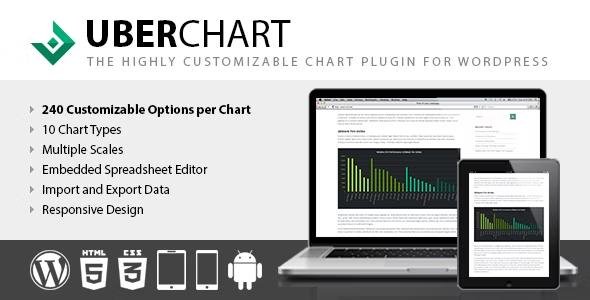
UberChart 1.35 is a powerful and flexible WordPress chart plugin that allows you to create highly customizable and responsive charts for your website. With its advanced customization options, you can design charts that perfectly match your branding, display complex data beautifully, and enhance user engagement with interactive visuals.
This plugin is ideal for bloggers, businesses, educators, and developers who want to present data in a professional, modern, and dynamic way without coding.
Key Features of UberChart 1.35
1. Multiple Chart Types
Supports 10 different chart types, including:
Line
Area
Bar
Horizontal Bar
Pie
Doughnut
Radar
Polar Area
Bubble
Scatter
2. Advanced Customization
Over 240 customization options per chart for complete control.
Configure colors, gradients, borders, labels, tooltips, and fonts.
Adjust grid lines, scales, and legends to achieve the desired look.
3. Responsive & Mobile-Friendly
Charts automatically adapt to any screen size.
Looks perfect on desktop, tablet, and mobile devices.
4. Data Management
Import data directly from Excel, CSV, or Google Sheets.
Easily update and manage data within WordPress.
Dynamic charts update in real time when data changes.
5. Performance & Compatibility
Lightweight and optimized for speed and SEO.
Built on HTML5 Canvas technology for smooth rendering.
Compatible with all WordPress themes and major page builders.
6. User Interaction
Enable tooltips for detailed data display.
Allow users to hover or click for interactive insights.
Add animations for smooth chart transitions.
7. Easy to Use
Intuitive chart builder with live preview.
Shortcode support to embed charts anywhere.
Works seamlessly with posts, pages, and custom post types.
Benefits of Using UberChart WordPress Plugin
Present complex data in a simple, visual way.
Improve user experience with interactive, responsive charts.
Save time with easy imports and a powerful chart editor.
Perfect for business reports, educational sites, financial data, surveys, statistics, and infographics.
Conclusion
The UberChart – WordPress Chart Plugin 1.35 is the ultimate solution for creating professional and interactive charts in WordPress. With its wide range of chart types, advanced customization options, and responsive design, it’s the perfect tool for anyone who needs to visualize data effectively.
Be the first to review “UberChart – WordPress Chart Plugin 1.35” Cancel reply
How to Install
Follow these quick steps to install from a .zip file or directly from your WP dashboard.
- 1
Go to Plugins → Add New
In your WordPress dashboard, open Plugins and click Add New.
- 2
Click Upload Plugin
Press Upload Plugin → Choose File and select the downloaded
plugin-name.zip. - 3
Install & Activate
Click Install Now, then Activate. You’re done!
- 4
(Optional) Enter License / Use Shortcode
Open Plugins → Your Plugin → Settings to enter your license. Add the box on the product page with:
[plugin_info_box]
Alternative: Install from WordPress directory
Go to Plugins → Add New, search the plugin name, click Install then Activate.
Manual (FTP) method
Unzip locally → upload the folder to /wp-content/plugins/ using FTP → activate from Plugins.
- 1
Go to Appearance → Themes
Click Add New → Upload Theme.
- 2
Upload the .zip file
Select
theme-name.zip, click Install Now, then Activate. - 3
Install Required Plugins
If prompted, click Begin installing plugins and activate them.
- 4
(Optional) Import Starter Content
Use the theme’s Demo Import (if provided) to load sample pages and settings.
Manual (FTP) theme install
Unzip the theme → upload to /wp-content/themes/ → activate from Appearance → Themes.




Reviews
There are no reviews yet.