
- ✔ Verified by VirusTotal
- ✔ 100% Original Product & Virus-Free
- ✔ Lifetime Free Updates on Single Purchase
- ✔ Unlimited Website Usage
- ✔ Prices in USD (Tax Included)
🔥 Limited-Time Deal — Ends Soon!
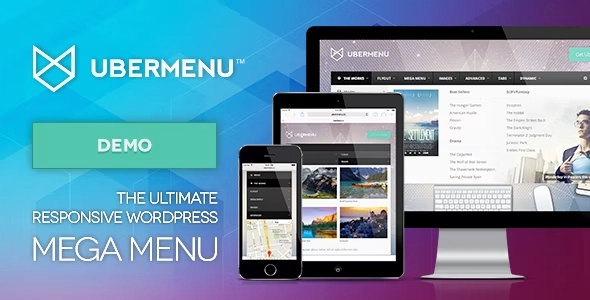
UberMenu WordPress Mega Menu Plugin 3.8.5
$21.00 Original price was: $21.00.$2.99Current price is: $2.99.
Instant Access
7 Day Money Back Guarantee
Online Support 24/7
Secure Payment
Description
🌐 UberMenu – The Ultimate WordPress Mega Menu Plugin
UberMenu™ is a premium, highly customizable WordPress Mega Menu plugin designed to create advanced, responsive, and user-friendly menus for your website. Compatible with WordPress’s native menu system, UberMenu empowers you to build mega menus, flyouts, tabbed submenus, and dynamic content layouts with ease. Whether you are a beginner or a developer, UberMenu adapts to your workflow and enhances your website navigation.
⚡ Key Features
Responsive & Mobile-Friendly
Fully responsive layout for desktops, tablets, and mobile devices
Touch-enabled for iOS, Android, and Windows devices
Configurable breakpoints and optional submenu close buttons for touch devices
Optional independent toggle for mobile menus
Menu Layout & Customization
Supports vertical or horizontal menus
Build advanced submenu layouts using the built-in grid system
Dropdown CSS3 transitions: Shift Up, Slide Down, Fade, or None
Hover, Hover Intent, or Click triggers
Tabbed submenus with flexible positioning (top, bottom, left, right)
Customize menu item colors, fonts, and sizes with live preview
Advanced column and row controls for submenu layouts
Dynamic Content
Include posts, pages, and custom post types automatically
Filter content by categories, terms, taxonomies, author, etc.
Auto-inherit featured images
Include images, descriptions, posts grid, search bars, shortcodes, widgets, Google Maps, Contact Forms, and custom HTML
Integration & Compatibility
Works seamlessly with WordPress 3+ menu system
Automatic or manual integration with themes
Shortcode generator for menu placement inside posts, pages, or widgets
Compatible with plugins like ShiftNav, Bellows Accordion Menu, Menu Management Enhancer, Menu Swapper
PHP & JavaScript API available for developers
Advanced Features
Scroll-to-section functionality
Independent trigger control for each menu item
Grid-based advanced submenu layouts with optional scroll for long content
Supports LESS stylesheets for developers
Dynamic content filtering and ordering
✅ Why Choose UberMenu?
UberMenu is perfect for websites of all sizes—from blogs to large corporate sites. Its responsive design, advanced layout options, dynamic content features, and deep customization capabilities make it the ultimate solution for professional WordPress menus.
Be the first to review “UberMenu WordPress Mega Menu Plugin 3.8.5” Cancel reply
How to Install
Follow these quick steps to install from a .zip file or directly from your WP dashboard.
-
1
Go to Plugins → Add New
In your WordPress dashboard, open Plugins and click Add New.
-
2
Click Upload Plugin
Press Upload Plugin → Choose File and select the downloaded
plugin-name.zip. -
3
Install & Activate
Click Install Now, then Activate. You’re done!
-
4
(Optional) Enter License / Use Shortcode
Open Plugins → Your Plugin → Settings to enter your license. Add the box on the product page with:
[plugin_info_box]
Alternative: Install from WordPress directory
Go to Plugins → Add New, search the plugin name, click Install then Activate.
Manual (FTP) method
Unzip locally → upload the folder to /wp-content/plugins/ using FTP → activate from Plugins.
-
1
Go to Appearance → Themes
Click Add New → Upload Theme.
-
2
Upload the .zip file
Select
theme-name.zip, click Install Now, then Activate. -
3
Install Required Plugins
If prompted, click Begin installing plugins and activate them.
-
4
(Optional) Import Starter Content
Use the theme’s Demo Import (if provided) to load sample pages and settings.
Manual (FTP) theme install
Unzip the theme → upload to /wp-content/themes/ → activate from Appearance → Themes.




Reviews
There are no reviews yet.