
- ✔ Verified by VirusTotal
- ✔ 100% Original Product & Virus-Free
- ✔ Lifetime Free Updates on Single Purchase
- ✔ Unlimited Website Usage
- ✔ Prices in USD (Tax Included)
🔥 Limited-Time Deal — Ends Soon!
Ultra WordPress Admin Theme 11.7
$23.00 Original price was: $23.00.$2.99Current price is: $2.99.
Instant Access
7 Day Money Back Guarantee
Online Support 24/7
Secure Payment
Description
Ultra WordPress Admin Theme (Latest Version)
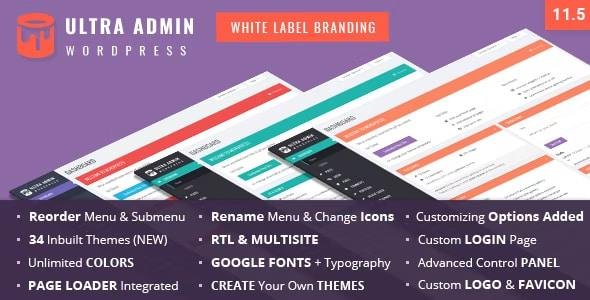
The Ultra WordPress Admin Theme is a premium plugin designed to transform your WordPress dashboard into a modern, stylish, and highly customizable admin interface. Packed with 30 inbuilt themes, white label branding features, and complete control over the look and feel of the backend, Ultra Admin is perfect for freelancers, developers, and agencies who want to provide a branded experience for their clients.
This is a GPL-distributed version – clean, secure, and legally redistributed under the GPL license. No official support is included.
Key Features of Ultra WordPress Admin Theme
🎨 Complete Customization & White Label Branding
Add a custom logo and favicon to the WordPress admin panel.
Fully customize the Admin Top Bar, Footer, and Login Page.
Change CSS styles, typography, colors, and layout for a fully branded experience.
Replace the default “Howdy” greeting with your own custom text.
📂 Menu Management Made Easy
Rename, rearrange, and reorder menu and submenu items with a drag-and-drop interface.
Assign custom icons to each menu item.
Show the original menu to admins and customized menus to other users.
Enable/disable specific menu and submenu items with ease.
🖌️ 30+ Built-in Themes & Styling Options
Choose from multi-color, light, and dark themes.
Create your own custom theme using extensive styling options.
Control buttons, forms, content boxes, background colors, and hover effects.
Typography control with 650+ Google Fonts and advanced font settings.
🔑 Login Page Customization
Add a custom branded login theme.
Control every detail: colors, opacity, background images, and typography.
Show or hide links such as Back to Site and Forgot Password.
🌍 Multisite Compatibility
Make a single admin theme the default across all sites on your multisite network.
Each site can still have individual settings.
Easy to install and configure for network-wide control.
⚙️ Advanced Options & Extras
Import/export settings for easy transfer to other sites.
Integrated smooth scrolling and page loader options.
Built-in compatibility with Admin Menu Editor Pro.
Cross-browser compatible and optimized for performance.
Detailed documentation included for quick setup.
Why Use Ultra WordPress Admin Theme?
Branding Power – Deliver a professional client experience by customizing WordPress admin panels.
User-Friendly – Simplify navigation with reordered menus and clean layouts.
Versatility – Suitable for freelancers, agencies, and developers managing multiple sites.
Flexibility – Works seamlessly with RTL languages and WordPress Multisite.
Performance – Lightweight, fast, and fully compatible with the latest WordPress versions.
Conclusion
The Ultra WordPress Admin Theme Plugin is the ultimate solution for creating a professional, branded, and modern WordPress dashboard. With white-label options, full customization tools, 30+ prebuilt themes, and advanced styling controls, it gives you everything needed to elevate the WordPress backend experience for you and your clients.
Be the first to review “Ultra WordPress Admin Theme 11.7” Cancel reply
How to Install
Follow these quick steps to install from a .zip file or directly from your WP dashboard.
- 1
Go to Plugins → Add New
In your WordPress dashboard, open Plugins and click Add New.
- 2
Click Upload Plugin
Press Upload Plugin → Choose File and select the downloaded
plugin-name.zip. - 3
Install & Activate
Click Install Now, then Activate. You’re done!
- 4
(Optional) Enter License / Use Shortcode
Open Plugins → Your Plugin → Settings to enter your license. Add the box on the product page with:
[plugin_info_box]
Alternative: Install from WordPress directory
Go to Plugins → Add New, search the plugin name, click Install then Activate.
Manual (FTP) method
Unzip locally → upload the folder to /wp-content/plugins/ using FTP → activate from Plugins.
- 1
Go to Appearance → Themes
Click Add New → Upload Theme.
- 2
Upload the .zip file
Select
theme-name.zip, click Install Now, then Activate. - 3
Install Required Plugins
If prompted, click Begin installing plugins and activate them.
- 4
(Optional) Import Starter Content
Use the theme’s Demo Import (if provided) to load sample pages and settings.
Manual (FTP) theme install
Unzip the theme → upload to /wp-content/themes/ → activate from Appearance → Themes.




Reviews
There are no reviews yet.