
- ✔ Verified by VirusTotal
- ✔ 100% Original Product & Virus-Free
- ✔ Lifetime Free Updates on Single Purchase
- ✔ Unlimited Website Usage
- ✔ Prices in USD (Tax Included)
🔥 Limited-Time Deal — Ends Soon!
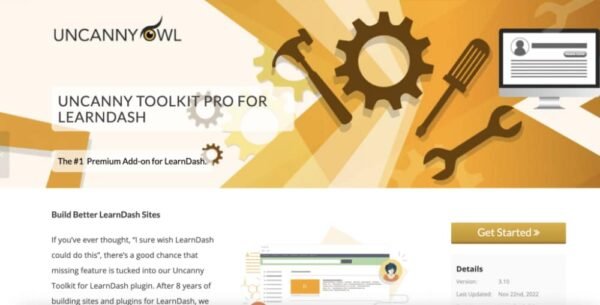
Uncanny Toolkit Pro For LearnDash 4.3.2
$49.00 Original price was: $49.00.$2.99Current price is: $2.99.
Instant Access
7 Day Money Back Guarantee
Online Support 24/7
Secure Payment
Description
🎓 Build Better LearnDash Sites with Uncanny Toolkit Pro
If you’ve ever thought, “I wish LearnDash could do this” — chances are, the Uncanny Toolkit for LearnDash already has the solution. With over 45 powerful modules, this plugin is the #1 add-on for LearnDash, trusted by 10,000+ sites worldwide.
👉 This is the GPL-distributed version — clean, secure, and legally redistributed.
🚀 Why Choose Uncanny Toolkit Pro for LearnDash?
The free version adds 16+ essential modules, but the Pro add-on unlocks 30+ advanced features, giving you ultimate flexibility to build professional eLearning sites. From transcripts and time tracking to group branding and bulk certificate downloads, this plugin is built for serious LearnDash users.
🌟 Key Features of Uncanny Toolkit Pro
✅ Course & Lesson Enhancements
🔄 Autocomplete lessons & topics on view, quiz results, or form submission
📜 Certificate preview & bulk certificate downloads
⏱️ Simple course timer & course expiry countdown
👥 Group & User Management
🏷️ Group branding, logos, and custom registration pages
🔑 Group login redirects & role-based page restrictions
📩 Import users in bulk with custom email notifications
📊 Reporting & Tracking
📈 Enhanced LearnDash CSV reports with custom user data
📑 Printable learner transcripts
🕒 Lazy-loading course navigation for faster performance
🎯 Advanced Learning Tools
📦 Drip lessons by group
🔁 Reset progress button for retakes
🖼️ Enhanced course & lesson grids with resume buttons
🛠️ Microlearning with single-page courses
💡 Benefits of Using Uncanny Toolkit Pro
🚀 Save time with automation (no more manual lesson completion)
📚 Deliver a better student experience with dashboards & transcripts
👩🏫 Give instructors more control with group branding & forums
📊 Gain deeper insights with advanced reporting tools
🛠️ Scale your LearnDash site with enterprise-ready optimizations
Be the first to review “Uncanny Toolkit Pro For LearnDash 4.3.2” Cancel reply
How to Install
Follow these quick steps to install from a .zip file or directly from your WP dashboard.
-
1
Go to Plugins → Add New
In your WordPress dashboard, open Plugins and click Add New.
-
2
Click Upload Plugin
Press Upload Plugin → Choose File and select the downloaded
plugin-name.zip. -
3
Install & Activate
Click Install Now, then Activate. You’re done!
-
4
(Optional) Enter License / Use Shortcode
Open Plugins → Your Plugin → Settings to enter your license. Add the box on the product page with:
[plugin_info_box]
Alternative: Install from WordPress directory
Go to Plugins → Add New, search the plugin name, click Install then Activate.
Manual (FTP) method
Unzip locally → upload the folder to /wp-content/plugins/ using FTP → activate from Plugins.
-
1
Go to Appearance → Themes
Click Add New → Upload Theme.
-
2
Upload the .zip file
Select
theme-name.zip, click Install Now, then Activate. -
3
Install Required Plugins
If prompted, click Begin installing plugins and activate them.
-
4
(Optional) Import Starter Content
Use the theme’s Demo Import (if provided) to load sample pages and settings.
Manual (FTP) theme install
Unzip the theme → upload to /wp-content/themes/ → activate from Appearance → Themes.




Reviews
There are no reviews yet.