
- ✔ Verified by VirusTotal
- ✔ 100% Original Product & Virus-Free
- ✔ Lifetime Free Updates on Single Purchase
- ✔ Unlimited Website Usage
- ✔ Prices in USD (Tax Included)
🔥 Limited-Time Deal — Ends Soon!
User Activity Log PRO for WordPress 2.3.5
$99.00 Original price was: $99.00.$2.99Current price is: $2.99.
Instant Access
7 Day Money Back Guarantee
Online Support 24/7
Secure Payment
Description
🛡 User Activity Log PRO – WordPress Activity Tracking Plugin
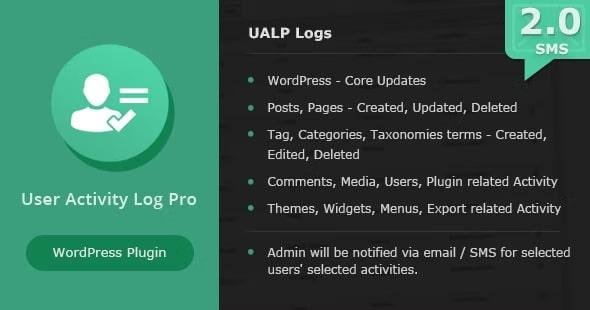
User Activity Log PRO is a powerful monitoring plugin for WordPress that tracks user activity, team actions, and admin changes. Ideal for site owners, managers, IT consultants, and developers, it helps monitor logins, content changes, plugin/theme updates, and more in real-time.
This plugin ensures accountability, security, and transparency for any WordPress-powered site.
🔹 Core Features
Administrative & Security
Track all admin and user activity, including WordPress core, posts, pages, and settings updates.
Protect logs with a master password; users without it cannot delete or download logs.
Role-based access to the activity log panel via Role Manager.
Custom event logs – create unlimited custom hooks to track any action.
Password security to prevent unauthorized log deletion.
User Tracking
Track logins, logouts, failed attempts, and IP addresses targeting login page.
Monitor profile updates (first name, last name, email, website, etc.).
Track activity on custom post types and taxonomies.
Favorite/unfavorite logs for easy reference.
Notifications & Email
Send automatic email notifications when selected users or roles log in.
Customize email content and recipients.
Real-time alerts for key actions.
Activity Log Management
Sort logs by Date, Author, IP Address, Hook, Type (ascending/descending).
Filter logs using the same criteria and favorite/unfavorite feature.
Export logs to CSV for backup or reporting.
Option to reset/delete all activity logs.
Hook selection allows tracking only selected actions (posts, pages, media, categories, etc.).
Advanced Features
Compatible with custom post types and custom taxonomies.
Detailed log view with the ability to track specific post type revisions.
Add unlimited custom events with name, label, type, and description.
Blog owners can use it like SVN/GitHub for multiple authors.
Supported Plugins
WooCommerce
Easy Digital Downloads
bbPress
Advanced Custom Fields (ACF)
Contact Form 7
Gravity Forms
Yoast SEO
Wordfence
Blog Designer PRO
Autoptimize
All in One Reservation
Portfolio Designer
User Switching
Users Ultra
WC Checkout Fields Editor
🔹 Use Cases
Website Owners: Monitor multiple admins, freelancers, or contributors.
IT Companies: Track developers’ actions across projects.
Content Teams: Monitor blog authors and prevent accidental or malicious changes.
Security: Detect unauthorized login attempts and track changes in real-time.
Be the first to review “User Activity Log PRO for WordPress 2.3.5” Cancel reply
How to Install
Follow these quick steps to install from a .zip file or directly from your WP dashboard.
-
1
Go to Plugins → Add New
In your WordPress dashboard, open Plugins and click Add New.
-
2
Click Upload Plugin
Press Upload Plugin → Choose File and select the downloaded
plugin-name.zip. -
3
Install & Activate
Click Install Now, then Activate. You’re done!
-
4
(Optional) Enter License / Use Shortcode
Open Plugins → Your Plugin → Settings to enter your license. Add the box on the product page with:
[plugin_info_box]
Alternative: Install from WordPress directory
Go to Plugins → Add New, search the plugin name, click Install then Activate.
Manual (FTP) method
Unzip locally → upload the folder to /wp-content/plugins/ using FTP → activate from Plugins.
-
1
Go to Appearance → Themes
Click Add New → Upload Theme.
-
2
Upload the .zip file
Select
theme-name.zip, click Install Now, then Activate. -
3
Install Required Plugins
If prompted, click Begin installing plugins and activate them.
-
4
(Optional) Import Starter Content
Use the theme’s Demo Import (if provided) to load sample pages and settings.
Manual (FTP) theme install
Unzip the theme → upload to /wp-content/themes/ → activate from Appearance → Themes.




Reviews
There are no reviews yet.