
- ✔ Verified by VirusTotal
- ✔ 100% Original Product & Virus-Free
- ✔ Lifetime Free Updates on Single Purchase
- ✔ Unlimited Website Usage
- ✔ Prices in USD (Tax Included)
🔥 Limited-Time Deal — Ends Soon!
User Registration Brevo addon 1.0.4
$64.00 Original price was: $64.00.$2.99Current price is: $2.99.
Instant Access
7 Day Money Back Guarantee
Online Support 24/7
Secure Payment
Description
💌 User Registration Brevo Addon – Seamless Brevo (Sendinblue) Integration
User Registration Brevo Addon connects your WordPress registration forms directly to your Brevo (formerly Sendinblue) account. It automates your email marketing workflow by instantly adding users to your Brevo contact lists or interest groups as soon as they register on your site.
⚙️ Key Features
Effortless Integration: Connect your WordPress registration forms with Brevo in just a few clicks using your API key.
Automatic User Sync: Instantly send new user data from registration forms to specific Brevo contact lists.
Field Mapping: Map WordPress form fields to Brevo contact fields to ensure accurate data transfer.
Multiple Account Support: Connect and manage multiple Brevo accounts from one WordPress dashboard.
Double Opt-in Support: Ensure GDPR compliance by sending confirmation emails through Brevo before adding users to your list.
Custom Redirection URL: Redirect users to a thank-you or confirmation page after double opt-in.
Conditional Logic: Control when and how user data is sent to Brevo based on user input or form conditions.
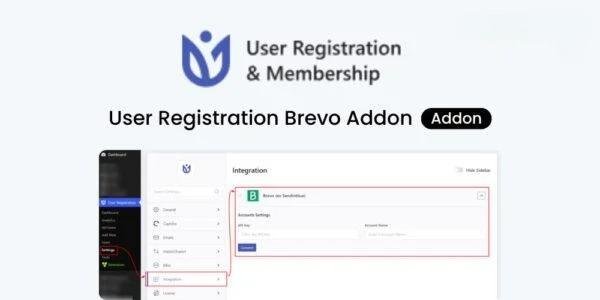
Easy Configuration: Simple setup process via the User Registration → Settings → Integration → Brevo panel.
API Key Security: Secure integration through Brevo’s API key system for safe and reliable connections.
Automated Marketing Workflow: Simplify email campaigns by growing your subscriber list automatically.
🚀 What We Offer
With the User Registration Brevo Addon, you can automate your marketing list building directly from your WordPress registration process. Every new user registration can be instantly synced with your Brevo email lists — saving time and keeping your marketing campaigns updated in real-time.
🏆 Conclusion
The User Registration Brevo Addon is the perfect tool to connect your WordPress user base with Brevo’s powerful email marketing platform. From double opt-in verification to conditional data sync, this addon ensures your registration process and marketing lists work together seamlessly — empowering you to grow and manage your audience effortlessly.
Be the first to review “User Registration Brevo addon 1.0.4” Cancel reply
How to Install
Follow these quick steps to install from a .zip file or directly from your WP dashboard.
-
1
Go to Plugins → Add New
In your WordPress dashboard, open Plugins and click Add New.
-
2
Click Upload Plugin
Press Upload Plugin → Choose File and select the downloaded
plugin-name.zip. -
3
Install & Activate
Click Install Now, then Activate. You’re done!
-
4
(Optional) Enter License / Use Shortcode
Open Plugins → Your Plugin → Settings to enter your license. Add the box on the product page with:
[plugin_info_box]
Alternative: Install from WordPress directory
Go to Plugins → Add New, search the plugin name, click Install then Activate.
Manual (FTP) method
Unzip locally → upload the folder to /wp-content/plugins/ using FTP → activate from Plugins.
-
1
Go to Appearance → Themes
Click Add New → Upload Theme.
-
2
Upload the .zip file
Select
theme-name.zip, click Install Now, then Activate. -
3
Install Required Plugins
If prompted, click Begin installing plugins and activate them.
-
4
(Optional) Import Starter Content
Use the theme’s Demo Import (if provided) to load sample pages and settings.
Manual (FTP) theme install
Unzip the theme → upload to /wp-content/themes/ → activate from Appearance → Themes.




Reviews
There are no reviews yet.