
- ✔ Verified by VirusTotal
- ✔ 100% Original Product & Virus-Free
- ✔ Lifetime Free Updates on Single Purchase
- ✔ Unlimited Website Usage
- ✔ Prices in USD (Tax Included)
🔥 Limited-Time Deal — Ends Soon!
User Registration Import Users Addon 1.0.9
$35.00 Original price was: $35.00.$2.99Current price is: $2.99.
Instant Access
7 Day Money Back Guarantee
Online Support 24/7
Secure Payment
Description
User Registration Import Users Addon
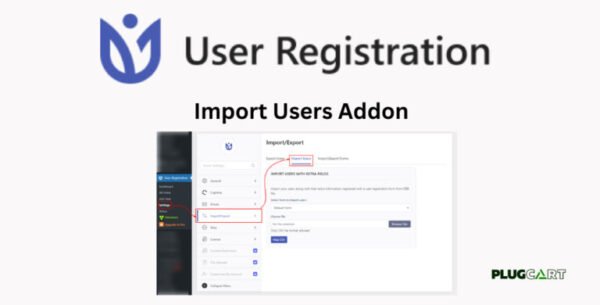
User Registration Import Users Addon is a powerful tool for quickly importing users into your WordPress site. Whether you’re migrating users from another website or adding subscribers from an email list, this addon makes bulk user registration fast, easy, and hassle-free.
Key Features ✅
1. Import Users from CSV
Easily import user data from other WordPress sites or external email lists
Supports CSV files with key user information like email, password, and roles
2. Supports Key User Fields
Import essential data such as User Email, User Password, First Name, Last Name, and more
Include User Roles during import to assign appropriate permissions automatically
3. Easy Field Mapping
Map CSV data to the registration form fields effortlessly using a simple dropdown interface
Ensures accurate data placement and prevents errors during bulk import
4. Skips Existing Users
Automatically skips users who are already registered on your site
Download a report of skipped users to review and take action if needed
Why Use This Addon?
Simplifies user migration and bulk registration tasks
Saves time by automating imports and avoiding duplicate users
Perfect for membership sites, e-learning platforms, and communities
User Registration Import Users Addon is the ideal solution to streamline and automate bulk user management on WordPress.
Be the first to review “User Registration Import Users Addon 1.0.9” Cancel reply
How to Install
Follow these quick steps to install from a .zip file or directly from your WP dashboard.
-
1
Go to Plugins → Add New
In your WordPress dashboard, open Plugins and click Add New.
-
2
Click Upload Plugin
Press Upload Plugin → Choose File and select the downloaded
plugin-name.zip. -
3
Install & Activate
Click Install Now, then Activate. You’re done!
-
4
(Optional) Enter License / Use Shortcode
Open Plugins → Your Plugin → Settings to enter your license. Add the box on the product page with:
[plugin_info_box]
Alternative: Install from WordPress directory
Go to Plugins → Add New, search the plugin name, click Install then Activate.
Manual (FTP) method
Unzip locally → upload the folder to /wp-content/plugins/ using FTP → activate from Plugins.
-
1
Go to Appearance → Themes
Click Add New → Upload Theme.
-
2
Upload the .zip file
Select
theme-name.zip, click Install Now, then Activate. -
3
Install Required Plugins
If prompted, click Begin installing plugins and activate them.
-
4
(Optional) Import Starter Content
Use the theme’s Demo Import (if provided) to load sample pages and settings.
Manual (FTP) theme install
Unzip the theme → upload to /wp-content/themes/ → activate from Appearance → Themes.




Reviews
There are no reviews yet.