
- ✔ Verified by VirusTotal
- ✔ 100% Original Product & Virus-Free
- ✔ Lifetime Free Updates on Single Purchase
- ✔ Unlimited Website Usage
- ✔ Prices in USD (Tax Included)
🔥 Limited-Time Deal — Ends Soon!
UsersWP User to User Private Messages Addon 1.1.0
$58.00 Original price was: $58.00.$2.99Current price is: $2.99.
Instant Access
7 Day Money Back Guarantee
Online Support 24/7
Secure Payment
Description
💬 UsersWP User to User Private Messages Addon – Social Chat for WordPress
⚡ UsersWP User to User Private User to User Private Messages Addon brings Facebook Messenger-style one-on-one chat to your WordPress website. Perfect for online communities, membership sites, and social platforms, it allows logged-in users to send private messages to each other easily.
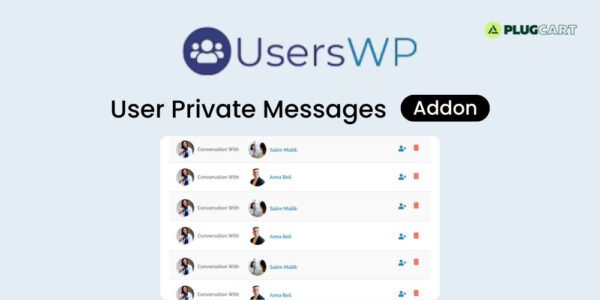
📝 Users can click the “Message” button on another user’s directory listing, profile page, or messaging sidebar to open a popup chat box. From there, they can send messages in real-time with customizable length limits.
📧 The addon supports unread message notifications, sending emails at specified intervals to keep users informed. Users can block others or use a blacklist feature to prevent unwanted communication. A profanity filter ensures chats remain safe and professional.
🎨 The message box design is fully customizable, letting you style colors and elements to match your site’s theme. The “Messages” tab in each user profile displays recent conversations, keeping communication organized and accessible.
🌐 With this addon, your WordPress site gains a robust private messaging system, encouraging engagement, interaction, and a social community feel without relying on third-party chat services.
✨ Key Features of UsersWP User to User Private
💬 One-on-one private messaging between users
⚡ Popup message box with customizable character limits
📧 Email notifications for unread messages
🛡️ Users blacklist and block functionality
🚫 Profanity filter for safe conversations
🎨 Fully customizable message box design
📝 Messages tab showing recent conversations
🛠️ What We Offer
💡 Social network-style chat integration
🎯 Safe, moderated messaging with filters and blocking
⚙️ Easy-to-use interface for logged-in users
🌍 Enhance engagement on community and membership sites
🔒 GPL-compliant, secure, and developer-friendly
✅ Conclusion
🚀 UsersWP User to User Private Messages Addon transforms your WordPress site into a social hub, allowing members to communicate privately with features like notifications, profanity filters, blocking, and customizable chat design for a professional, engaging experience.
Be the first to review “UsersWP User to User Private Messages Addon 1.1.0” Cancel reply
How to Install
Follow these quick steps to install from a .zip file or directly from your WP dashboard.
-
1
Go to Plugins → Add New
In your WordPress dashboard, open Plugins and click Add New.
-
2
Click Upload Plugin
Press Upload Plugin → Choose File and select the downloaded
plugin-name.zip. -
3
Install & Activate
Click Install Now, then Activate. You’re done!
-
4
(Optional) Enter License / Use Shortcode
Open Plugins → Your Plugin → Settings to enter your license. Add the box on the product page with:
[plugin_info_box]
Alternative: Install from WordPress directory
Go to Plugins → Add New, search the plugin name, click Install then Activate.
Manual (FTP) method
Unzip locally → upload the folder to /wp-content/plugins/ using FTP → activate from Plugins.
-
1
Go to Appearance → Themes
Click Add New → Upload Theme.
-
2
Upload the .zip file
Select
theme-name.zip, click Install Now, then Activate. -
3
Install Required Plugins
If prompted, click Begin installing plugins and activate them.
-
4
(Optional) Import Starter Content
Use the theme’s Demo Import (if provided) to load sample pages and settings.
Manual (FTP) theme install
Unzip the theme → upload to /wp-content/themes/ → activate from Appearance → Themes.




Reviews
There are no reviews yet.