
- ✔ Verified by VirusTotal
- ✔ 100% Original Product & Virus-Free
- ✔ Lifetime Free Updates on Single Purchase
- ✔ Unlimited Website Usage
- ✔ Prices in USD (Tax Included)
🔥 Limited-Time Deal — Ends Soon!
WC Vendors Pro 1.9.9
$57.00 Original price was: $57.00.$2.99Current price is: $2.99.
Instant Access
7 Day Money Back Guarantee
Online Support 24/7
Secure Payment
Description
🛒 WC Vendors Pro – Latest GPL Version
Build and scale your own multi-vendor marketplace with WC Vendors Pro, the most powerful and flexible marketplace plugin for WordPress + WooCommerce.
👉 This is a GPL-distributed version: clean, secure, legally redistributed, and free from bloat. (No official support is included.)
🚀 Why Choose WC Vendors Pro?
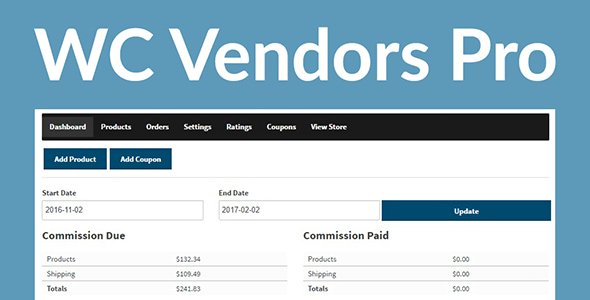
WC Vendors Pro gives your vendors full control over their stores through a complete front-end vendor dashboard. Vendors can manage products, orders, coupons, shipping, and reports — while you focus on growing and marketing your marketplace.
It’s fast, scalable, and built to grow with your business, whether you’re running a small niche marketplace or competing with the big players.
🌟 WC Vendors Pro Features
📊 Pro Vendor Dashboard
Beautiful, intuitive dashboard for vendors.
View sales reports, earnings, and performance at a glance.
🛍️ Product Management
Add, edit, and manage products from the front end.
Supports all product types: Simple, Variable, Grouped, and Downloadable.
📦 Order & Shipping Management
Vendors can view/manage orders, mark items as shipped, and add tracking info.
Built-in Pro Shipping Module with flat-rate & country-rate options.
Shipping labels & shipment tracking included.
💰 Flexible Commission System
Multiple commission types: Percentage, Fixed fee, Percentage + fee, Fixed + fee.
Supports tiered commission structures.
🧾 Automated Taxes
Includes WC Vendors Tax, providing real-time, automated sales tax rates.
🎟️ Coupons & Discounts
Vendors can create vendor-only coupons to promote their own products.
⭐ Vendor Ratings & Feedback
eBay-style feedback system for customers to review vendors.
Builds trust and increases conversions.
🎨 Vendor Store Branding
Customize stores with banners, logos, and social media links.
Complete template system for full design flexibility.
🔗 Social Integrations
Vendors can link their Facebook, Twitter, Google+, and more.
💡 Use Cases
🛍️ Handmade Goods Marketplace – like Etsy.
🎨 Digital Products Store – sell themes, plugins, or downloads.
📦 Dropshipping & Physical Goods – vendors manage their own shipping.
🏪 Niche Multi-Vendor Marketplaces – fashion, food, crafts, art, and more.
🏆 Final Thoughts
With WC Vendors Pro (GPL Version), you can run a fully functional marketplace where vendors have control, customers enjoy trust and transparency, and you, as the admin, can focus on scaling.
Whether you want to create the next Etsy, Amazon-style marketplace, or a niche multi-vendor store, WC Vendors Pro has everything you need to succeed.
Be the first to review “WC Vendors Pro 1.9.9” Cancel reply
How to Install
Follow these quick steps to install from a .zip file or directly from your WP dashboard.
-
1
Go to Plugins → Add New
In your WordPress dashboard, open Plugins and click Add New.
-
2
Click Upload Plugin
Press Upload Plugin → Choose File and select the downloaded
plugin-name.zip. -
3
Install & Activate
Click Install Now, then Activate. You’re done!
-
4
(Optional) Enter License / Use Shortcode
Open Plugins → Your Plugin → Settings to enter your license. Add the box on the product page with:
[plugin_info_box]
Alternative: Install from WordPress directory
Go to Plugins → Add New, search the plugin name, click Install then Activate.
Manual (FTP) method
Unzip locally → upload the folder to /wp-content/plugins/ using FTP → activate from Plugins.
-
1
Go to Appearance → Themes
Click Add New → Upload Theme.
-
2
Upload the .zip file
Select
theme-name.zip, click Install Now, then Activate. -
3
Install Required Plugins
If prompted, click Begin installing plugins and activate them.
-
4
(Optional) Import Starter Content
Use the theme’s Demo Import (if provided) to load sample pages and settings.
Manual (FTP) theme install
Unzip the theme → upload to /wp-content/themes/ → activate from Appearance → Themes.




Reviews
There are no reviews yet.