
- ✔ Verified by VirusTotal
- ✔ 100% Original Product & Virus-Free
- ✔ Lifetime Free Updates on Single Purchase
- ✔ Unlimited Website Usage
- ✔ Prices in USD (Tax Included)
🔥 Limited-Time Deal — Ends Soon!
WC Vendors Pro 2.0.0
$57.00 Original price was: $57.00.$2.99Current price is: $2.99.
Instant Access
7 Day Money Back Guarantee
Online Support 24/7
Secure Payment
Description
🏪 WC Vendors Pro – The Ultimate WooCommerce Marketplace Solution
WC Vendors Pro is a powerful, feature-rich extension for WooCommerce that transforms your online store into a fully functional multi-vendor marketplace. It empowers your vendors with complete control over their stores — products, orders, shipping, and more — directly from a front-end dashboard, allowing you to focus on growing your business while they manage their shops.
⚙️ Key Features of WC Vendors Pro
🧭 1. Front-End Vendor Dashboard
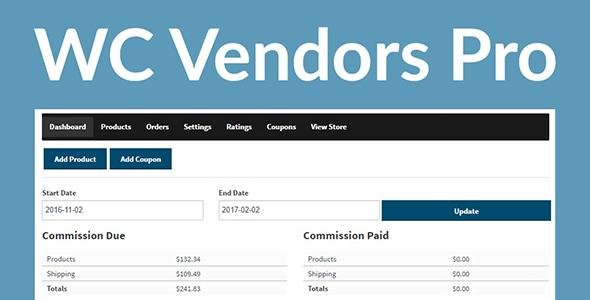
A clean, intuitive Pro Dashboard lets vendors manage products, orders, coupons, and shipping — all from the front end. Vendors can track sales, update inventory, and analyze performance effortlessly.
💰 2. Flexible Commission System
Supports multiple commission types, including percentage, fixed fee, or tiered commissions, giving you full control over your marketplace earnings model.
📦 3. Advanced Order & Shipping Management
Vendors can view, process, and mark orders as shipped. Includes a shipment tracking system and a Pro Shipping Module offering per-product flat-rate and country-rate shipping.
🧾 4. Automated Taxes
Integrated with WC Vendors Tax, it ensures accurate, real-time sales tax calculations for vendors and customers — simplifying compliance and saving time.
🌟 5. Vendor Store Customization
Vendors can brand their stores with custom banners, logos, and social links, creating a unique presence within your marketplace.
⭐ 6. Feedback & Ratings System
An eBay-style feedback system allows customers to leave ratings and reviews, boosting trust and credibility across your marketplace.
💡 What We Offer
100% GPL-licensed and regularly updated plugin
Fully compatible with WooCommerce product types (simple, variable, downloadable, etc.)
Vendor-only coupon creation and social integrations
Optimized for speed, scalability, and performance
Flexible template system for custom marketplace styling
🏁 Conclusion
WC Vendors Pro is the perfect solution for entrepreneurs aiming to build a scalable, efficient, and feature-packed WooCommerce marketplace. By empowering vendors with independence and tools for success, you can focus on marketing, growth, and community — while your vendors take care of business.
Be the first to review “WC Vendors Pro 2.0.0” Cancel reply
How to Install
Follow these quick steps to install from a .zip file or directly from your WP dashboard.
-
1
Go to Plugins → Add New
In your WordPress dashboard, open Plugins and click Add New.
-
2
Click Upload Plugin
Press Upload Plugin → Choose File and select the downloaded
plugin-name.zip. -
3
Install & Activate
Click Install Now, then Activate. You’re done!
-
4
(Optional) Enter License / Use Shortcode
Open Plugins → Your Plugin → Settings to enter your license. Add the box on the product page with:
[plugin_info_box]
Alternative: Install from WordPress directory
Go to Plugins → Add New, search the plugin name, click Install then Activate.
Manual (FTP) method
Unzip locally → upload the folder to /wp-content/plugins/ using FTP → activate from Plugins.
-
1
Go to Appearance → Themes
Click Add New → Upload Theme.
-
2
Upload the .zip file
Select
theme-name.zip, click Install Now, then Activate. -
3
Install Required Plugins
If prompted, click Begin installing plugins and activate them.
-
4
(Optional) Import Starter Content
Use the theme’s Demo Import (if provided) to load sample pages and settings.
Manual (FTP) theme install
Unzip the theme → upload to /wp-content/themes/ → activate from Appearance → Themes.




Reviews
There are no reviews yet.