
- ✔ Verified by VirusTotal
- ✔ 100% Original Product & Virus-Free
- ✔ Lifetime Free Updates on Single Purchase
- ✔ Unlimited Website Usage
- ✔ Prices in USD (Tax Included)
🔥 Limited-Time Deal — Ends Soon!
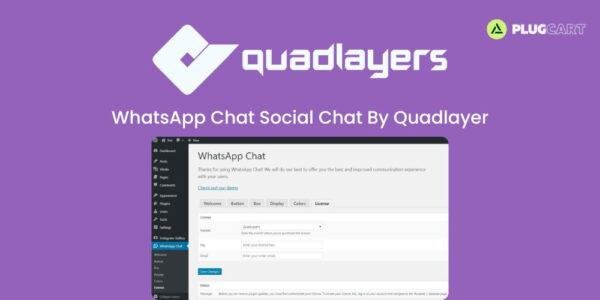
WhatsApp Chat – Social Chat By Quadlayer 7.7.6
$58.00 Original price was: $58.00.$2.99Current price is: $2.99.
Instant Access
7 Day Money Back Guarantee
Online Support 24/7
Secure Payment
Description
💬 WhatsApp Chat – Instant Customer Support for WordPress
WhatsApp Chat is a WordPress plugin designed to improve customer communication by allowing visitors to start a conversation directly on WhatsApp with just one click. Perfect for businesses that want to enhance customer support, provide multi-agent access, and maintain seamless contact through a user-friendly interface.
✨ Key Features
Multiple Team Member Accounts – Add unlimited agent accounts with custom labels and names for different support areas.
Chatbox Interface for Each Agent – Visitors can type their first message directly in a dedicated chatbox.
Custom Welcome Message – Set personalized greetings for each agent.
User’s First Message – Allow users to write their initial message freely before sending.
Custom Messages for Each Role – Preset messages for specific agents or roles.
Button Appearance – Choose between circular or rectangular WhatsApp buttons.
Button Placement & Page Targeting – Display the button on homepage, specific posts, categories, or pages.
Availability Scheduling – Set custom hours for the WhatsApp button visibility per timezone.
Customize Colors & Layout – Match the button and chat interface to your website design.
WPML Compatible – Show text in multiple languages and customize per user’s language.
GDPR Compliance – Fully GDPR compliant; no personal data is stored.
40+ Custom Icons – Select from over 40 icons for your WhatsApp button.
💡 What We Offer
WhatsApp Chat provides a direct and easy communication channel between your business and customers. With multiple agents, customizable messages, and smart placement options, your visitors can contact you quickly and conveniently.
🚀 Conclusion
Enhance your customer engagement and support efficiency with WhatsApp Chat for WordPress. Its flexible agent setup, chatbox customization, multilingual support, and GDPR compliance make it the perfect solution for modern websites.
Be the first to review “WhatsApp Chat – Social Chat By Quadlayer 7.7.6” Cancel reply
How to Install
Follow these quick steps to install from a .zip file or directly from your WP dashboard.
- 1
Go to Plugins → Add New
In your WordPress dashboard, open Plugins and click Add New.
- 2
Click Upload Plugin
Press Upload Plugin → Choose File and select the downloaded
plugin-name.zip. - 3
Install & Activate
Click Install Now, then Activate. You’re done!
- 4
(Optional) Enter License / Use Shortcode
Open Plugins → Your Plugin → Settings to enter your license. Add the box on the product page with:
[plugin_info_box]
Alternative: Install from WordPress directory
Go to Plugins → Add New, search the plugin name, click Install then Activate.
Manual (FTP) method
Unzip locally → upload the folder to /wp-content/plugins/ using FTP → activate from Plugins.
- 1
Go to Appearance → Themes
Click Add New → Upload Theme.
- 2
Upload the .zip file
Select
theme-name.zip, click Install Now, then Activate. - 3
Install Required Plugins
If prompted, click Begin installing plugins and activate them.
- 4
(Optional) Import Starter Content
Use the theme’s Demo Import (if provided) to load sample pages and settings.
Manual (FTP) theme install
Unzip the theme → upload to /wp-content/themes/ → activate from Appearance → Themes.




Reviews
There are no reviews yet.