
- ✔ Verified by VirusTotal
- ✔ 100% Original Product & Virus-Free
- ✔ Lifetime Free Updates on Single Purchase
- ✔ Unlimited Website Usage
- ✔ Prices in USD (Tax Included)
🔥 Limited-Time Deal — Ends Soon!
WooCommerce Accommodation Bookings 1.3.4
$60.00 Original price was: $60.00.$2.99Current price is: $2.99.
Instant Access
7 Day Money Back Guarantee
Online Support 24/7
Secure Payment
Description
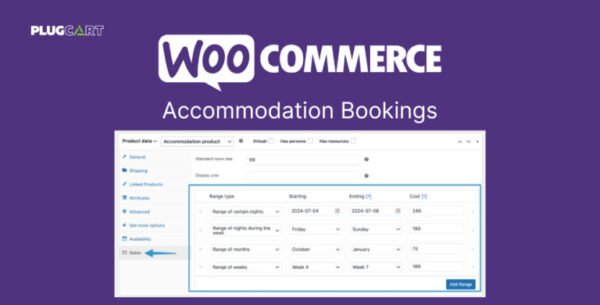
🏨 WooCommerce Accommodation Bookings Addon Simplify Hotel & Room Reservations
Running a hotel, guesthouse, or rental business? The WooCommerce Accommodation Bookings Addon makes it effortless to manage overnight stays and long-term reservations directly from your WooCommerce store.
With this addon, guests can book rooms online in just a few clicks, while you maintain full control over check-in/check-out times, special rates, and booking durations.
(Note: This addon works with the WooCommerce Bookings extension – required for full functionality.)
🌟 Key Features
🛎️ New “Accommodation” Booking Option – Designed for hotels, B&Bs, hostels, and rentals.
⏰ Check-In / Check-Out Times – Set clear timeframes for arrivals and departures.
🌙 Night-Based Booking – Allow customers to book by number of nights instead of hours or days.
💰 Special Rate Overrides – Easily apply weekend, seasonal, or holiday pricing.
🔄 Seamless WooCommerce Bookings Integration – Works perfectly with the core Bookings extension.
🎯 Benefits
🖥️ User-Friendly Guest Booking – Customers can reserve rooms online in seconds.
🛏️ Ideal for Hospitality Businesses – Hotels, motels, vacation rentals, cabins, or resorts.
📅 Efficient Reservation Management – Simplify long-term and short-term stays.
🚀 Boost Revenue – Offer dynamic pricing with seasonal rates.
🏁 Conclusion
The WooCommerce Accommodation Bookings Addon is the perfect solution for businesses in the hospitality industry. From hotels to vacation rentals, it gives you the power to streamline bookings, customize rates, and enhance the guest experience — all within WooCommerce.
Be the first to review “WooCommerce Accommodation Bookings 1.3.4” Cancel reply
How to Install
Follow these quick steps to install from a .zip file or directly from your WP dashboard.
-
1
Go to Plugins → Add New
In your WordPress dashboard, open Plugins and click Add New.
-
2
Click Upload Plugin
Press Upload Plugin → Choose File and select the downloaded
plugin-name.zip. -
3
Install & Activate
Click Install Now, then Activate. You’re done!
-
4
(Optional) Enter License / Use Shortcode
Open Plugins → Your Plugin → Settings to enter your license. Add the box on the product page with:
[plugin_info_box]
Alternative: Install from WordPress directory
Go to Plugins → Add New, search the plugin name, click Install then Activate.
Manual (FTP) method
Unzip locally → upload the folder to /wp-content/plugins/ using FTP → activate from Plugins.
-
1
Go to Appearance → Themes
Click Add New → Upload Theme.
-
2
Upload the .zip file
Select
theme-name.zip, click Install Now, then Activate. -
3
Install Required Plugins
If prompted, click Begin installing plugins and activate them.
-
4
(Optional) Import Starter Content
Use the theme’s Demo Import (if provided) to load sample pages and settings.
Manual (FTP) theme install
Unzip the theme → upload to /wp-content/themes/ → activate from Appearance → Themes.




Reviews
There are no reviews yet.