
- ✔ Verified by VirusTotal
- ✔ 100% Original Product & Virus-Free
- ✔ Lifetime Free Updates on Single Purchase
- ✔ Unlimited Website Usage
- ✔ Prices in USD (Tax Included)
🔥 Limited-Time Deal — Ends Soon!
WooCommerce AfterShip 9.4
$21.00 Original price was: $21.00.$2.99Current price is: $2.99.
Instant Access
7 Day Money Back Guarantee
Online Support 24/7
Secure Payment
Description
AfterShipPlugin – Seamless Shipment Tracking for Customers
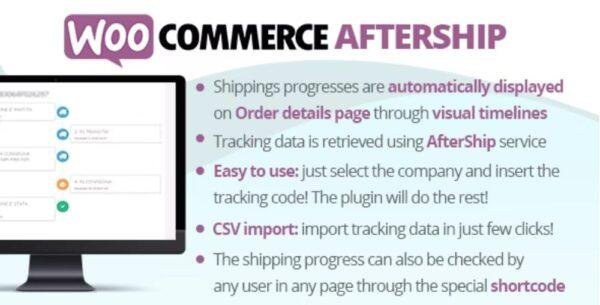
The WooCommerce AfterShip Plugin makes shipment tracking simple and transparent for your customers by displaying real-time shipping updates directly on the order details page. With automated timelines, email integration, and shortcode support, it enhances the post-purchase experience and boosts customer satisfaction.
🚀 Key Features of WooCommerce AfterShip
🔑 Easy Setup
Insert your AfterShip API Key directly from the WooCommerce AfterShip menu.
Select the courier companies you want to enable for tracking.
Add tracking info in the admin order details page – the plugin handles the rest automatically.
📦 Shipping Progress Timeline
Automatically display a tracking timeline for each order.
Customers can view real-time shipment updates directly on their order details page.
⚡ Productivity Boost
Quickly add, edit, or remove tracking numbers right from the WooCommerce Orders list page.
🔗 Shortcode Support
Use the shortcode
[wcafw_order_status]to add an order tracking form on any page.Useful for guest users who don’t have access to profile pages but want to track their order status.
📧 Email Integration
Tracking details are automatically embedded into WooCommerce order emails.
By default, info is added when the order reaches “Completed” status.
You can customize both the trigger status and the message format.
✅ Why Use
✔️ Enhance customer experience with real-time tracking.
✔️ Reduce customer support queries about shipping status.
✔️ Keep everything inside – no external portals needed.
✔️ Works with multiple couriers via AfterShip API.
⚡ Deliver a smoother post-purchase experience and keep your customers informed every step of the way with the
Be the first to review “WooCommerce AfterShip 9.4” Cancel reply
How to Install
Follow these quick steps to install from a .zip file or directly from your WP dashboard.
-
1
Go to Plugins → Add New
In your WordPress dashboard, open Plugins and click Add New.
-
2
Click Upload Plugin
Press Upload Plugin → Choose File and select the downloaded
plugin-name.zip. -
3
Install & Activate
Click Install Now, then Activate. You’re done!
-
4
(Optional) Enter License / Use Shortcode
Open Plugins → Your Plugin → Settings to enter your license. Add the box on the product page with:
[plugin_info_box]
Alternative: Install from WordPress directory
Go to Plugins → Add New, search the plugin name, click Install then Activate.
Manual (FTP) method
Unzip locally → upload the folder to /wp-content/plugins/ using FTP → activate from Plugins.
-
1
Go to Appearance → Themes
Click Add New → Upload Theme.
-
2
Upload the .zip file
Select
theme-name.zip, click Install Now, then Activate. -
3
Install Required Plugins
If prompted, click Begin installing plugins and activate them.
-
4
(Optional) Import Starter Content
Use the theme’s Demo Import (if provided) to load sample pages and settings.
Manual (FTP) theme install
Unzip the theme → upload to /wp-content/themes/ → activate from Appearance → Themes.




Reviews
There are no reviews yet.