
- ✔ Verified by VirusTotal
- ✔ 100% Original Product & Virus-Free
- ✔ Lifetime Free Updates on Single Purchase
- ✔ Unlimited Website Usage
- ✔ Prices in USD (Tax Included)
🔥 Limited-Time Deal — Ends Soon!
WooCommerce Authorize.Net Extension 3.10.13
$57.00 Original price was: $57.00.$2.99Current price is: $2.99.
Instant Access
7 Day Money Back Guarantee
Online Support 24/7
Secure Payment
Description
💳 WooCommerce Authorize.Net Extension
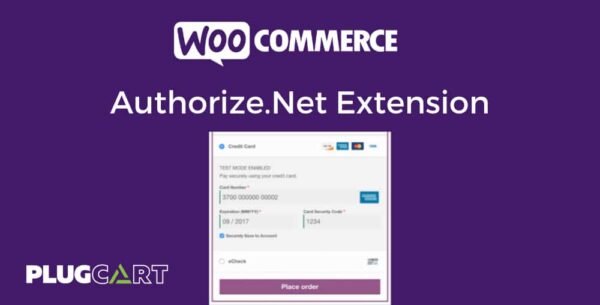
The WooCommerce Authorize.Net Extension allows your online store to accept credit cards and eChecks securely using Authorize.Net, one of the most trusted payment processors. Customers can save their payment methods for fast, seamless checkout, while you gain full control over the payment process.
This is a GPL-distributed version: clean, secure, legally redistributed, and does not include official support.
✨ Key Features
✔️ Secure Checkout & PCI Compliance
Keeps customers on your site during checkout.
Supports Accept.js for enhanced security and PCI SAQ A-EP compliance.
SSL required for secure credit card processing.
✔️ Payment Methods
Accepts all major credit cards: Visa®, MasterCard®, American Express®, Discover®, Diner’s Club, JCB.
Accepts eChecks with optional Authorize.Net eCheck account integration.
Customers can save cards or bank accounts for faster checkout.
Add nicknames to saved payment methods for easy identification.
✔️ WooCommerce Integration
Full support for WooCommerce Subscriptions.
Full support for WooCommerce Pre-Orders.
Capture, refund, or void transactions directly from WooCommerce.
Automatically capture transactions when order status changes to “paid.”
✔️ International & Mobile-Friendly
Accepts international transactions worldwide.
Mobile-optimized checkout with numerical inputs for card type and security code.
Retina-ready payment form icons for a professional look.
✔️ Customer Convenience
Customers never leave your site during checkout.
Show detailed decline messages instead of generic errors.
Force charges for orders with only virtual products if needed.
✅ Benefits
Boost conversions with seamless, secure checkout.
Increase trust using a reliable and widely recognized payment gateway.
Reduce checkout friction with saved payment methods.
Handle subscriptions and pre-orders effortlessly within WooCommerce.
Conclusion:
The WooCommerce Authorize.Net Extension is the perfect solution for merchants who want secure, professional, and fully-featured payment processing for both credit cards and eChecks. Ideal for stores with subscriptions, pre-orders, or international customers.
Be the first to review “WooCommerce Authorize.Net Extension 3.10.13” Cancel reply
How to Install
Follow these quick steps to install from a .zip file or directly from your WP dashboard.
-
1
Go to Plugins → Add New
In your WordPress dashboard, open Plugins and click Add New.
-
2
Click Upload Plugin
Press Upload Plugin → Choose File and select the downloaded
plugin-name.zip. -
3
Install & Activate
Click Install Now, then Activate. You’re done!
-
4
(Optional) Enter License / Use Shortcode
Open Plugins → Your Plugin → Settings to enter your license. Add the box on the product page with:
[plugin_info_box]
Alternative: Install from WordPress directory
Go to Plugins → Add New, search the plugin name, click Install then Activate.
Manual (FTP) method
Unzip locally → upload the folder to /wp-content/plugins/ using FTP → activate from Plugins.
-
1
Go to Appearance → Themes
Click Add New → Upload Theme.
-
2
Upload the .zip file
Select
theme-name.zip, click Install Now, then Activate. -
3
Install Required Plugins
If prompted, click Begin installing plugins and activate them.
-
4
(Optional) Import Starter Content
Use the theme’s Demo Import (if provided) to load sample pages and settings.
Manual (FTP) theme install
Unzip the theme → upload to /wp-content/themes/ → activate from Appearance → Themes.




Reviews
There are no reviews yet.