
- ✔ Verified by VirusTotal
- ✔ 100% Original Product & Virus-Free
- ✔ Lifetime Free Updates on Single Purchase
- ✔ Unlimited Website Usage
- ✔ Prices in USD (Tax Included)
🔥 Limited-Time Deal — Ends Soon!
WooCommerce Catalog Visibility Options 3.3.7
$57.00 Original price was: $57.00.$2.99Current price is: $2.99.
Instant Access
7 Day Money Back Guarantee
Online Support 24/7
Secure Payment
Description
🛍️ WooCommerce Catalog Visibility Options
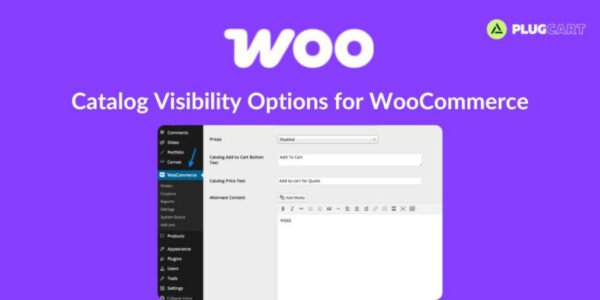
Not every store needs to sell products online — sometimes, you just want to showcase your catalog without enabling checkout or cart functionality. The WooCommerce Catalog Visibility Options plugin makes this easy by letting you control how products, prices, and e-commerce features appear to visitors and logged-in users.
⚙️ Key Features
👁️ Hide or Restrict Pricing
Easily hide prices or show them only to authenticated (logged-in) users.🛑 Disable E-Commerce Functionality
Turn off the cart and checkout features when you just want to display products.💬 Custom Price Messages
Replace the price field with custom text (e.g., “Contact for pricing” or “Login to view price”).🧩 Custom Add-to-Cart Messages
Display alternative messages or links when e-commerce functionality is disabled.⚖️ MAP Compliance
Hide pricing to comply with Minimum Advertised Price (MAP) regulations effortlessly.
🏁 Conclusion
✨ WooCommerce Catalog Visibility Options is the perfect solution for store owners who want a catalog-only display without online sales. Whether you need to restrict prices, disable checkout, or comply with pricing rules, this plugin gives you complete control over your WooCommerce store’s visibility.
Be the first to review “WooCommerce Catalog Visibility Options 3.3.7” Cancel reply
How to Install
Follow these quick steps to install from a .zip file or directly from your WP dashboard.
-
1
Go to Plugins → Add New
In your WordPress dashboard, open Plugins and click Add New.
-
2
Click Upload Plugin
Press Upload Plugin → Choose File and select the downloaded
plugin-name.zip. -
3
Install & Activate
Click Install Now, then Activate. You’re done!
-
4
(Optional) Enter License / Use Shortcode
Open Plugins → Your Plugin → Settings to enter your license. Add the box on the product page with:
[plugin_info_box]
Alternative: Install from WordPress directory
Go to Plugins → Add New, search the plugin name, click Install then Activate.
Manual (FTP) method
Unzip locally → upload the folder to /wp-content/plugins/ using FTP → activate from Plugins.
-
1
Go to Appearance → Themes
Click Add New → Upload Theme.
-
2
Upload the .zip file
Select
theme-name.zip, click Install Now, then Activate. -
3
Install Required Plugins
If prompted, click Begin installing plugins and activate them.
-
4
(Optional) Import Starter Content
Use the theme’s Demo Import (if provided) to load sample pages and settings.
Manual (FTP) theme install
Unzip the theme → upload to /wp-content/themes/ → activate from Appearance → Themes.




Reviews
There are no reviews yet.