
- ✔ Verified by VirusTotal
- ✔ 100% Original Product & Virus-Free
- ✔ Lifetime Free Updates on Single Purchase
- ✔ Unlimited Website Usage
- ✔ Prices in USD (Tax Included)
🔥 Limited-Time Deal — Ends Soon!
WooCommerce Checkout Fields & Fees 11.2
$19.00 Original price was: $19.00.$2.99Current price is: $2.99.
Instant Access
7 Day Money Back Guarantee
Online Support 24/7
Secure Payment
Description
WooCommerce Checkout Fields & Fees Plugin
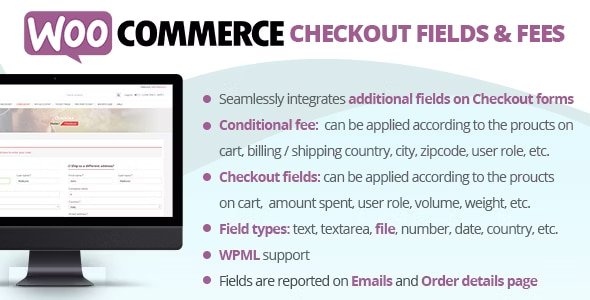
WooCommerce Checkout Fields & Fees allows store owners to easily customize the checkout experience by adding additional fields to Billing and Shipping forms and applying dynamic fees or discounts. Using a visual editor, you can create conditional logic rules to display fields or apply fees based on customer, cart, or product data, all without coding.
This plugin is ideal for stores that need personalized checkout options, extra data collection, or flexible fee management.
⭐ Key Features
1. Add Custom Checkout Fields
Create custom fields to collect additional information from customers at checkout. Field types include:
Text
Text Area
Number
Telephone
Email
Password
File Upload
Select / Multi-Select
Date / Time
Country / State
Heading
Field Options: Configure placeholder text, CSS classes, row sizes, visibility in emails, or order details.
2. Conditional Logic for Fields
Show fields only when specific conditions are met:
Product / Category / Tag in cart
Cart total, subtotal, weight, or volume
User roles or specific users
Billing / Shipping country, state, city, or ZIP code
Payment or shipping methods
Combine multiple conditions using AND / OR rules for full flexibility.
3. Dynamic Fees & Discounts
Apply extra fees or discounts automatically at checkout:
Based on cart contents or user roles
Conditional on shipping or billing location
Triggered by payment or shipping methods
Adjust fees for specific products, categories, or tags
Note: Only supports shipping methods created via native WooCommerce settings.
4. Advanced Field Options
File Upload:
Upload any file size at checkout
Visual progress bar for uploads
Admin access to uploaded files via order details
Optional deletion to save server space
Heading Field:
Organize checkout fields visually with headings
Select / Multi-Select Fields:
Add options using
value : labelformatFully compatible with WPML for multilingual labels
5. Sort & Hide Checkout Fields
Easily sort, hide, or temporarily disable conditional fields to optimize the checkout layout and improve user experience.
6. Easy-to-Use Visual Editor
Manage all checkout fields and fees in a single, intuitive interface
No coding required
Real-time preview of field display and fee application
💡 Benefits
Reduce errors and incomplete orders with well-organized checkout fields
Collect essential customer data for personalized services
Automatically apply fees or discounts to streamline promotions
Fully flexible, customizable, and conditional logic-based
LIVE DEMO:
Admin Demo
Shop admin account:
demo/demoCustomer account:
demo2/demo
This plugin is perfect for WooCommerce stores looking to enhance checkout functionality, collect additional data, or dynamically apply fees and discounts.
Be the first to review “WooCommerce Checkout Fields & Fees 11.2” Cancel reply
How to Install
Follow these quick steps to install from a .zip file or directly from your WP dashboard.
-
1
Go to Plugins → Add New
In your WordPress dashboard, open Plugins and click Add New.
-
2
Click Upload Plugin
Press Upload Plugin → Choose File and select the downloaded
plugin-name.zip. -
3
Install & Activate
Click Install Now, then Activate. You’re done!
-
4
(Optional) Enter License / Use Shortcode
Open Plugins → Your Plugin → Settings to enter your license. Add the box on the product page with:
[plugin_info_box]
Alternative: Install from WordPress directory
Go to Plugins → Add New, search the plugin name, click Install then Activate.
Manual (FTP) method
Unzip locally → upload the folder to /wp-content/plugins/ using FTP → activate from Plugins.
-
1
Go to Appearance → Themes
Click Add New → Upload Theme.
-
2
Upload the .zip file
Select
theme-name.zip, click Install Now, then Activate. -
3
Install Required Plugins
If prompted, click Begin installing plugins and activate them.
-
4
(Optional) Import Starter Content
Use the theme’s Demo Import (if provided) to load sample pages and settings.
Manual (FTP) theme install
Unzip the theme → upload to /wp-content/themes/ → activate from Appearance → Themes.




Reviews
There are no reviews yet.