
- ✔ Verified by VirusTotal
- ✔ 100% Original Product & Virus-Free
- ✔ Lifetime Free Updates on Single Purchase
- ✔ Unlimited Website Usage
- ✔ Prices in USD (Tax Included)
🔥 Limited-Time Deal — Ends Soon!
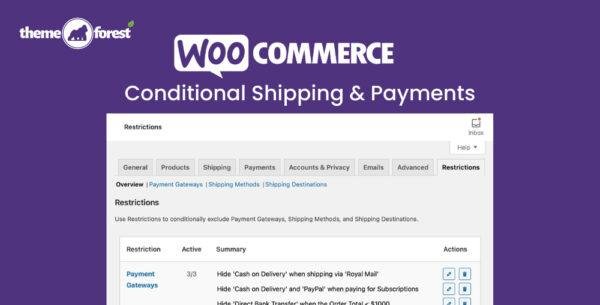
WooCommerce Conditional Shipping & Payments 3.0.3
$77.00 Original price was: $77.00.$2.99Current price is: $2.99.
Instant Access
7 Day Money Back Guarantee
Online Support 24/7
Secure Payment
Description
🚚 WooCommerce Conditional Shipping and Payments – Complete Store Control
This is a GPL-distributed version of Conditional Shipping and Payments. It is clean, secure, and legally redistributed, with no official support included.
Take full control over your WooCommerce store by restricting shipping methods, payment gateways, and shipping destinations with ease.
🌟 What WooCommerce Conditional Shipping Offer
Restrict shipping methods based on product, category, weight, or cart total.
Limit payment gateways per product, customer role, or subscription.
Control shipping destinations by country, state, or ZIP code.
Apply global or per-product restrictions.
Optimized for speed with caching and lightweight rules evaluation.
🧩 Key Features
⚡ Flexible Shipping Control
Make free shipping available per product, category, or shipping class.
Restrict live rates and shipping methods based on package weight, item count, or cart total.
Prevent specific products or categories from shipping to restricted regions.
💳 Payment Gateway Restrictions
Limit payment options by shipping method, destination, or customer type.
Use dedicated gateways for subscriptions or membership purchases.
Hide payment methods for certain roles like wholesale or VIP customers.
🛠️ Global & Per-Product Rules
Apply global restrictions across your store.
Configure per-product conditional rules to tailor the shopping experience.
Keep your site clean and organized, avoiding scattered snippets or conflicting plugins.
🚀 Optimized for Performance
Leveraging WooCommerce caching optimizations.
Loads only components required to evaluate rules.
Tested with 2,000+ automated tests to ensure smooth functionality after every update.
🏁 Why Choose Conditional Shipping and Payments
✅ Streamlined control of shipping and payment options.
✅ Tailor WooCommerce rules per product, category, or customer.
✅ Speed-optimized and reliable for high-traffic stores.
✅ Ensure smooth, customized checkout experiences for all customers.
🎯 Conclusion
WooCommerce Conditional Shipping and Payments is the ultimate WooCommerce extension for businesses that need granular control over shipping and payment rules. From free shipping by product to restricted payment gateways by customer role, this plugin streamlines your store management while keeping your checkout efficient and reliable.
Be the first to review “WooCommerce Conditional Shipping & Payments 3.0.3” Cancel reply
How to Install
Follow these quick steps to install from a .zip file or directly from your WP dashboard.
-
1
Go to Plugins → Add New
In your WordPress dashboard, open Plugins and click Add New.
-
2
Click Upload Plugin
Press Upload Plugin → Choose File and select the downloaded
plugin-name.zip. -
3
Install & Activate
Click Install Now, then Activate. You’re done!
-
4
(Optional) Enter License / Use Shortcode
Open Plugins → Your Plugin → Settings to enter your license. Add the box on the product page with:
[plugin_info_box]
Alternative: Install from WordPress directory
Go to Plugins → Add New, search the plugin name, click Install then Activate.
Manual (FTP) method
Unzip locally → upload the folder to /wp-content/plugins/ using FTP → activate from Plugins.
-
1
Go to Appearance → Themes
Click Add New → Upload Theme.
-
2
Upload the .zip file
Select
theme-name.zip, click Install Now, then Activate. -
3
Install Required Plugins
If prompted, click Begin installing plugins and activate them.
-
4
(Optional) Import Starter Content
Use the theme’s Demo Import (if provided) to load sample pages and settings.
Manual (FTP) theme install
Unzip the theme → upload to /wp-content/themes/ → activate from Appearance → Themes.




Reviews
There are no reviews yet.