
- ✔ Verified by VirusTotal
- ✔ 100% Original Product & Virus-Free
- ✔ Lifetime Free Updates on Single Purchase
- ✔ Unlimited Website Usage
- ✔ Prices in USD (Tax Included)
🔥 Limited-Time Deal — Ends Soon!
WooCommerce Customer Email Verification Extension 2.8.2
$57.00 Original price was: $57.00.$2.99Current price is: $2.99.
Instant Access
7 Day Money Back Guarantee
Online Support 24/7
Secure Payment
Description
WooCommerce Customer Email Verification – Reduce Spam and Fake Orders
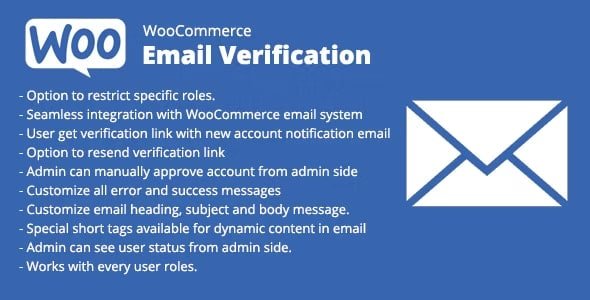
The WooCommerce Customer Email Verification plugin is a robust solution for WooCommerce store owners to prevent fake registrations, reduce spam, and ensure valid customer emails. With this extension, customers must verify their email address before accessing their accounts or completing checkout, helping you maintain a secure, reliable, and professional online store.
⭐ Key Features
Email Verification for New Customer Accounts
Customers registering on your store are flagged as Unverified Email.
Verification emails contain a link and/or code to confirm their email address.
Verified customers are redirected to their my-account dashboard, flagged as Verified Email.
Email Verification Before Checkout
Guest customers must verify their email before placing an order.
Unverified customers cannot access the checkout until verification is complete.
Automatic verification for accounts created during checkout.
Flexible Verification Options
Popup overlay or inline verification on the checkout page.
Option to allow first login without verification or require verification immediately.
Customize verification emails and popups using the live preview customizer.
Admin Tools & Management
Easily verify, unverify, or resend verification emails from the admin dashboard.
Bulk actions: resend verification emails, verify multiple users, or auto-delete unverified accounts.
Set verification expiration and limit email resends to prevent abuse.
Delay WooCommerce New Account emails until after verification is complete.
Advanced Workflow Options
Skip verification for selected user roles.
Require re-verification when a customer updates their email address.
Verification can be applied for free orders only or for all new accounts.
Redirect customers to a custom page after successful email verification.
💡 Benefits of Using WooCommerce Customer Email Verification
Prevent Account Registration Spam: Stop fake or temporary accounts from accessing your site.
Reduce Fake Orders: Ensure valid emails for digital products, memberships, free trials, and samples.
Avoid Bouncing Emails: Prevent failed “new account” or order notifications due to incorrect emails.
Maintain Store Security: Only verified customers can log in or place orders.
Streamline Customer Management: Admin-friendly tools make handling unverified users quick and easy.
Why Choose WooCommerce Customer Email Verification?
This extension is essential for WooCommerce store owners who want to:
Keep their user base authentic and reliable.
Reduce operational issues caused by fake accounts or invalid emails.
Ensure smooth email communication with customers.
Fully control and customize the email verification workflow for a professional customer experience.
Be the first to review “WooCommerce Customer Email Verification Extension 2.8.2” Cancel reply
How to Install
Follow these quick steps to install from a .zip file or directly from your WP dashboard.
-
1
Go to Plugins → Add New
In your WordPress dashboard, open Plugins and click Add New.
-
2
Click Upload Plugin
Press Upload Plugin → Choose File and select the downloaded
plugin-name.zip. -
3
Install & Activate
Click Install Now, then Activate. You’re done!
-
4
(Optional) Enter License / Use Shortcode
Open Plugins → Your Plugin → Settings to enter your license. Add the box on the product page with:
[plugin_info_box]
Alternative: Install from WordPress directory
Go to Plugins → Add New, search the plugin name, click Install then Activate.
Manual (FTP) method
Unzip locally → upload the folder to /wp-content/plugins/ using FTP → activate from Plugins.
-
1
Go to Appearance → Themes
Click Add New → Upload Theme.
-
2
Upload the .zip file
Select
theme-name.zip, click Install Now, then Activate. -
3
Install Required Plugins
If prompted, click Begin installing plugins and activate them.
-
4
(Optional) Import Starter Content
Use the theme’s Demo Import (if provided) to load sample pages and settings.
Manual (FTP) theme install
Unzip the theme → upload to /wp-content/themes/ → activate from Appearance → Themes.




Reviews
There are no reviews yet.