
- ✔ Verified by VirusTotal
- ✔ 100% Original Product & Virus-Free
- ✔ Lifetime Free Updates on Single Purchase
- ✔ Unlimited Website Usage
- ✔ Prices in USD (Tax Included)
🔥 Limited-Time Deal — Ends Soon!
WooCommerce Customer Email Verification Extension 2.8.3
$57.00 Original price was: $57.00.$2.99Current price is: $2.99.
Instant Access
7 Day Money Back Guarantee
Online Support 24/7
Secure Payment
Description
📧 WooCommerce Customer Email Verification – Secure Your Store
The WooCommerce Customer Email Verification extension helps store owners reduce registration spam and prevent fake orders by requiring customers to verify their email addresses during account registration or before checkout. Ideal for digital products, memberships, and stores offering free trials, this plugin ensures that only valid users can access accounts or place orders.
By verifying emails, you also avoid bouncing emails, improve delivery rates for account notifications, and enhance customer trust. The plugin provides customizable verification workflows and a fully manageable process from the admin dashboard.
⚙️ Key Features
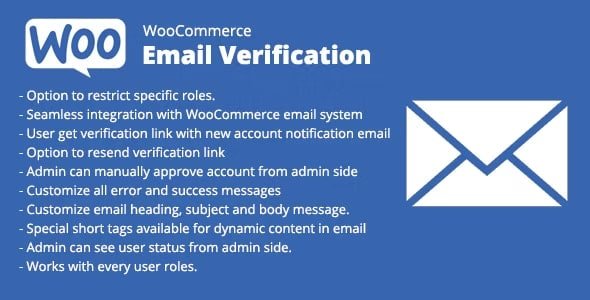
Email Verification for New Accounts: Customers must verify their email before accessing their accounts.
Checkout Verification: Require email verification before placing orders (including guest checkout).
Verification for Free Orders: Apply verification to orders with 0 total.
Automatic Verification for Accounts Created at Checkout: Seamless integration with checkout process.
Customizable Verification Workflow: Personalize emails, pop-up overlays, and inline verification with live preview.
First Login Option: Allow first login without verification, requiring it only on subsequent logins.
Redirect After Verification: Send users to any page after successful email verification.
Manage Unverified Customers: Manually verify, un-verify, resend verification emails, or auto-delete unverified accounts.
Re-Verify Updated Emails: Require verification when customers change their email address.
Delay Account Emails: WooCommerce new account email triggers only after successful verification.
Verification Expiration: Set expiration time for verification codes and links.
Skip Verification for Selected Roles: Choose which user roles bypass verification.
💎 What We Offer
We provide the latest GPL version of WooCommerce Customer Email Verification — secure, clean, and legally redistributed under the GPL license. While official support isn’t included, this version includes all premium features, giving store admins full control over email verification and user management.
🏁 Conclusion
The WooCommerce Customer Email Verification plugin is essential for reducing spam registrations, preventing fake orders, and ensuring valid customer accounts. With full customization, robust admin controls, and flexible verification workflows, it strengthens your store’s security and improves the user experience.
Be the first to review “WooCommerce Customer Email Verification Extension 2.8.3” Cancel reply
How to Install
Follow these quick steps to install from a .zip file or directly from your WP dashboard.
-
1
Go to Plugins → Add New
In your WordPress dashboard, open Plugins and click Add New.
-
2
Click Upload Plugin
Press Upload Plugin → Choose File and select the downloaded
plugin-name.zip. -
3
Install & Activate
Click Install Now, then Activate. You’re done!
-
4
(Optional) Enter License / Use Shortcode
Open Plugins → Your Plugin → Settings to enter your license. Add the box on the product page with:
[plugin_info_box]
Alternative: Install from WordPress directory
Go to Plugins → Add New, search the plugin name, click Install then Activate.
Manual (FTP) method
Unzip locally → upload the folder to /wp-content/plugins/ using FTP → activate from Plugins.
-
1
Go to Appearance → Themes
Click Add New → Upload Theme.
-
2
Upload the .zip file
Select
theme-name.zip, click Install Now, then Activate. -
3
Install Required Plugins
If prompted, click Begin installing plugins and activate them.
-
4
(Optional) Import Starter Content
Use the theme’s Demo Import (if provided) to load sample pages and settings.
Manual (FTP) theme install
Unzip the theme → upload to /wp-content/themes/ → activate from Appearance → Themes.




Reviews
There are no reviews yet.