
- ✔ Verified by VirusTotal
- ✔ 100% Original Product & Virus-Free
- ✔ Lifetime Free Updates on Single Purchase
- ✔ Unlimited Website Usage
- ✔ Prices in USD (Tax Included)
🔥 Limited-Time Deal — Ends Soon!
WooCommerce Customers Manager 31.9
$25.00 Original price was: $25.00.$2.99Current price is: $2.99.
Instant Access
7 Day Money Back Guarantee
Online Support 24/7
Secure Payment
Description
WooCommerce Customers Manager Plugin – Latest GPL Version
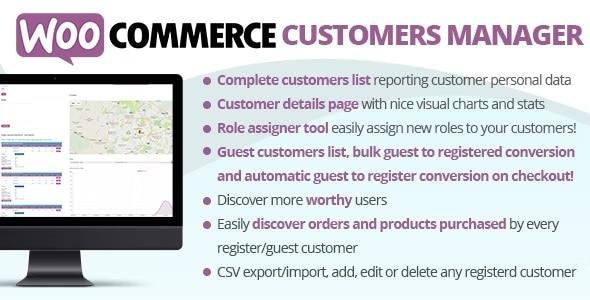
The WooCommerce Customers Manager (WCCM) Plugin is a powerful tool that expands your WooCommerce store with advanced customer management features. With this GPL-distributed version (clean, secure, and legally redistributed), you can easily view, manage, export, and analyze customer data without coding knowledge.
🔑 Key Features of WooCommerce Customers Manager
📊 Detailed Customer List & Export
Access a complete customer database with personal details like name, email, phone, and address.
View registration time, total spent, number of orders, and last activity.
Fully editable profiles – add, edit, or delete customers.
Export customer data to CSV format for reporting and marketing campaigns.
Filter customers by time range to analyze performance.
👤 Customer Details, Orders & Statistics
Access each customer’s billing and shipping information.
View all orders and associated products with a detailed breakdown.
Visual reports and charts show:
Most purchased products
Total spent per time range
Amount spent per order
Identify your most valuable customers to tailor marketing campaigns and exclusive coupons.
🛒 Guest Customers & Conversion
View data of guest customers (from their last order).
Convert guest users to registered customers via:
Order page conversion button
Guest customer list page
Automatic conversion after checkout completion
Merge guest orders with existing accounts if email matches.
Option to send automatic login credentials after conversion.
Create a new registered user directly from an order and complete it on the spot.
🚫 Blacklist Customers
Block unwanted or fraudulent users by assigning them the “Blocked Customer” role.
Blacklisted users cannot purchase products from your store.
Assign via customer profile or role assigner tool on the customer list page.
📌 Additional Highlights
Interactive charts for easy insights.
Works with OpenQuest APIs for map-based details (subject to usage quota).
Fully integrated into the WooCommerce admin interface.
Saves time for shop owners managing large customer bases.
⚡ Why Use WooCommerce Customers Manager?
Simplifies customer tracking and management.
Helps identify loyal buyers and high spenders.
Supports data export for CRM and marketing tools.
Converts guest checkouts into long-term customers.
Protects your store with customer blacklisting features.
🔧 Technical Information
Plugin Name: WooCommerce Customers Manager (WCCM)
Version: Latest GPL Release
License: GPL (clean & secure, no official support)
Integration: Works with WooCommerce & WordPress latest versions
Data Export: CSV format supported
👉 With WooCommerce Customers Manager GPL Plugin, you can take full control of your customer database, boost retention, and protect your WooCommerce store.
Be the first to review “WooCommerce Customers Manager 31.9” Cancel reply
How to Install
Follow these quick steps to install from a .zip file or directly from your WP dashboard.
-
1
Go to Plugins → Add New
In your WordPress dashboard, open Plugins and click Add New.
-
2
Click Upload Plugin
Press Upload Plugin → Choose File and select the downloaded
plugin-name.zip. -
3
Install & Activate
Click Install Now, then Activate. You’re done!
-
4
(Optional) Enter License / Use Shortcode
Open Plugins → Your Plugin → Settings to enter your license. Add the box on the product page with:
[plugin_info_box]
Alternative: Install from WordPress directory
Go to Plugins → Add New, search the plugin name, click Install then Activate.
Manual (FTP) method
Unzip locally → upload the folder to /wp-content/plugins/ using FTP → activate from Plugins.
-
1
Go to Appearance → Themes
Click Add New → Upload Theme.
-
2
Upload the .zip file
Select
theme-name.zip, click Install Now, then Activate. -
3
Install Required Plugins
If prompted, click Begin installing plugins and activate them.
-
4
(Optional) Import Starter Content
Use the theme’s Demo Import (if provided) to load sample pages and settings.
Manual (FTP) theme install
Unzip the theme → upload to /wp-content/themes/ → activate from Appearance → Themes.




Reviews
There are no reviews yet.