
- ✔ Verified by VirusTotal
- ✔ 100% Original Product & Virus-Free
- ✔ Lifetime Free Updates on Single Purchase
- ✔ Unlimited Website Usage
- ✔ Prices in USD (Tax Included)
🔥 Limited-Time Deal — Ends Soon!
WooCommerce Dynamic Pricing & Discounts 8.21.0
$58.00 Original price was: $58.00.$2.99Current price is: $2.99.
Instant Access
7 Day Money Back Guarantee
Online Support 24/7
Secure Payment
Description
WooCommerce Dynamic Pricing & Discounts (Latest GPL Version)
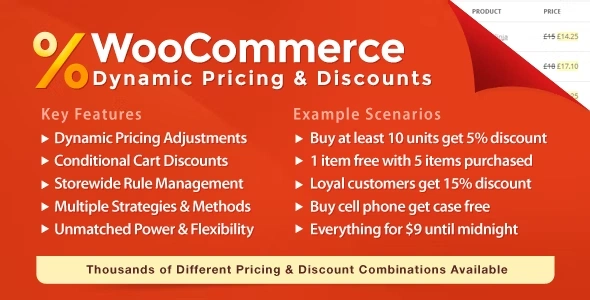
The WooCommerce Dynamic Pricing & Discounts Plugin is an all-in-one pricing and promotion solution for online stores. With powerful features, flexible rules, and advanced conditions, this plugin helps you create discounts, promotions, and pricing strategies tailored to your business needs.
This is a GPL-distributed version — clean, secure, and legally redistributed under the GPL license. No official support is provided.
🚀 Boost Sales with Dynamic Pricing & Discounts
🎯 Flexible Pricing Rules
Create bulk discounts, tiered pricing, flash sales, and bundle offers.
Apply discounts to specific products, categories, or the entire store.
Set up “Buy X, Get Y” offers to encourage upsells and cross-sells.
💰 Promotions Made Easy
Run Black Friday, Cyber Monday, Christmas, or seasonal sales.
Offer clearance discounts or limited-time deals of the day.
Instantly attract customers with automatic cart-based discounts.
🤝 Increase Customer Loyalty
🎁 Reward Your Customers
Offer discounts to returning customers or those who reach spending milestones.
Create exclusive insider pricing for VIP or wholesale buyers.
Design loyalty programs with lifetime value-based pricing strategies.
👤 Personalized Pricing
Apply individual discounts for specific customers.
Use location-based or role-based pricing (e.g., wholesale vs. retail).
Encourage repeat orders with behavioral pricing rules.
⚙️ Key Features of WooCommerce Dynamic Pricing & Discounts
WooCommerce Dynamic Pricing Options
Simple Adjustment → Increase, decrease, or set fixed prices.
Bulk Pricing → Unlock higher discounts with larger purchases.
Tiered Pricing → Progressive discounts per unit as quantities increase.
Group Discounts → Apply discounts when products are purchased together.
Buy X Get Y → Reward customers with free or discounted items.
Exclude Rules → Prevent certain items from being discounted.
WooCommerce Cart Discounts
Automatically apply discounts at checkout — no coupon codes required.
Conditions based on cart subtotal, items, shipping, or customer history.
Improve conversion rates by showing savings instantly.
WooCommerce Checkout Fees
Add extra charges based on order details (e.g., international shipping, fragile items, perishable goods).
Customize fees per region, category, or product type.
Use as a complete solution instead of multiple plugins.
📌 Why Choose WooCommerce Dynamic Pricing & Discounts?
Replace multiple discount plugins with one all-in-one solution.
Easily configure sales campaigns, wholesale pricing, and loyalty programs.
Save time and maximize profits with flexible pricing automation.
🔧 Technical Information
Plugin Name: WooCommerce Dynamic Pricing & Discounts
Version: Latest GPL
License: GPL (clean & secure, no official support)
Compatibility: Fully compatible with the latest WooCommerce & WordPress versions
👉 With WooCommerce Dynamic Pricing & Discounts GPL, you can create powerful promotions, increase sales, reward loyal customers, and manage every pricing strategy from one place.
Be the first to review “WooCommerce Dynamic Pricing & Discounts 8.21.0” Cancel reply
How to Install
Follow these quick steps to install from a .zip file or directly from your WP dashboard.
-
1
Go to Plugins → Add New
In your WordPress dashboard, open Plugins and click Add New.
-
2
Click Upload Plugin
Press Upload Plugin → Choose File and select the downloaded
plugin-name.zip. -
3
Install & Activate
Click Install Now, then Activate. You’re done!
-
4
(Optional) Enter License / Use Shortcode
Open Plugins → Your Plugin → Settings to enter your license. Add the box on the product page with:
[plugin_info_box]
Alternative: Install from WordPress directory
Go to Plugins → Add New, search the plugin name, click Install then Activate.
Manual (FTP) method
Unzip locally → upload the folder to /wp-content/plugins/ using FTP → activate from Plugins.
-
1
Go to Appearance → Themes
Click Add New → Upload Theme.
-
2
Upload the .zip file
Select
theme-name.zip, click Install Now, then Activate. -
3
Install Required Plugins
If prompted, click Begin installing plugins and activate them.
-
4
(Optional) Import Starter Content
Use the theme’s Demo Import (if provided) to load sample pages and settings.
Manual (FTP) theme install
Unzip the theme → upload to /wp-content/themes/ → activate from Appearance → Themes.




Reviews
There are no reviews yet.