
- ✔ Verified by VirusTotal
- ✔ 100% Original Product & Virus-Free
- ✔ Lifetime Free Updates on Single Purchase
- ✔ Unlimited Website Usage
- ✔ Prices in USD (Tax Included)
🔥 Limited-Time Deal — Ends Soon!
WooCommerce Email Verification 1.9
$14.00 Original price was: $14.00.$2.99Current price is: $2.99.
Instant Access
7 Day Money Back Guarantee
Online Support 24/7
Secure Payment
Description
WooCommerce Email Verification 1.9 – Secure Your Store with Verified Emails
This is a GPL-distributed version. No official support. Clean, secure, and legally redistributed under the GPL license.
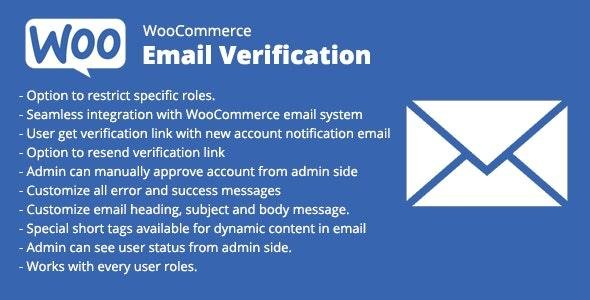
The WooCommerce Email Verification 1.9 plugin helps you reduce spam, fake accounts, and fraudulent orders by requiring users to verify their email address before accessing your store. It ensures only valid customers complete registration and checkout, protecting your business from unnecessary risks.
✨ Key Features of WooCommerce Email Verification
🔐 Secure User Registration
Require users to verify their email addresses before logging in or completing purchases.
Prevents fake sign-ups, spam accounts, and bot registrations.
📩 Verification Emails
Send an automated verification email when a user registers.
Includes a unique activation link that confirms their email address.
🚫 Restrict Access Until Verified
Unverified users cannot log in, checkout, or access account pages.
Protects your store from fraudulent orders and fake customer profiles.
🎨 Customizable Email Templates
Personalize the verification email content, subject, and design.
Add your brand logo, colors, and custom text.
⚙️ Additional Features
🕒 Auto Expiry for Verification Links
Set a time limit for verification links to be valid.
Expired links force users to request a new verification email.
🔄 Resend Verification Email
Users can easily resend the verification email if they missed the first one.
Admins can also trigger the resend manually.
📝 Admin Controls
Manage and view verification status of all users.
Filter and track verified vs unverified users.
🔧 Compatibility & Flexibility
Works seamlessly with latest WooCommerce & WordPress versions.
Compatible with most WooCommerce themes and plugins.
✅ Benefits of Using WooCommerce Email Verification
Protects your store from spam accounts and fake orders
Reduces fraudulent activity and chargebacks
Ensures higher email deliverability and real customer base
Improves customer trust & store credibility
Saves time by filtering out invalid customers early
📌 Technical Details
Plugin Name: WooCommerce Email Verification
Version: 1.9 (Latest GPL Release)
License: 100% GPL (clean & secure, no official support)
Compatibility: Works with latest WooCommerce & WordPress versions
👉 With WooCommerce Email Verification 1.9, you can ensure only real, verified customers enter your store – improving security, reducing fraud, and building trust.
Be the first to review “WooCommerce Email Verification 1.9” Cancel reply
How to Install
Follow these quick steps to install from a .zip file or directly from your WP dashboard.
-
1
Go to Plugins → Add New
In your WordPress dashboard, open Plugins and click Add New.
-
2
Click Upload Plugin
Press Upload Plugin → Choose File and select the downloaded
plugin-name.zip. -
3
Install & Activate
Click Install Now, then Activate. You’re done!
-
4
(Optional) Enter License / Use Shortcode
Open Plugins → Your Plugin → Settings to enter your license. Add the box on the product page with:
[plugin_info_box]
Alternative: Install from WordPress directory
Go to Plugins → Add New, search the plugin name, click Install then Activate.
Manual (FTP) method
Unzip locally → upload the folder to /wp-content/plugins/ using FTP → activate from Plugins.
-
1
Go to Appearance → Themes
Click Add New → Upload Theme.
-
2
Upload the .zip file
Select
theme-name.zip, click Install Now, then Activate. -
3
Install Required Plugins
If prompted, click Begin installing plugins and activate them.
-
4
(Optional) Import Starter Content
Use the theme’s Demo Import (if provided) to load sample pages and settings.
Manual (FTP) theme install
Unzip the theme → upload to /wp-content/themes/ → activate from Appearance → Themes.




Reviews
There are no reviews yet.