
- ✔ Verified by VirusTotal
- ✔ 100% Original Product & Virus-Free
- ✔ Lifetime Free Updates on Single Purchase
- ✔ Unlimited Website Usage
- ✔ Prices in USD (Tax Included)
🔥 Limited-Time Deal — Ends Soon!
WooCommerce EU VAT Number 3.0.1
$57.00 Original price was: $57.00.$2.99Current price is: $2.99.
Instant Access
7 Day Money Back Guarantee
Online Support 24/7
Secure Payment
Description
💶 WooCommerce EU VAT Number – Latest Version
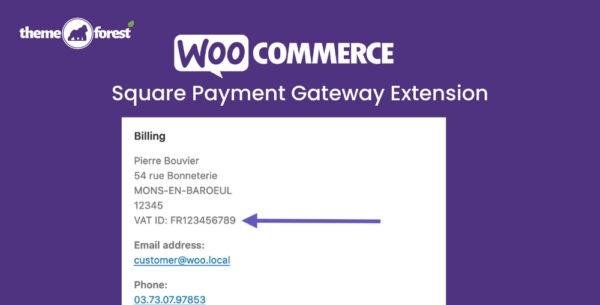
WooCommerce EU VAT Number is a powerful extension that enables your store to collect and validate VAT numbers from EU customers during checkout. If a customer enters a valid VAT ID, the plugin automatically removes VAT charges from their order — ensuring compliance with EU tax regulations for B2B transactions.
⚙️ Key Features
🧾 VAT Collection & Validation
Adds a VAT number field to your WooCommerce checkout page.
Automatically validates the VAT number via the EU’s VIES system.
Removes VAT from orders when the VAT number is valid.
🏢 B2B & B2C Compatibility
Perfect for stores selling to both consumers and businesses.
EU businesses can choose to pay tax or skip it with a valid VAT ID.
⚙️ Automatic Handling
Detects customer’s billing country to determine VAT applicability.
Applies VAT rules automatically based on EU tax guidelines.
Works seamlessly with WooCommerce Tax Settings.
🌐 Seamless Integration
Integrates directly into your checkout process.
Works with all major WooCommerce payment gateways.
Compatible with popular invoice and accounting plugins.
🔒 Compliance & Security
Ensures GDPR and EU tax compliance.
Stores VAT information securely for accounting and audit purposes.
🎁 Benefits
Stay compliant with EU VAT regulations.
Simplify B2B transactions for European customers.
Automatically verify and exempt valid VAT-registered businesses.
Reduce manual tax management and customer support requests.
🏁 Conclusion
The WooCommerce EU VAT Number plugin is a must-have for online stores that sell to customers in the European Union. It makes tax compliance simple, providing automatic validation, VAT exemption, and a smoother checkout process for eligible businesses — all while keeping your store legally compliant and efficient.
Be the first to review “WooCommerce EU VAT Number 3.0.1” Cancel reply
How to Install
Follow these quick steps to install from a .zip file or directly from your WP dashboard.
-
1
Go to Plugins → Add New
In your WordPress dashboard, open Plugins and click Add New.
-
2
Click Upload Plugin
Press Upload Plugin → Choose File and select the downloaded
plugin-name.zip. -
3
Install & Activate
Click Install Now, then Activate. You’re done!
-
4
(Optional) Enter License / Use Shortcode
Open Plugins → Your Plugin → Settings to enter your license. Add the box on the product page with:
[plugin_info_box]
Alternative: Install from WordPress directory
Go to Plugins → Add New, search the plugin name, click Install then Activate.
Manual (FTP) method
Unzip locally → upload the folder to /wp-content/plugins/ using FTP → activate from Plugins.
-
1
Go to Appearance → Themes
Click Add New → Upload Theme.
-
2
Upload the .zip file
Select
theme-name.zip, click Install Now, then Activate. -
3
Install Required Plugins
If prompted, click Begin installing plugins and activate them.
-
4
(Optional) Import Starter Content
Use the theme’s Demo Import (if provided) to load sample pages and settings.
Manual (FTP) theme install
Unzip the theme → upload to /wp-content/themes/ → activate from Appearance → Themes.




Reviews
There are no reviews yet.